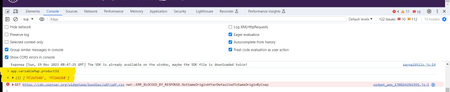
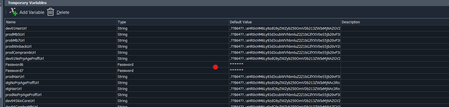
ContributionsMost RecentMost LikesSolutionsRe: Getting SmartBear Test Extension is not Installed or is Disabled - Error message TC version - 15.57.2 Extension version - 14.0.0 Yes, its showing on, Please check below screenshot Also there is no remove extension is available, Please check below image Getting SmartBear Test Extension is not Installed or is Disabled - Error message I reinstalled TestComplete today and now I'm facing the issue 'Test Extension is not Installed or is Disabled'. However, the extension is available in Chrome. Please help me understand what is causing the issue and how to resolve it. Re: Unable to connect bitbar browser rraghvaniThanks for your reply. I didn't make any changes, but after a while, it started working again. It looks like the server was down. Unable to connect bitbar browser I am using Bitbar Cloud devices in my automation testing. Until yesterday, I didn't face any issues connecting with the Bitbar browser. Today, I encountered difficulties connecting with the Bitbar mobile browser and received the following authentication error. Surprisingly, this issue only occurs on the mobile browser, as I can still connect to the desktop browser without any problems. I am trying to understand why it's not connecting to the mobile browser. Your suggestions would be highly appreciated. Reason: com.testdroid.api.APIException: Full authentication is required to access this resource There was an attempt to run the remote browser with the following capabilities: { "automationName" : "UiAutomator2", "bitbar_device" : "Samsung Galaxy S23 Ultra -US", "bitbar_findDevice" : "false", "browserName" : "Chrome", "deviceName" : "Samsung Galaxy S23 Ultra -US", "platformName" : "Android" } The hub URL: https://us-west-mobile-hub.bitbar.com/wd/hub Can't able to use EvaluateXpath or FindChildByXPath in Bitbar devices Hi team, I am attempting to locate an element using EvaluateXpath and FindChildByXPath. Both methods work fine in my local browser, but when it comes to Bitbar browsers (desktop and mobile), they do not work. I am encountering the following error and providing the code snippet below. Are there any other methods available to access in Bitbar browsers? Please suggest. Code: var freeGiftSection = sasPageObject.EvaluateXPath("//div[@class='gift-section sas-section']", true); Only in bitbar getting the below Error: Unable to find the object EvaluateXPath("//div[@class='gift-section sas-section']", true). Unstable behaviour in Smartbear Secure Tunnel Hi team, I am using the Secure Tunnel application to access lower environments that don't have an SSL certificate. After connecting to the Secure Tunnel, I can see in the bitbar that Secure Tunnel is On. Then, I can execute my scripts in the lower environment. However, in the middle of the execution, I encounter the 'Your connection isn't private' page because we don't have an SSL certificate. Surprisingly, the Secure Tunnel isn't turned off; it remains On. I can't understand what is causing the issue. Is there a time limit to execute scripts using the Secure Tunnel? Please help me understand this unstable behavior. Check the attached screenshots for your reference. Thanks in advance. In the beginning, there are no issues, and I can connect to the website without any problems. After 25 mins of execution I got the below page Re: Having issues while fetching the data from console rraghvani Could you please help to revert back to previous version 15.57? Please suggest a procedure to revert back. If I try to download it is downloading the latest version. Can't able to download the specified version. Having issues while fetching the data from console I updated to the latest TestComplete version, 15.58.9.7 x64, and have been experiencing issues while trying to fetch the object from the console. Please review the code snippet below, which is used to fetch the objects. It was working fine before the latest update, but now it returns a value of 'undefined.' Could you please suggest any ideas for what might be causing these issues? var pageObj = Sys.Browser().Page("*"); var productID = pageObj.contentDocument.Script.eval("app.variableMap.productId"); The screenshot below displays the data I am attempting to retrieve using the code above, SolvedTrying to execute parallel execution with different conditions Hi team, I'm attempting to implement parallel execution in bitbar devices. I've reviewed the TestComplete documentation where they mention the ability to execute scripts simultaneously on different bitbar devices, and that is working fine. Is it possible to execute the same script with different test flows using parallel execution? For example, having one device(session) execute one condition while another device(session) executes a different condition parallelly. Please suggest. Thank you! Global variables got changed after the latest update Hi team, Today, I updated the latest version of TestComplete, and after that, all the global variables changed. Please check the attached screenshot for your reference. Is there any possibility to recover the variables? Please suggest.