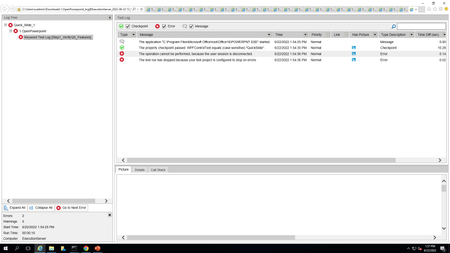
ContributionsMost RecentMost LikesSolutionsNew user not able to access Test Complete npaisley New joiner has joined our organization. I have added him under user list incense management system but then also he is not able to access the test complete instance . He is getting error "Floating license not found" getting error The action may be performed incorrectly, because the control is disabled rraghvani getting error in web application for if object operation .I have if object operation exist then click should take place but then also click action is happening and getting error : The action may be performed incorrectly, because the control is disabled. below is code Getting error Frame Content is not accessible TestComplete Version: 15.46 Chrome:Version 99.0.4844.84 (Official Build) (64-bit) I have followed all instructions mentioned in https://community.smartbear.com/t5/TestComplete-Questions/Record-test-Chrome-frame-content-not-accessible/m-p/234603 https://support.smartbear.com/testcomplete/docs/app-testing/web/common-tasks/frames.html Then also I am getting error Frame content is not accessible Re: TestCases are getting failed in Remote Desktop while executing using TestExceute Marsha_R Then it works fine and run properly Re: Getting error here was an attempt to perform an action at a point, which is beyond the screen. npaisley Its not working , I am getting the same error Re: Getting error here was an attempt to perform an action at a point, which is beyond the screen. Hey npaisley , Thank you so much for looking into it ..let me know if we can connect over a call Regards, Soumya Jain Re: Getting error here was an attempt to perform an action at a point, which is beyond the screen. Hi npaisley Yes same user if was used when triggered remotely and manually. Here are the logs when triggered remotely please refer :remote logs.zip) Logs when triggered manually in remote desktop :logs.zip Regards, Soumya Getting error here was an attempt to perform an action at a point, which is beyond the screen. Marsha_R npaisley I am getting this error when I triggered the test case in remote desktop from pipeline . But when I run the test case manually in remote desktop its working fine . I am not sure how coordinats get changes when tets cases are running in unattended mode here was an attempt to perform an action at a point, which is beyond the screen. TestCases are getting failed in Remote Desktop while executing using TestExceute npaisley Marsha_R I have implemented the below settings for remote desktop Connection to run the Testcases in Remote desktop in unattended mode using test Execute https://support.smartbear.com/testcomplete/docs/testing-with/running/via-rdp/in-minimized-window.html I have also implemented Keep computer unlocked setting https://support.smartbear.com/testcomplete/docs/testing-with/running/via-rdp/keeping-computer-unlocked.html but then also Testcases are getting failed in Remote machine because of the below mentioned errors: Re: how to open excel file using TestComplete Marsha_R I tried doing like getting a value of row or column but then also excel file didnt get open function ReadDataFromExcel() { let Excel = getActiveXObject("Excel.Application"); Excel.Workbooks.Open("C:\\Users\\Public\\TestInput\\ChartInput.xlsx"); let RowCount = Excel.ActiveSheet.UsedRange.Rows.Count; let ColumnCount = Excel.ActiveSheet.UsedRange.Columns.Count; for (let i = 1; i <= RowCount; i++) { let s = ""; for (let j = 1; j <= ColumnCount; j++) s += (VarToString(Excel.Cells.Item(i, j)) + "\r\n"); Log.Message("Row: " + i, s); } }