We are building a new experience for our SmartBear Community.
This site is now read-only. You can still browse and search as usual. Learn More
This site is now read-only. You can still browse and search as usual. Learn More


Hello,
I got an update from TestComplete support, and got to know that they have fixed this issue in the latest version of Testcomplete.
I upgraded my TestComplete version and It seems the whole problem with Userform font is resolved.
Thank you for looking at this thread and providing inputs. I really appreciate it.
Thank you
Abhi

Let's get a few things straight here. You're showing a screenshot of the Delphi IDE, but you blame TestComplete for your issues. After applying the changes, have you rebuilt you application before testing it? Does the label have the correct font size etc. if you open the app without running a test?

SanderK wrote:
Let's get a few things straight here. You're showing a screenshot of the Delphi IDE, but you blame TestComplete for your issues. After applying the changes, have you rebuilt you application before testing it? Does the label have the correct font size etc. if you open the app without running a test?
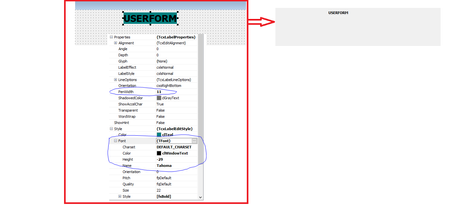
Actually, SanderK, this isn't the DelphiIDE that he has screenshots of. TestComplete has a feature where you can build forms within your test project that can be triggered and shown for user interaction with the test in progress. This is the problem that Adagio is working on.
My bad, it is indeed the user forms editor. I hadn't discovered that feature yet. Interesting to see though it has to be based on Embarcadero technology.
Hello,
I got an update from TestComplete support, and got to know that they have fixed this issue in the latest version of Testcomplete.
I upgraded my TestComplete version and It seems the whole problem with Userform font is resolved.
Thank you for looking at this thread and providing inputs. I really appreciate it.
Thank you
Abhi