We are building a new experience for our SmartBear Community.
This site is now read-only. You can still browse and search as usual. Learn More
This site is now read-only. You can still browse and search as usual. Learn More


Found a workaround!
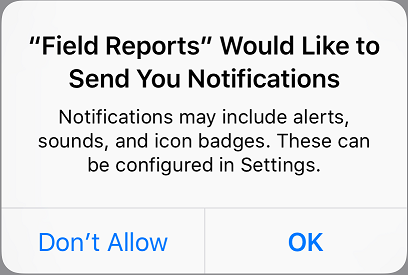
After installing the app and launching it, we get the Notification alert. This blocks the rest of the script from running. I noticed yesterday (by accident) that if the app is removed, installed, and launched again through our script with the alert still up, the script works! It just runs in the background behind the alert that is currently displayed.
I'm not sure why this happens, but I think we can at least run our tests now without the manual step of allowing notifications.
-Corey
Hi Alex, thanks for the reply!
To clarify, ImageRepository works for us, just not when this alert comes up. We can't select an image on the screen because TestComplete requires the tested app to be running, but it can't see the app in this case.
The link you provided is a solution for Appium, not TestComplete. I've actually tried this and you can get around the issue in Appium, but I'm not aware of a way to get around it in TestComplete.
Please correct me if I misunderstood or am wrong about something. I appreciate the help!
Thanks!
Corey