We are building a new experience for our SmartBear Community.
This site is now read-only. You can still browse and search as usual. Learn More
This site is now read-only. You can still browse and search as usual. Learn More


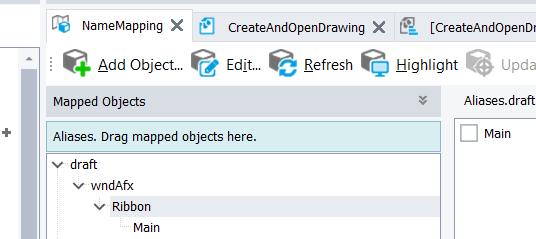
Ensure your https://support.smartbear.com/testcomplete/docs/testing-with/object-identification/name-mapping/index.html are defined and structured correctly, and make use of https://support.smartbear.com/testcomplete/docs/testing-with/exploring-apps/object-browser/about.html.
1. It could be a slight bug in TC, hence you can't find the object.
2. It's not possible to convert scripts to keyword tests
Once you added the property to MSAA, if you use the Object Spy tool, it should highlight each of the buttons. Object Browser may show you more details, like this
 Champion Level 3
Ensure your https://support.smartbear.com/testcomplete/docs/testing-with/object-identification/name-mapping/index.html are defined and structured correctly, and make use of https://support.smartbear.com/testcomplete/docs/testing-with/exploring-apps/object-browser/about.html.
1. It could be a slight bug in TC, hence you can't find the object.
2. It's not possible to convert scripts to keyword tests
Once you added the property to MSAA, if you use the Object Spy tool, it should highlight each of the buttons. Object Browser may show you more details, like this

rraghvani, thank you so much for all of your help. I am marking my question as solved. - My parent Ribbon object has 3 children, Window("ToolbarWindow32", "Main", 2), Window("ToolbarWindow32", "Typical", 1), and Window("#32770", "Ribbon", 1). I am able to individually select buttons only on the Window("#32770", "Ribbon", 1) icon bar but I can get my test to complete by running from the script. Thank You again! There is a LOT to learn!