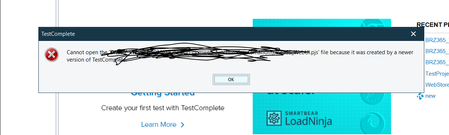
ContributionsMost RecentMost LikesSolutionsHow to view mht report in Windows 11(where IE browser is not supported)? How to view mht report in Windows 11(where IE browser is not supported)? Testcomplete : How to highlight an object during execution Testcomplete : How to highlight an object during execution During execution in Web application, i want to highlight an object (used in aqObject.Checkproperty). This helps in identifying the object which is being verified. Marsha_R sonya_m mattb ebarbera Any solution for the same? SolvedRe: TestComplete : Getting Type Mismatch error while using property checkpoint for VCLObject I am just verifying its property whether it is enable or not. TestComplete : Getting Type Mismatch error while using property checkpoint for VCLObject TestComplete : Getting Type Mismatch error while using property checkpoint for VCLObject Issue - I am using property checkpoint for the visibility of an object in my desktop application where object type is defined as VCLObject. I am able to recognize the object through "Highlight on screen" but property checkpoint is throwing error "Type Mismatch" How to update the project suite to the latest version of TestComplete? How to update the project suite to the latest version of TestComplete? We have a project suite created in testcomplete with 2 projects using TestComplete version - 14.91.341.7 x64 But we are having issues while using this testcomplete version with chrome browser version - 99.0.4844.51 (Official Build) (64-bit) Now while launching the browser it is giving error - Unable to use the Browsers object. The Web Testing plug-in that implements the object code is not installed. In order to update the testcomplete version to latest 15.31 how can we update our existing scripts to updated version in order to resolve incompatibility issues. SolvedRe: Remote Execution for Web picking tablet view while execution in headless mode. Found the solution by adding few parameters in the arguments i.e. args : [--headless --window-size=1920*1080] Re: Remote Execution for Web picking tablet view while execution in headless mode. Test is not exactly failing due to Browsers.RemoteItem, but it is picking the tablet view which hides our UI control and that's the reason, our execution is failing We tried with both, but didn't work - Browsers.RemoteItem["localhost", capabilities].Run(baseurl) Browsers.RemoteItem["http://hub.crossbrowsertesting.com:80/wd/hub", capabilities].Run(baseurl) Remote Execution for Web picking tablet view while execution in headless mode. Remote Execution for Web picking tablet view while execution in headless mode.as a result scripts are getting failed. We have removed all the defined virtual browsers from current project settings and default project settings and set chrome with resol Following are the parameters which we are using in our script - capabilities = "platform" = "Windows 10", "browserName" = "chrome", "screenResolution" = "1920x1080" Browsers.RemoteItem["localhost", capabilities].Run(baseurl) SolvedUnable to run test through Remote Desktop Connection in minimized mode Hi, I am trying to run tests through a Remote Desktop Connection but on minimizing the window GUI gets disabled and so the tests fails. I have tried editing registry setting as said in https://support.smartbear.com/testcomplete/docs/testing-with/running/via-rdp/in-minimized-window.html but the problem persists. Please have a look at the attachments SolvedUnable to update the testcomplete to version 15.0 HI, We are using TestComplete on multiple machines - Machine A - License Manager Machine (v14.93) Machine B - v14.93 - floating user license Machine C - v15.0 - trial version Using Machine C project has been created and when user from Machine B tries to open the same project in his machine then he won't be able to open the same and getting following error - If we try to update the version of TestComplete in Machine B to V15.0 then user is getting following message - As User from Machine B is using the floating user license and didn't have the credentials. Is there any solution for this particular scenario Solved