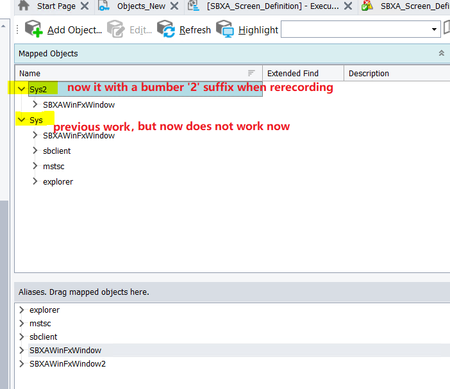
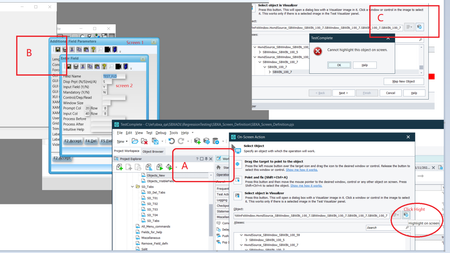
ContributionsMost RecentMost LikesSolutionsRe: The parent object was not found :NameMapping.Sys hi ebarbera, I have recorded the same short steps and here is the screenshot for the object. Regards, Leyna The parent object was not found :NameMapping.Sys There were keyward work previously. But one day I change the TC14.92.596.7 x64 to TC 14.3xxxx version then back to the version TC14.92.596.7 x64 again. the mapped object changed!! So all the keywards work not work now! Anyone meet the same issue and how to handle it? Re: Why plan do action in the child screen but the parent screen showed and automation can't go on work hi Marsha_R, Thank you for your comments, I do have the debug mode and also try with the delay method for the case but still does not work, and also separate the steps and still not work neither. Leyna. Re: Why plan do action in the child screen but the parent screen showed and automation can't go on work hi Marsha_R, Thank you for your comments. Yes , I have tried to click on the child page to make it on the top, this can work.But the parent page go to the top again when I try to fill the data though the child page pop up to the front, so maybe issues in the product? But you know it works when manually ...... Regards, Leyna Why plan do action in the child screen but the parent screen showed and automation can't go on work Why plan do action in the child screen but the parent screen showed and automation can't go on work Look at the screenshot i make here, when in pic 'A' click 'high light' in TC, then in pic 'B', the child screen will be overlap by the parent, then pic 'C' ,TC give the warning message. Anyone meet the same situation like this? how do you deal with this in the last? Is this a TC bug? Our application work when manually do. Thanks!