We are building a new experience for our SmartBear Community.
This site is now read-only. You can still browse and search as usual. Learn More
This site is now read-only. You can still browse and search as usual. Learn More


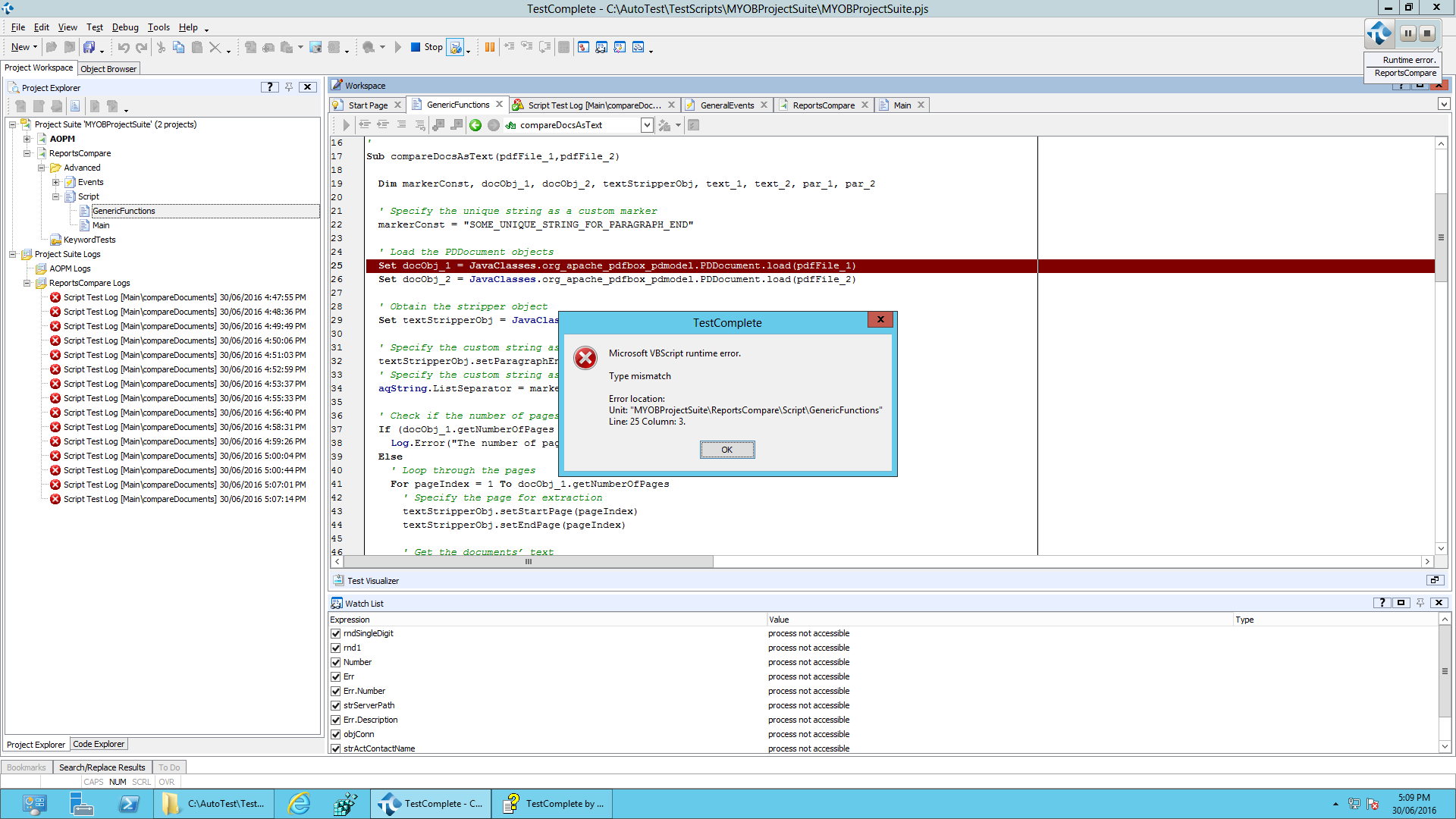
I have tried with PDFBox 2.x and indeed it does not work. I have asked Smartbear support to update their code on their how-to page but probably not a high priority.
I just went back to using 1.8.x for now though you could get 2.x working yourself, you'd have to figure out the interface changes though.

OK, I've spent a bit of time for the DelphiScript project from the https://support.smartbear.com/support/media/images/techpapers/testcomplete/samples/Sample-TestComplete-Project.zip suite used as a sample in the https://support.smartbear.com/articles/testcomplete/testing-pdf-files-with-testcomplete/ article.
These were the changes I made to make the first 'Getting Text' test item not to fail for the pdfbox-app-2.0.1.jar :
For the PDFExamples_DelphiScript project:
-- Switch to the project properties and select the JavaBridge node;
-- Remove the reference to the pdfbox-app-1.8.12.jar file and add instead a reference to the pdfbox-app-2.0.1.jar one in the Class Paths box;
-- Add org.apache.pdfbox.text.PDFTextStripper class to the Java Classes box
For the code:
-- code line like
// docObj := JavaClasses.org_apache_pdfbox_pdmodel.PDDocument.load_3(fileName);
must be replaced with the following code snippet
aFile := JavaClasses.java_io.File.newInstance(fileName);
docObj := JavaClasses.org_apache_pdfbox_pdmodel.PDDocument.load_2(aFile);
-- code line like
// textStripperObj := JavaClasses.org_apache_pdfbox_util.PDFTextStripper.newInstance();
must be replaced with the following line
textStripperObj := JavaClasses.org_apache_pdfbox_text.PDFTextStripper.newInstance();
-- code line like
// text := textStripperObj.getText_2(docObj);
must be replaced with the following line
text := textStripperObj.getText(docObj);
Hope, this will help...
P.S. Version 2.0 of PDFBox processed pdf of size >800KB without any problem, while previous version 1.8 failed because of the 'Could not push back xxx bytes in order to reparse stream' error from Java.
P.P.S.: HKosova, TanyaYatskovska : maybe this will be of some use when you update the sample and the article...

HI Thank you for your response,
can u please let me know can we compare an accounting report ,there will be 2 files as attached, one pdf file have balances, other file balances are wrong, so our result will be the files are not matching. can u suggesy any other tools also
Hi,
The actual approach will depend on your specific PDFs and your tested application.
The general approach :
-- Get the text from the actual pdf;
-- Optionally, process the obtained text with regular expressions to remove dynamic elements like current date/time stamp, author name, more than one space character, etc.;
-- Do the above two steps for the baseline master file;
-- Check if the text for the actual file corresponds to the text for the master file.
The above approach can be applied to the whole file or be implemented on the page-by-page base depending on the tools used.
I have experience with the pdfToText utility. This utility converts the whole file. The above process implemented with the use of this utility generally works, but sometimes ends with false negatives caused by the order of two paragraphs or number of spaces. I don't know if this is because of how the text is extracted from the pdf by this utility or because of some other reason and that is why I am going to evaluate if the pdfBox has the same problem or not.

 Alumni
Thanks Alex. I've asked our Documentation Team to update the article.