Forum Discussion



kjadhavkunal
9 years agoContributor
I am using following code to kill process,
var process = Sys.WaitProcess("iexplore", 5000);
if (process.Exists)
{
process.Terminate();
}
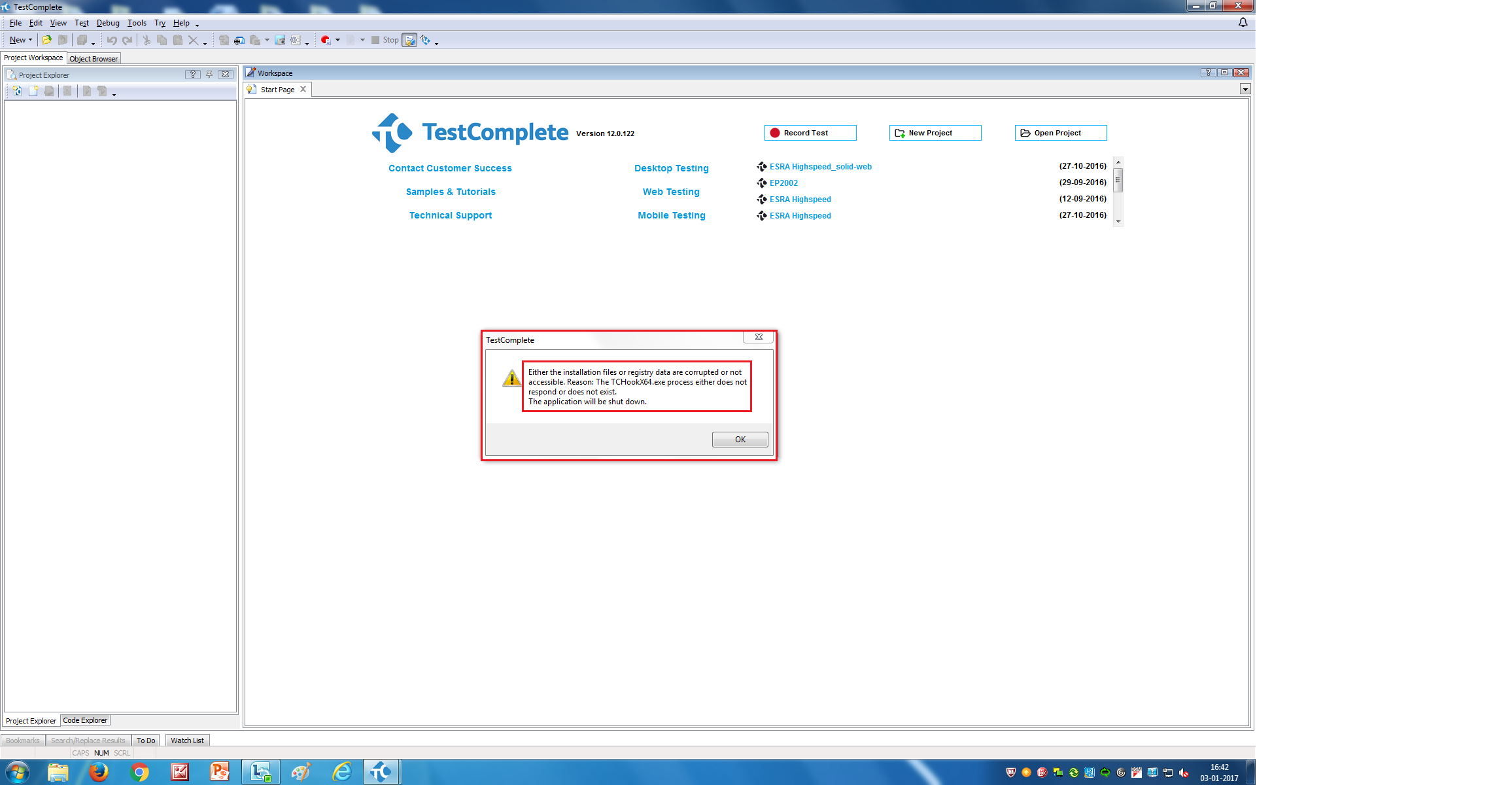
And its giving me following attached error
kjadhavkunal
9 years agoContributor
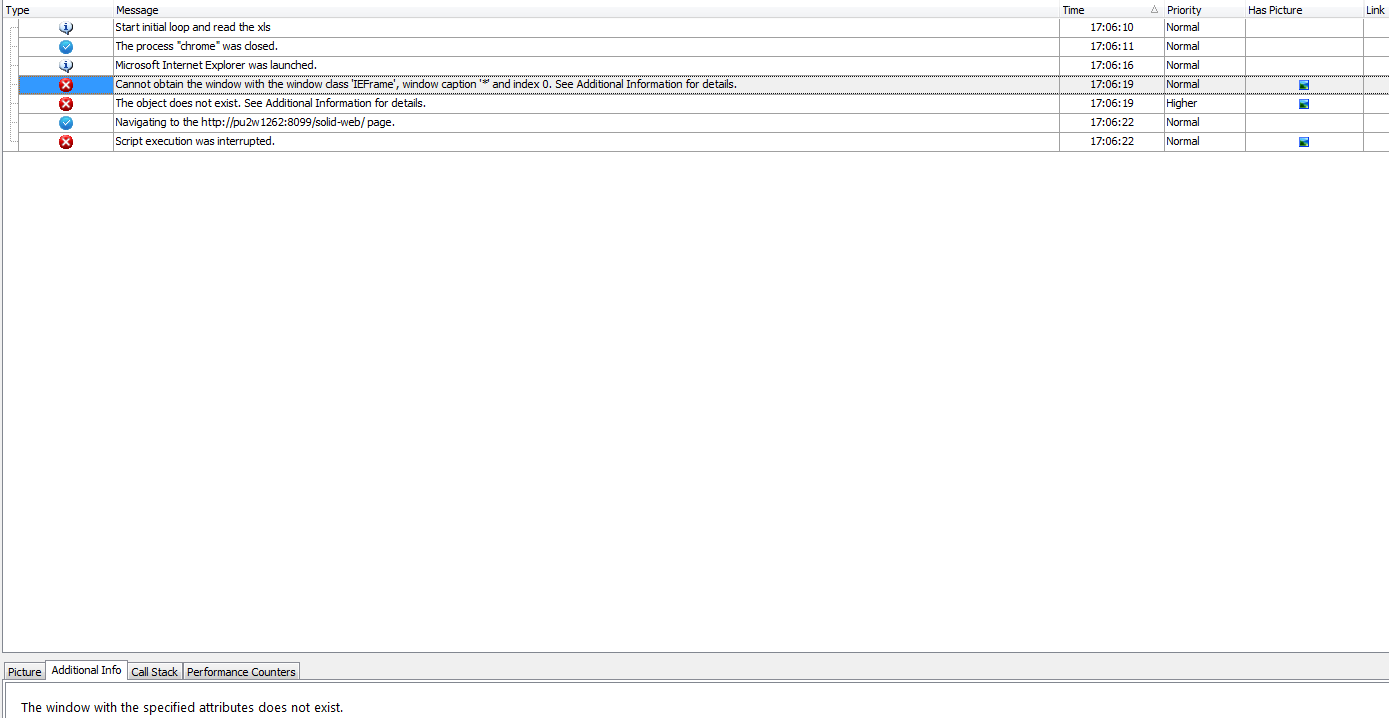
Also Its says 'Waiting for iexplore' for a long time.
Even we try to stop it. Doesnt get stopped.
One has to go to Task manager to close TestComplete application.
Find the below screenshot for more details,

 Colin_McCrae9 years agoCommunity Hero
OK, two questions:
1. Where is it doing the long wait? Closing the browser or terminating the process?
2. Are you trying to terminate the process AFTER your original code to close the browser (which didn't seem to be closing it properly)?
I just tried your code (slightly modified to C# Script syntax as that's what I'm using) and it worked just fine. Closed an open instance of IE for me. No "invisible" process left running afterwards. Running Win 7 Pro 64. IE11. TC 11.20.
I'm stating to think there is something funky about your IE install causing this. Try getting rid of the original browser close attempt and just kill the process without attempting to close the browser first. Although, if there are already two instances present (your browser close error suggests there are) then it will only kill the first one. I just tried it with two browsers opened. Without specifying an index number. And it only closed the first one.
If you (somehow) have multiple instances of the process present, I think you'll need to loop through them one by one killing them.
Although, I'd be more interested to find out what's causing the second, invisible, instance to be there. As you clearly seem to think it shouldn't be ....
- kjadhavkunal9 years agoContributor
First of all I try to close the browser (IE browser). Then I check for the iexplore process if running.
If yes then I close the process too.
Also yesterday I re-installed- Internet explorer 11 and Testcomplete12 (of course completely uninstalled first ).
And I am working with single tab of internet explorer only.
Find the code below,
if(Sys.WaitBrowser().Exists)
{
Sys.Browser().Close();
Delay(5000);
}
var process = Sys.WaitProcess("iexplore", 5000);
if (process.Exists)
{
process.Terminate();
}
var url = Driver.Value(0).toString();
Browsers.Item("iexplore").Run(url);
Sys.Browser().BrowserWindow(0).Maximize();
page = Sys.Browser("iexplore").Page(url);
- Colin_McCrae9 years agoCommunity Hero
Re-read my previous post.
Your reply above adds nothing new to your previous post.
Try terminating the process INSTEAD of closing the browser. Comment the part about closing out or something.
Your code isn't going to work if there are multiple instances of the process present as it is explicitly written to only address one of them. If there is a second process present, it will never get to it.
You can either address them by index. Or go the more brute force route. Either way, you need it in a loop.
Try modifying the termination part to (my bits are blue & psuedocode .. I think this is jScript, which I don't use):
Do
var process = Sys.WaitProcess("iexplore", 5000);
if (process.Exists)
{
process.Terminate();
}
Loop Until (Not Process.Exists)
 sanjay02889 years agoFrequent Contributor
Hi,
This is a strange behaviour. Can you specify the environment where you are running your Test Complete scripts? Are you running the scripts on any Windows server machine?
Long back I was using this script to close multiple instances of internet explorer and it used to work perfect for me. As I am not a C# or JavaScript guy I am posting this Vbscript code which you can modify according to your scripting language.
Sub CloseOpenBrowsers
Dim l_objBrowsers, l_BrowsersCount, l_ProcessName, objBrowser
l_objBrowsers = Sys.FindAllChildren("ObjectType","Browser")
l_BrowsersCount = Ubound(l_objBrowsers)
If l_BrowsersCount >= 0 then
For I = 0 to (l_BrowsersCount) - 1
l_ProcessName =l_objBrowsers(i).ProcessName
Delay 2000
Set objBrowser = Sys.Browser(l_ProcessName)
l_aobjPages = objBrowser.FindAllChildren("ObjectType","Page")
l_pagesCount = Ubound(l_aobjPages)
For J = 0 to l_pagesCount
If l_aobjPages(J).Exists then
l_aobjPages(J).Close()
Delay 500
End If
Next
Next
End If
End Sub
This script worked perfect for me. I had two instances of IE opened. One instance had two tabs opened and the other had three tabs opened. All the tab pages were closed and the instances of IE was closed. If you are working on a server you need to increase the delay and give some time for the browser to close.
For the other part of your problem. Once the IE has been terminated correctly can you run your scripts to executed on IE and post whether the script execution was successful?
- kjadhavkunal9 years agoContributor
Thank you,
but the problem was with my machine, the process was running even if I close it through scripts. where it was working as expected on other machines.
The priority of that service on my machine was set to 'High'. Ideally it should be set to 'Normal'.