Forum Discussion



Colin_McCrae
9 years agoCommunity Hero
I'm confused?!?!?
In your initial post, I'm in agreement with tristaanogre, it looks like the hook into IE is broken/corrupted/missing.
But in your second post ..... I'm not sure whats going on?
Screenshot 1 - Chrome - You close Chrome then try and navigate to page on it? That's not going to work! (Log and code both show this)
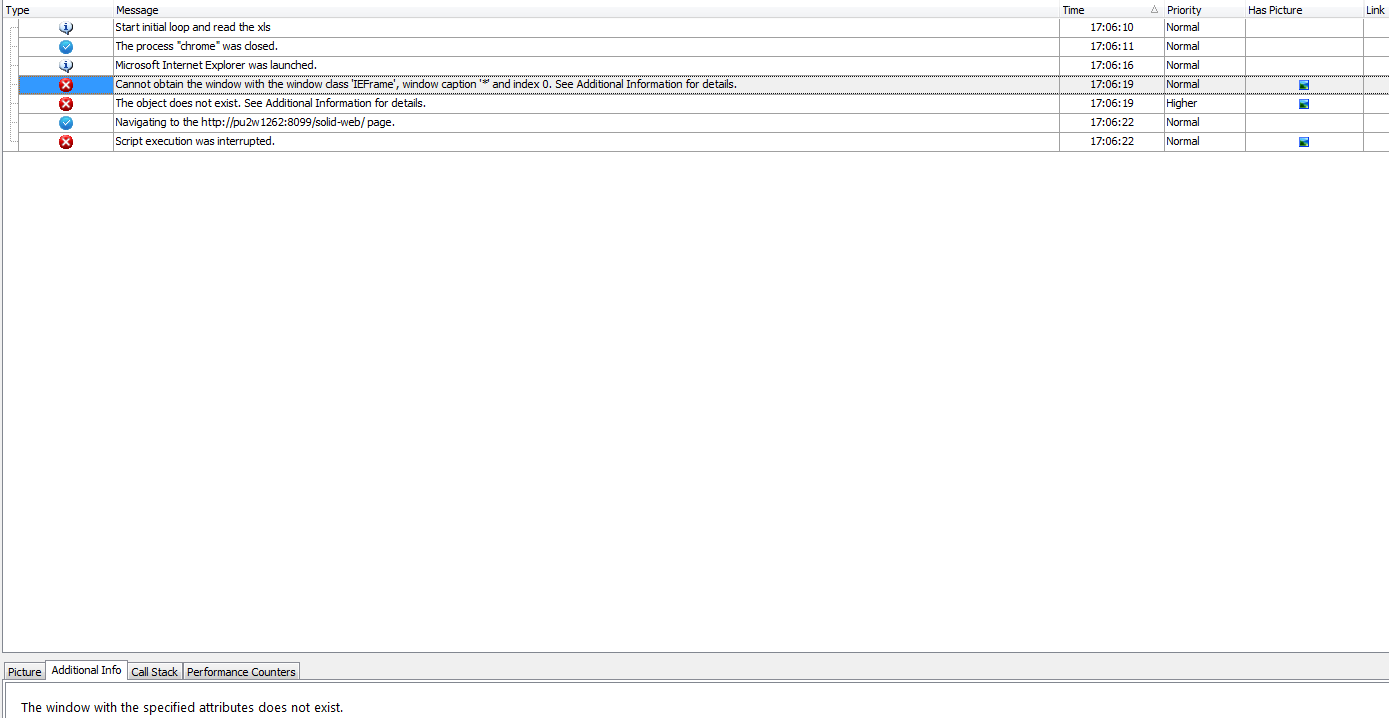
Screenshot 2 - IE - Not sure what's happening here. It looks like the "Run" method didn't work on your browser object? I just tried it and it worked fine.
Screenshot 3 - IE - Suggests it isn't killing the process properly. Which may mean you have two IE processes present. Which will cause problems if one is hidden. I thought this might be the case with screenshot 2, but the log for that said no IE process found ...
Ahhhhh! Hang on. On screenshot 2, it says it didn't kill the process as it couldn't find the window. Are you sure you don't have a second (invisible) IE process floating around in the background during all this?
Beyond that guess, I'm not sure what's happening here ....

kjadhavkunal
9 years agoContributor
How should I kill the process of 'iexplorer.exe' through script ? Please provide me a solution on this.
What I realised is, it remains in running state even after I close the browser using Sys.Browser().Close(); this script.
- where 'Browser' is parent class object of this process.
I checked in Task manager -> Processes -> 'iexplorer.exe'
- Colin_McCrae9 years agoCommunity Hero
Terminate it.
It's a standard method of all processes, including browsers. It should come up in code complete! Not hard to find ...
- kjadhavkunal9 years agoContributor
I am using following code to kill process,
var process = Sys.WaitProcess("iexplore", 5000);
if (process.Exists)
{
process.Terminate();
}
And its giving me following attached error
- kjadhavkunal9 years agoContributor
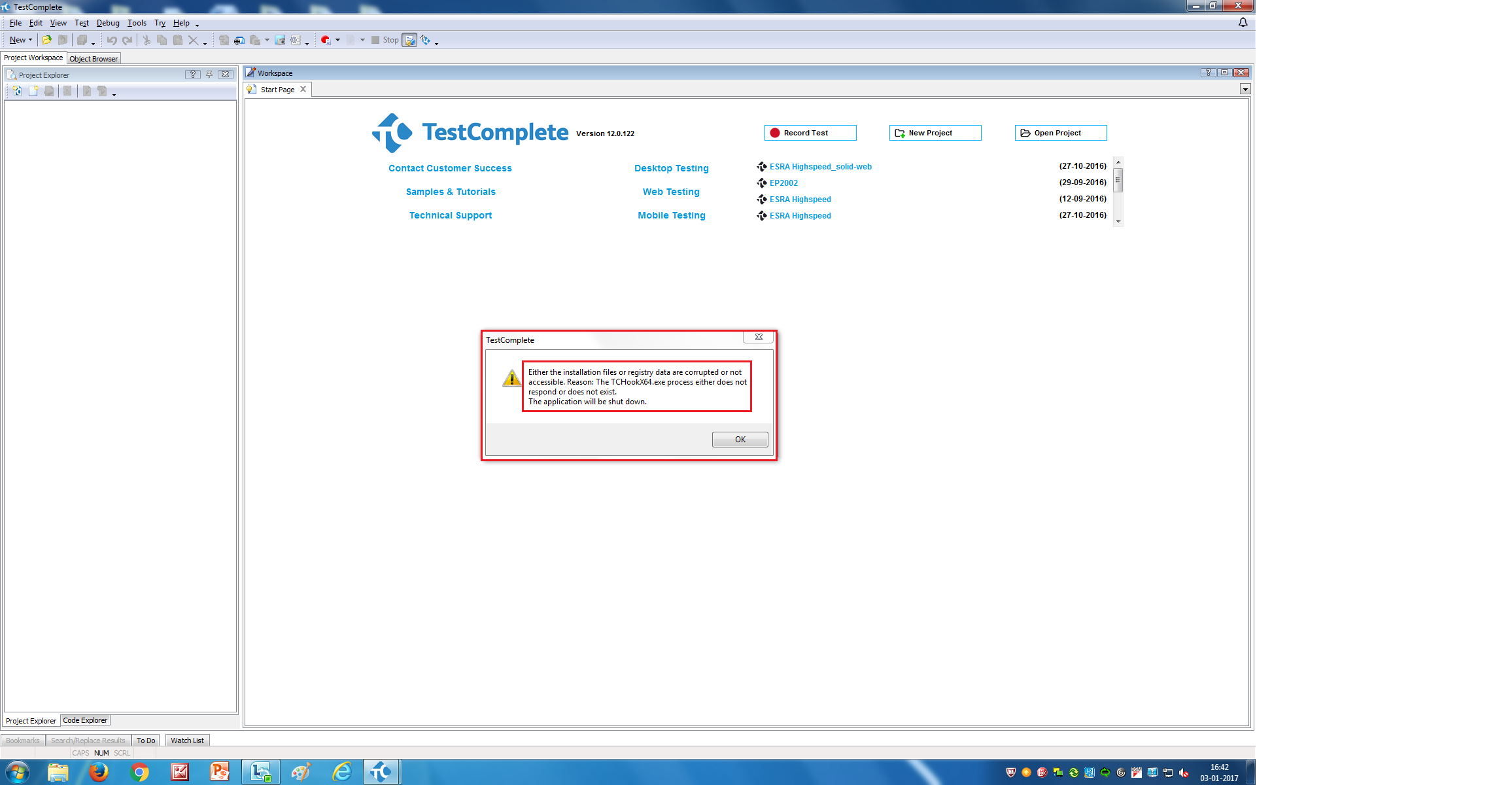
Also Its says 'Waiting for iexplore' for a long time.
Even we try to stop it. Doesnt get stopped.
One has to go to Task manager to close TestComplete application.
Find the below screenshot for more details,