Forum Discussion


nisgupta
8 years agoValued Contributor
We want to do it through programming . Doing it manually will be difficult as we have so many applications .
Thanks
NG

shankar_r
8 years agoCommunity Hero
nisgupta wrote:
We want to do it through programming . Doing it manually will be difficult as we have so many applications .
Thanks
NG
Do you want to upload the MHT file into the Confluence on each build?
- shankar_r8 years agoCommunity Hero
It is not the Jenkins confluence publisher plugin limitation.
The default rule for Jenkins is, each build step checks the previous step status if it is not SUCCESS then it won't go to next build/post build step and it stops where an error occurs. Some plug-ins might have override options so that irrespective of previous step status it will run.
From Document:
-
Action on warnings - Specifies whether Jenkins should mark the entire build as failed or unstable when the TestComplete test log contains warnings.
-
Action on errors - Specifies whether Jenkins should mark the entire build as failed or unstable when the TestComplete test log contains errors.
Answer to question is,
Make the two drop-down boxes in the TestComplete build step advanced options to None as like below image then you are all set.
-
 cunderw8 years agoCommunity Hero
You're getting an out of memory error, which probably means your mht is way too big. I would look into Log.LockEvents(); to reduce the number of events being logged and images which is likely what's causing the huge file size.
- nisgupta8 years agoValued Contributor
@shakar_r
Yes
- shankar_r8 years agoCommunity Hero
Just now got remembered, We have option to generate MHT file from the job.
MHT file will be available in the master.Generate MHT log file - If this option is enabled, TestComplete exports test results to a .mht file after the build is over. You can download this file from the Jenkins page displaying test results.
If this option is disabled, TestComplete does not export test results in the MHT format, but you can still examine results in Jenkins. See Viewing TestComplete Test Results in Jenkins.
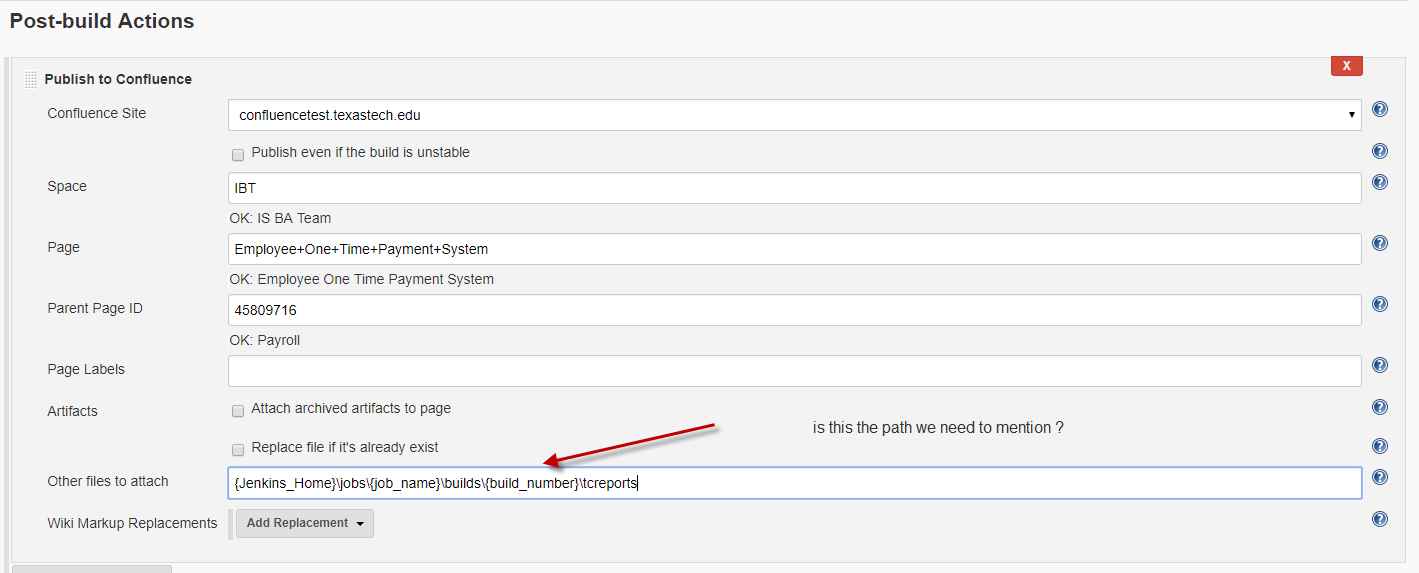
{Jenkins_Home}\jobs\{job_name}\builds\{build_number}\tcreportsNow you have MHT file you can do your pulgins to upload the MHT file into Confulense page - nisgupta8 years agoValued Contributor
yes we have the check box option to gnerate the MHT file. I always check this check box as we need to publish this report to confluence which is wiki .
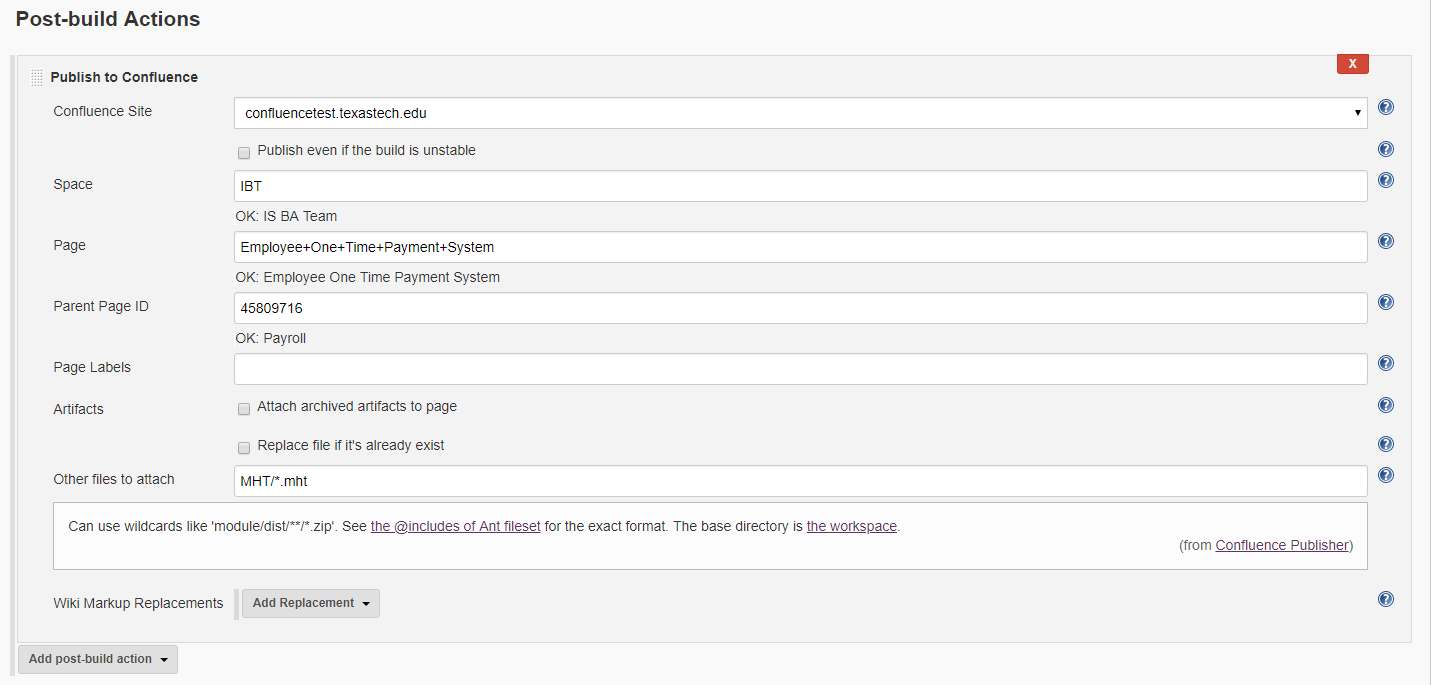
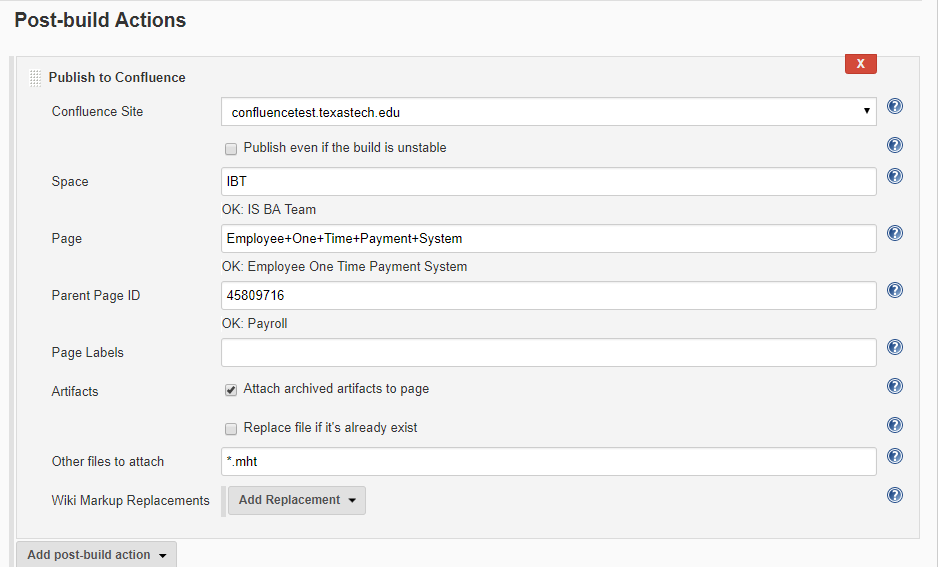
I have attached the Post build actions from jenkins I am looking whether we have the option in Jenkins that can push this MHT report automatically to Confluence Wiki ?
Thanks
NG
- shankar_r8 years agoCommunity Hero
No, We have to use the external plug-in (like you are using currently) to do the upload or other kinds of stuff.
- nisgupta8 years agoValued Contributor
ok
I am concerned about the path of the MHT file on master jenkins. Attached the screenshot with the path.
Thanks
NG
- shankar_r8 years agoCommunity Hero
Things to note here,
MHT file always generates in the Jenkins master node whereas job runs on the Slave node. Post-build will be triggered in the slave.
Before triggering the upload results to Confluence, MHT needs to be placed in the workspace of Slave from Master node. No plug-ins found to copy the file from Master node to salve workspace after a build.
Me too having the same kind of problem, I'm trying to solve it. Hope will find a solution soon.
- nisgupta8 years agoValued Contributor
Thank you
Yes you are right till now we have not find the way to copy the MHT file from master node to slave node.
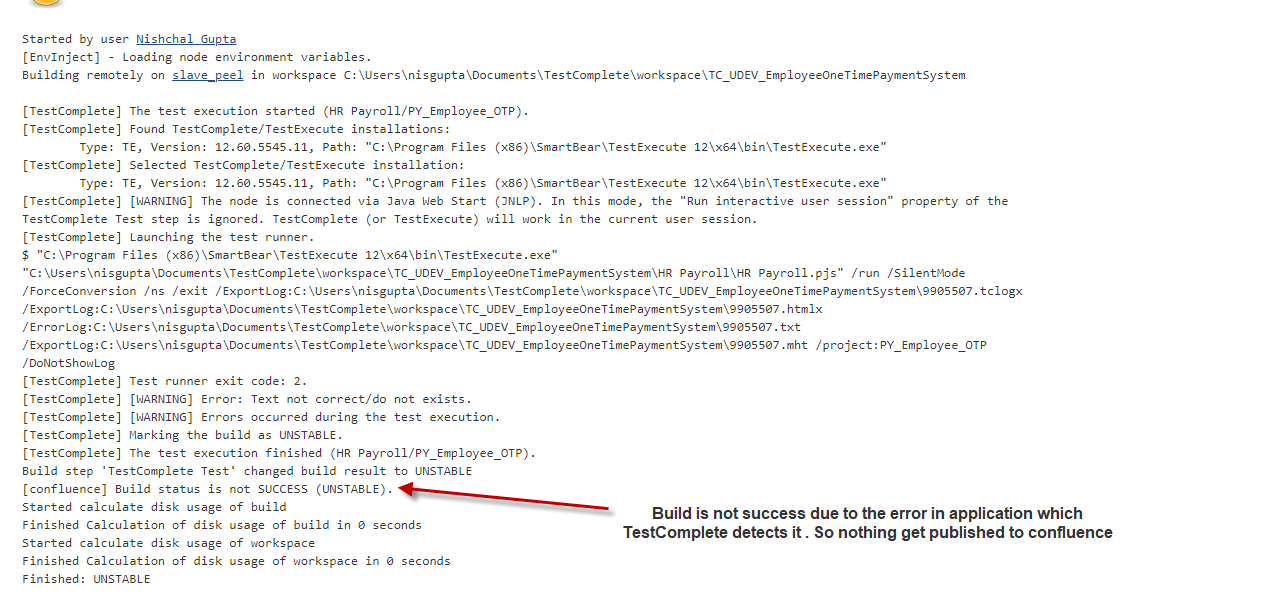
So what I did is Through testcomplete script I am exporting the MHT log . But there is issue jenkins build willl not post the MHT file to confluence or wiki if there are errors in the script. If there are no errors then it will post the MHT file to confluence
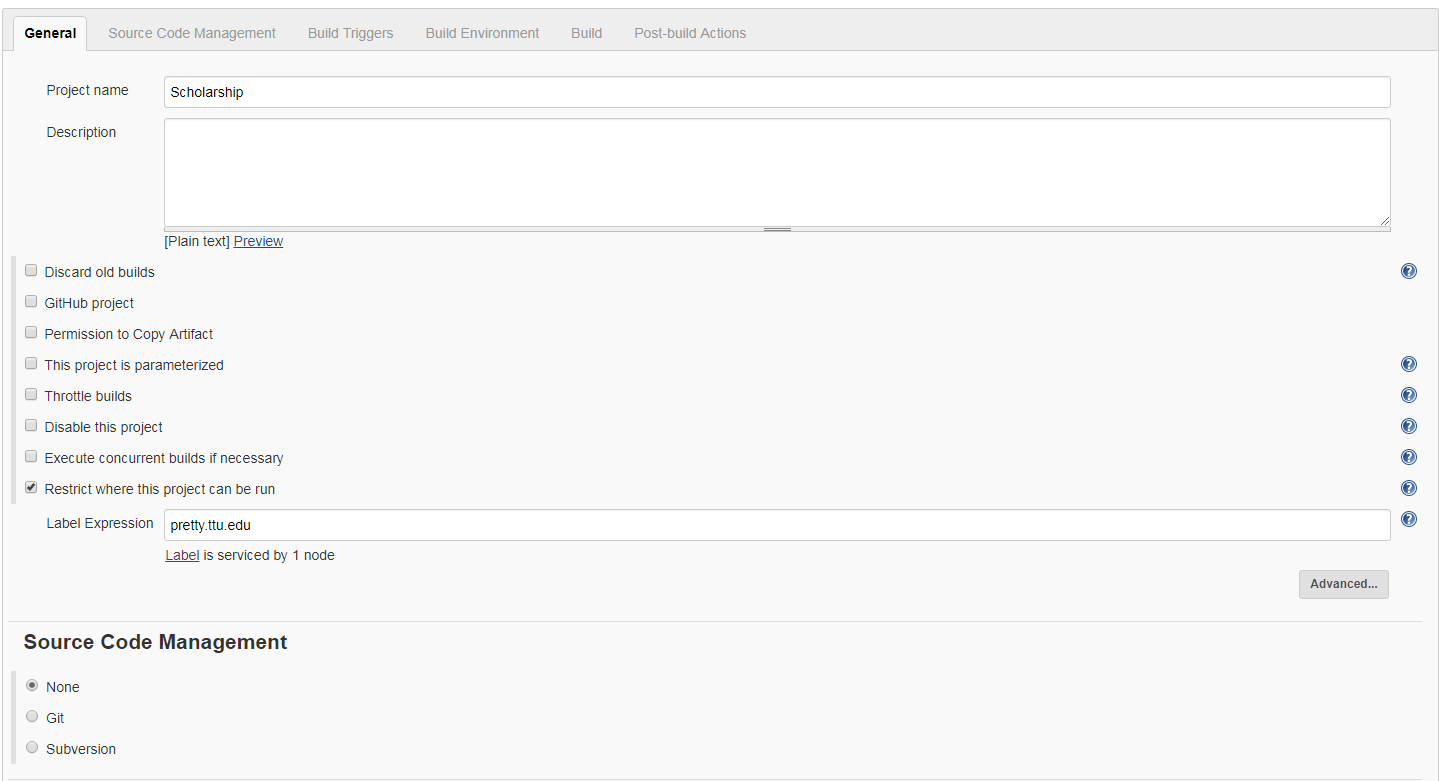
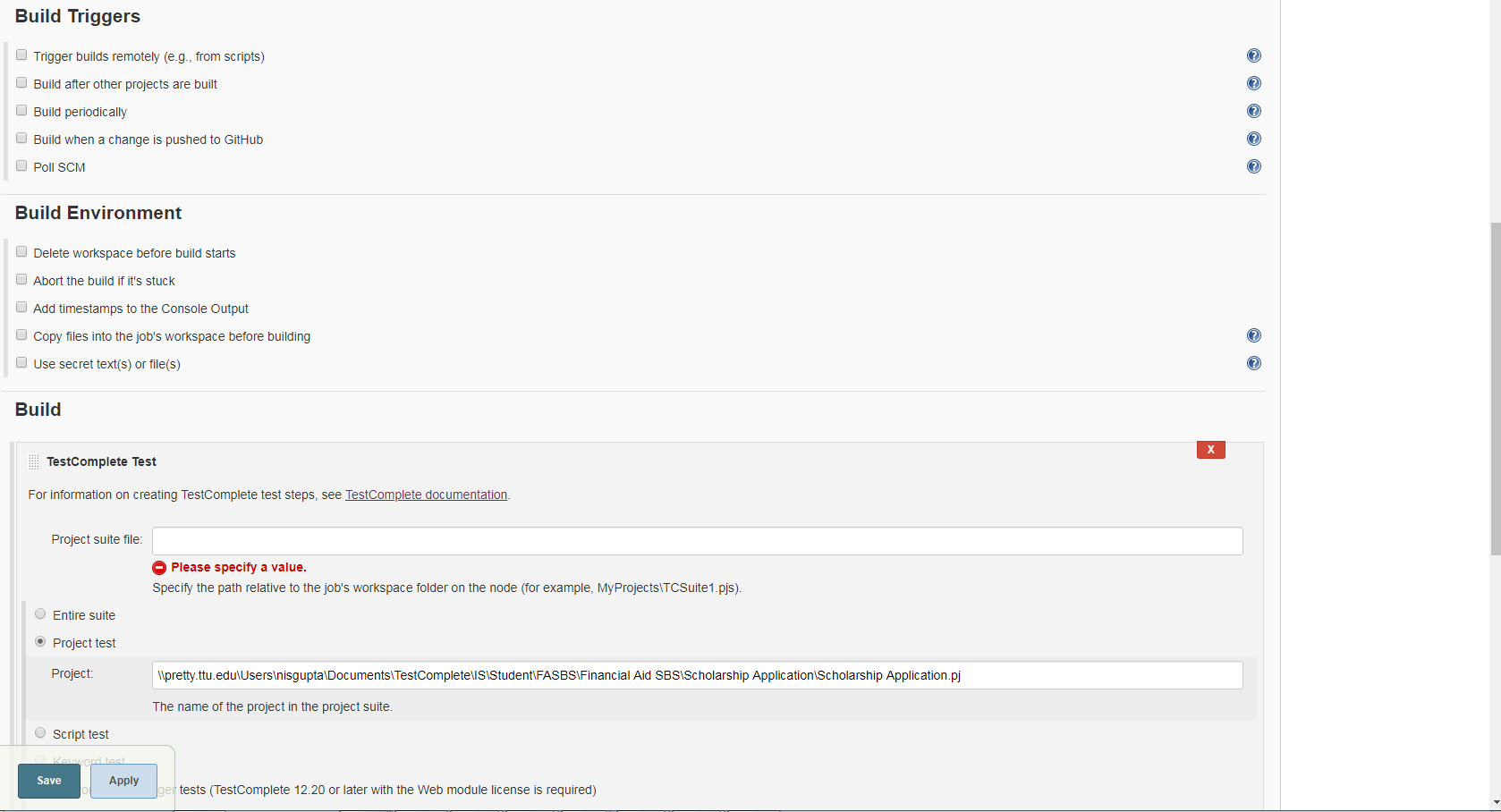
I have just attached the Post build actions - where I am using plugin Publish to confluence . Other attachment is related to console log showing the script has errors and jenkins detects it as unstable due to which MHT file do not get published to confluence.
I am not sure do we have any limitation in jenkins confluence publisher plugin ?
Thanks
NG
- nisgupta8 years agoValued Contributor
We are getting when uploading the testcomplete result - MHT to confluence like wiki
Attach the log file.
- nisgupta8 years agoValued Contributor
We are getting when uploading the testcomplete result - MHT to confluence like wiki
Attach the log file.
- nisgupta8 years agoValued Contributor
we are getting out of memory error when uploading the testcomplete results to confluence like wiki.
Attached the log files
- cunderw8 years agoCommunity Hero
Let's you limit the number of events posted to the test complete log.
- nisgupta8 years agoValued Contributor
Ok,
I got this. This is how we can limit the logging.
We have a case here
Our functional users want to see the results in MHT format which is the best way . The functional users do not have the knowledge of TestComplete. They want to see the how the application behave and from the start to end of the test case.
My concerns is limiting the logging will not allow the functional users to miss some steps .
Thanks
Nishchal
- cunderw8 years agoCommunity Hero
You can specify how far back the events will be captured when an error occurs which is the crucial piece. You can aslo include more verbose log messages, or completely eclude all images. You could also split up your tests into multiple projects. There are plenty of options to reduce the size.
- tristaanogre8 years agoEsteemed Contributor
So, you're using the logs of the tests to instruct end users how to use the application? Or are you trying to give the users confidence that TestComplete is performing the tests accurately? I'm not sure I understand why the functional users (who are not the testers) need that much detail in the TC logs.
- nisgupta8 years agoValued Contributor
Functional users already know how to use the applications. The goal is to let the functional users know about the behavior of the application . The best way we can show them to submit the report in MHT format which show the information similar to manual actions .
- cunderw8 years agoCommunity Hero
The error is occuring when you are trying to update the file via the confluence publisher. This looks to be a limitation of that plugin. See https://issues.jenkins-ci.org/browse/JENKINS-18383
You could talk with your infratstructue team and see if increase the memory allocation of the JVM fixes this, but my guess is you will still run into issues unless you decrease the size of your log file.
- cunderw8 years agoCommunity Hero
I can't say for sure because I don't know the size of your tests nor the logs that export for each one. But I would say it would definitely be worth a shot.
- nisgupta8 years agoValued Contributor
Finally we turn off images and the result get published to confluence.
I am looking for the options in jenkins where we can clean up the logs or reports before starting new builds
any idea ?
- shankar_r8 years agoCommunity Hero
You can use the workspace clean up potion as like below to clean the workspace before you start new build
- nisgupta8 years agoValued Contributor
We have 3 testExecute VM machines . We want to run the same project in all 3 testexeute VM machines but with different datas . Using jenkins to run the project.
Do we need to maximize the Window of VM machines ? I am seeing some issue when the VM machine window is minimized and the test do not run even though we have jenkins slave agent is connected.
Please update
Thanks
NG