TestComplete detects the table control itself, but none of the internal row/cell objects are exposed


Hi all,
I tried all the ways you mentioned but it didn't work
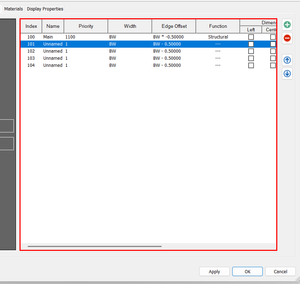
My table belongs to datagrid. And it don't have any object cells. > that's why I cannot retrieve the value as normally

 Champion Level 3
Now that you have provided a screenshot of the Object Browser, I can see that it's not a WPF application, but most likely a Windows 32 application!
Here's a Windows 32 application that I've created, having SysListView32 control, again similar control to yours -
If you enable MSAA, TestComplete will see more objects
MSAA enabled in Project SettingsIf you enable UI Automation, TestComplete may see more/less objects
UI Automation enabled in Project SettingsYou can use and modify the appropriate Property parameters to retrieve the data you require (either ask ChatGPT or research the Microsoft website on how to do this)
Or you could try use the Methods provided
More information can be found here Working With List View Controls in Desktop Windows Applications
Note, although UI controls look similar, the technology they use will most likely be different. So there's no real answer to this - you will have to study the Properties and Method exposed by TestComplete and see what you can use.