We are building a new experience for our SmartBear Community.
This site is now read-only. You can still browse and search as usual. Learn More
This site is now read-only. You can still browse and search as usual. Learn More


Type Mismatch error show me that, you have convert your string to int.
try like below,
function FXConnectRFSClientAllin(rowValue, ColValue) {
	try {
		rowValue = aqConvert.VarToInt(rowValue);
		ColValue = aqConvert.VarToInt(ColValue);
	} catch (ex) {
		Log.Error("Invalid inputs");
		return;
	}
	var intValue = Aliases.jp2launcher.JideSystemShell.Orders.exec_orders.RootPane.null_layeredPane.null_contentPane.SessionDetailsTabbedPanel.Panel.JideTabbedPane.BusyComponent.JXLayer.MultiOrderCardPanel.RFS_Competitive.JS_RFSOrderDetails.wValue(rowValue, ColValue);
	return intValue
}

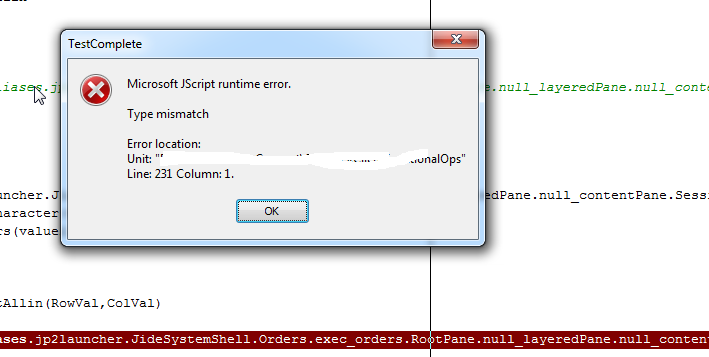
Tried this but still getting the runtime error as 'Type mismatch'
Can you post a screenshot where you are getting type mismatch error?
Hi,
Please see the error attached.
Is maybe because the row and col values are Integer types but I am passing the String type? Not sure
Type Mismatch error show me that, you have convert your string to int.
try like below,
function FXConnectRFSClientAllin(rowValue, ColValue) {
	try {
		rowValue = aqConvert.VarToInt(rowValue);
		ColValue = aqConvert.VarToInt(ColValue);
	} catch (ex) {
		Log.Error("Invalid inputs");
		return;
	}
	var intValue = Aliases.jp2launcher.JideSystemShell.Orders.exec_orders.RootPane.null_layeredPane.null_contentPane.SessionDetailsTabbedPanel.Panel.JideTabbedPane.BusyComponent.JXLayer.MultiOrderCardPanel.RFS_Competitive.JS_RFSOrderDetails.wValue(rowValue, ColValue);
	return intValue
}

If you were passing both row and column as a single parameter, right there is your problem. If wValue takes two parameters, you need to pass it two parameters, specifically, two integers. shankar_r's code is the correct code, you need to make sure that you are passing the correct number of parameters.