We are building a new experience for our SmartBear Community.
This site is now read-only. You can still browse and search as usual. Learn More
This site is now read-only. You can still browse and search as usual. Learn More


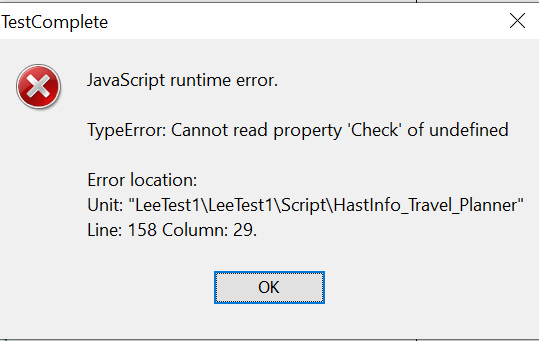
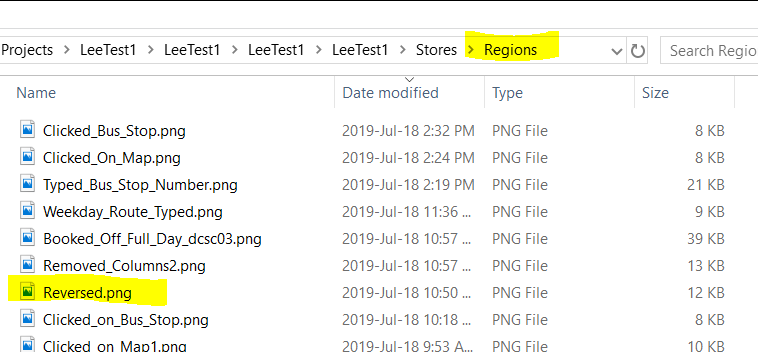
The file may be present in the hard drive, but the Regions store must contain it. (And I meant Reversed... typo). So check here and see if it's present.

Thanks Robert but,
"Based upon what you have writen as code, I would expect there to be an item in the list of regions available named Reserved. "
""Success = Regions.Reversed.Check(Regions.CreateRegionInfo(Aliases.browser.BrowserWindow.Chrome_Legacy_Window, 139, 319, 1727, 181, false), false, false, 10419, 255);"
Where do you see "Reserved?"
"Basically... the Reversed object has been removed", um no it is still there....
Lee
The file may be present in the hard drive, but the Regions store must contain it. (And I meant Reversed... typo). So check here and see if it's present.
Ah ha !!! I was looking in the regions directory with file explorer...when I used project explorer in the app, it was not there. I added it and it all seems to be ok now..
Thank you for your patience :)
Lee
No problem! Now, as to WHY it got removed from the Project Explorer... That I cannot speak to.