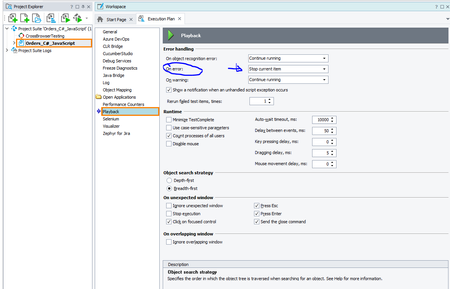
ContributionsMost RecentMost LikesSolutionsRe: Get script function name in Python Hi Marsha_R that works as expected but I would like to run my script directly from the Test Complete code editor and still have the same effect. I did't manage to figure it out if this is even possible. I have a defined python function that is added as a TestCase in the Execution Plan. What I want is to retireve the name of that function so the value that I should get with Project.TestItems.Current.ElementToBeRun.Caption both when running it from Execution Plan and when running it directy from code editor. Get script function name in Python Hi, I have a trouble with obtaining the name of the test function while running it as a Script Routine using Python. How to retreived test function name via Project.TestItems.Current.ElementToBeRun.Caption or something else when the script is not running from ExecutionPlan as a test item but as Script Routine from the code. Re: Modifying Test Complete Project Properties from script Marsha_R I would really want to avoid making seprate project in my test suite that would only differ with one parameter (hard for maintenance - 2 same code base). So if I would choose writing my own event handler, how should I approach it? Let's say I've written a handler for OnStopTestCaseEvent https://support.smartbear.com/testcomplete/docs/reference/events/onstoptestcase.html since it's occurs after test case is executed and it's possible to retireve test case status. But I did not manage to find a help in the docs for telling the TestComplete that current test case should be rerun directly from the script.I've read about TestCase Object https://support.smartbear.com/testcomplete/docs/reference/program-objects/testcase/properties.html but I can only give an information about current item that is currently running, nothing more. def general_events_on_stop_testcase(sender, stop_testcase_params): err_status = stop_testcase_params.Status if err_status == 2: # HOW TO RERUN TEST FROM HERE? Re: Modifying Test Complete Project Properties from script Marsha_R, thanks for the answer. I need to have this property to be configurable by script. What are my options then? 1. Is it a way to have two .mds files for one project and switch it programmatically, then? 2. Or is it the way to reload .mds file after the script change via xml parsing? I really have no idea how to tackle this problem. Modifying Test Complete Project Properties from script Hi! I've came across a specific issue. I'd like to know if it's possible to modify Current Project Properties directly from the script. I would like to have PlayBack -> OnError property value (from Stop current item to Stop and rerun current item) to be configurable.Is there any specific way to do so? Another thing is that currently even a manual project property change from GUI directly affects the .mds file since its added to git repository. Is there some nifty way to avoid it? I don't want to commit any changes by mistake. Maybe switching from Current Project Properties to Global? Is that the way to go? If so, how can I accomplish that? Extracting Test Logs to txt file from Command Line Hi, I am looking for the solution to extract the test logs (using Command Line) to a text file in a way a you can use the /ErrorLog:"file_name.txt" command. Is there a way to do so? The command /ExportLog:"filename" is not really working for me since it's only provides unwanted file formats.