Forum Discussion

4 Replies
- Hi Von,
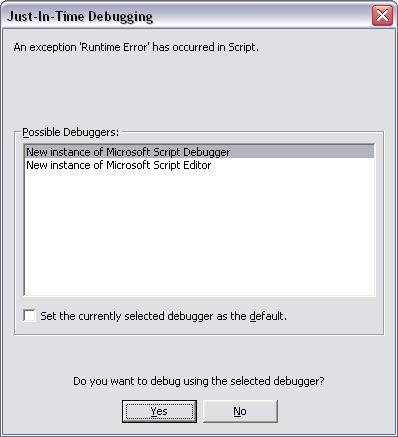
We have already seen this problem. Here are some resources where the problem is discussed:
http://forums.microsoft.com/MSDN/ShowPost.aspx?PostID=1600770&SiteID=1
http://www.nanoant.com/tweaks/ie-dev-toolbar-annoying-popup-fix
I hope this helps.  vonbaileyOccasional ContributorThe links provided appears to assume that Internet Explorer is involved in the creation of the debug dialog. This isn't the case with my situation. The debug dialog only appears when I am running a script in Test Complete in debug mode and there are no browsers involed in the process.
- Hi Von,
Please try the following possible solutions:
1. Change the following value in the Registry:
Key Name: HKEY_CURRENT_USER\Software\Microsoft\Windows Script\Settings
Value name: JITDebug
Value data: 0
2. Install the latest version of the Microsoft Script Debugger. You can get it here
Does this help? - vonbaileyOccasional ContributorThat worked. Thanks.