TestComplete 15.80: Mobile Recording on real Samsung device does not capture actions
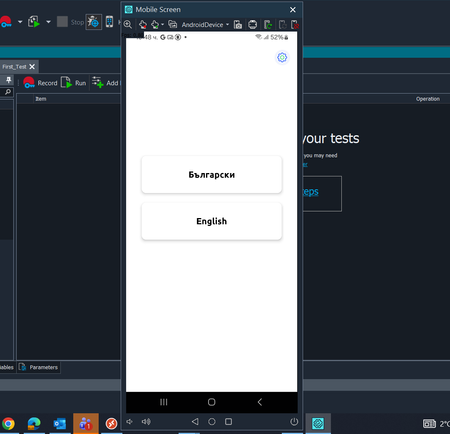


Anyone with some suggestions for it?

 Champion Level 3
Have you tried enabling USB Debugging ON in Developer Options, in Android?
Are you using Mobile Device Cloud (BitBar and local Appium) or Legacy mobile support?
Have you followed what is shown in About Mobile Tests?
Yes, USB Debugging is enabled in Android Developer Options. i am using Mobile Device Cloud / the newer mobile support with Local Appium, not Legacy mobile support. I also followed the steps described in the "About Mobile Tests".
At this point, the device connects successfully, the mobile screen is displayed in TestComplete, and Appium sessions are created without issue. In addition, Appium Inspector is able to detect UI elements and execute interactions.
The actual issue is that TestComplete doesn't save the clicks/swipes/actions during recording, even though the device connection itself seems to be working correctly.
Champion Level 3I would suggest opening a SmartBear Support Ticket, as this may be a bug in the latest version of TestComplete. Since you have followed all the instructions, their support team should be able to investigate further.
Just a suggestion, have you tried recording either Keyword or Script Tests? To see if one or the other works?