chicks
14 years agoRegular Contributor
Region checkpoint not matching seeming identical image
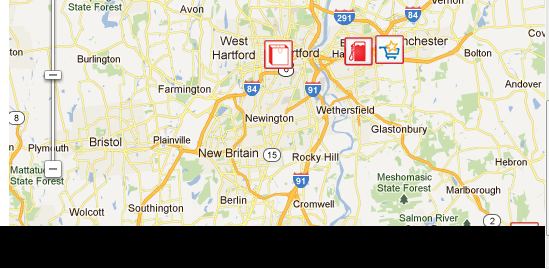
I'm trying some record script tests with region checkpoints for the first time to try to verify my google maps images.
I created region checkpoints using the wizard and the select window region option. When I run the tests, the images do not match. I get a 73% pixel difference and a 96% color difference when I try to adjust the checkpoint parameters. I've reviewed the reasons why images don't match and related help entries and not seen anything that seems to correspond.
The first attachment shows the "expected image" and the "actual image" as reported by test complete.
The second attachment shows the comparison mode. I noticed that the comparison mode shows the map | satellite, directional compass,
and scale slider match. This suggests to me that I do have the proper coordinates correct, and I'm not comparing images that are slightly off because of the way they got captured.
I imagine I'm missing something basic. Help, advice and suggestions would be greatly appreciated.
Thanks all.
Curt Hicks
I created region checkpoints using the wizard and the select window region option. When I run the tests, the images do not match. I get a 73% pixel difference and a 96% color difference when I try to adjust the checkpoint parameters. I've reviewed the reasons why images don't match and related help entries and not seen anything that seems to correspond.
The first attachment shows the "expected image" and the "actual image" as reported by test complete.
The second attachment shows the comparison mode. I noticed that the comparison mode shows the map | satellite, directional compass,
and scale slider match. This suggests to me that I do have the proper coordinates correct, and I'm not comparing images that are slightly off because of the way they got captured.
I imagine I'm missing something basic. Help, advice and suggestions would be greatly appreciated.
Thanks all.
Curt Hicks