Forum Discussion


shankar_r
9 years agoCommunity Hero
I maybe wrong since I'm not used to work with this type of AUT.
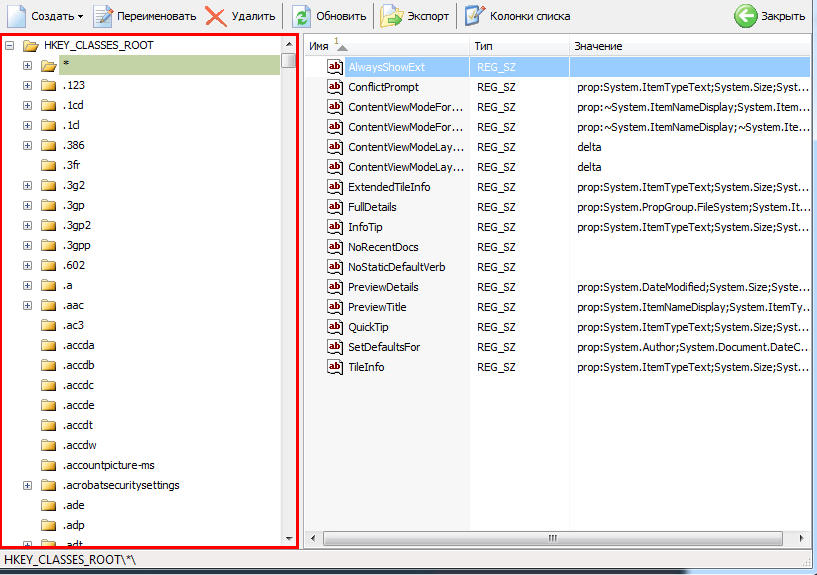
But the concept for some of the objects, Lets say you have Object type as Tree.
If you try to capture the Tree object, It would won't capture each and every tree item in the Tree object. It capture the Tree object and we can able to click the Tree items using the functions like ClickTreeItem().
So, the same way in your scenario try to find some functions which can help you.

elena_sheludko
9 years agoNew Contributor
thanks!
now I will try
- baxatob9 years agoCommunity Hero
Looks like it's a type of TreeView control. So you should be able to use ClickItem() method >>
- Colin_McCrae9 years agoCommunity Hero
baxatob wrote:
Looks like it's a type of TreeView control. So you should be able to use ClickItem() method >>
Nope. Not in Delphi-land! It's certainly not a traditional style TreeView. Don't think ClickItem will work for this one.
There are some tips here: https://community.smartbear.com/t5/TestComplete-Functional-Web/Delphi-VCL-Object-TStatusBar-and-TVirtualStringTree-TChart/td-p/70894
Looks like a typically horrible to work with Delphi control going by that! :smileyvery-happy:
- tristaanogre9 years agoEsteemed Contributor
I think I'm having a flashback... I've worked with TVirtualStringTree components before and, yes, there isn't necessarily a "ClickItem" method that will work on them... the data that is displayed is not displayed as items in the tree but there's an underlying data layer at work. We had to do a combination of doing some Object Mapping work as well as working with some of the exposed native methods of the object. So, yeah... do the Object Mapping as Colin_McCrae linked to and start exploring around some of the other methods and properties. What you'll end up with is a helper function that you'll call anywhere in your automation to work with that tree view.