Solved
Forum Discussion


shankar_r
8 years agoCommunity Hero
Few you can try to identify the issue,
- Have you verified this Build is triggering in the slave machine which you configured and manually tried? If not use below option to do it.
- Try triggering the build when you have your slave opened by yourself
- Try triggering the build after the disconnecting the slave
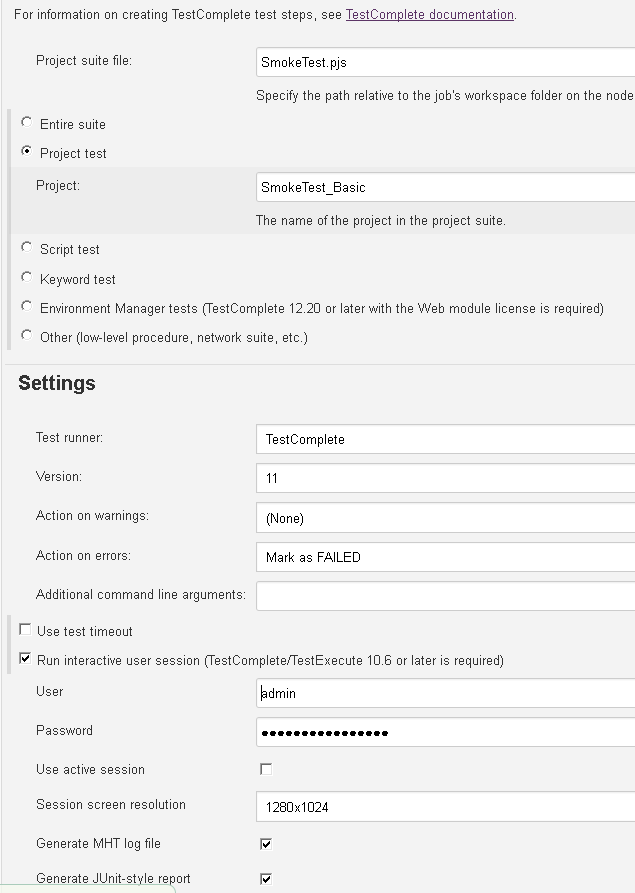
- Try with Entire suite option
I guess you will find some issues with above tries.

shenyusun
8 years agoContributor
Thank you for the suggestions.
Unfortunately, TC still wouldn't launch.
- Have you verified this Build is triggering in the slave machine which you configured and manually tried? If not use below option to do it. ----- Yes, and then I see the correct slave is running when I click Build.
- Try triggering the build when you have your slave opened by yourself
------ I monitor the slave from vSphere console, and then once I click 'Build', I see TestComplete.exe showed up in Processes, and then it's by jenkins user. However, TestComplete UI does not show up.
- Try triggering the build after the disconnecting the slave
------- Nothing happen, no remote section from TC.
- Try with Entire suite option
-------- Same behavior, I see TestComplete.exe showed up in Processes, and then it's by jenkins user. However, TestComplete UI does not show up.
I would think if TestComplete.exe is in Window Task Manager, then UI should launch, but it just hung there.