Two things to try:
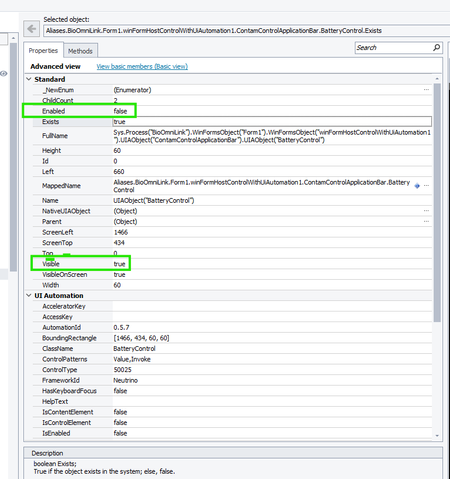
- Use the Object Browser to look at the control and its parent / children hierarchy. Then, make the control disappear in the running app. Afterwards, refresh or re‑inspect starting from the parent and navigate down through the children. See if anything in the hierarchy indicates a frame inside another frame or a container that changes visibility.
- Use the Refresh command in TestComplete’s Object Browser (or via script) to force the object tree to re‑synchronize. Look again at the control’s Visible, Exists, VisibleOnScreen, etc., after refresh. Also confirm whether the parent container or some frame is still “reporting” visible even if its content is hidden. https://support.smartbear.com/testcomplete/docs/reference/test-objects/members/common-for-all/refresh-method.html
🤖 AI-assisted response
👍 Found it helpful? Click Like
✅ Issue resolved? Click Mark as Solution


 Champion Level 3