Forum Discussion


tristaanogre
10 years agoEsteemed Contributor
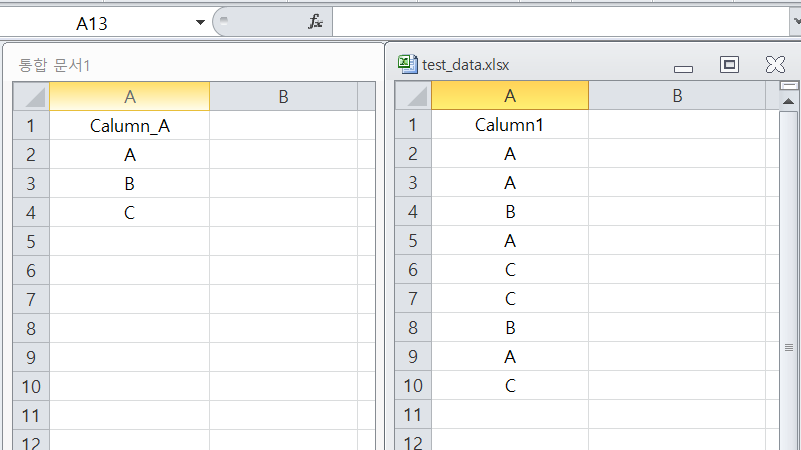
My suggestion would be to utilize the DDT.ExcelDriver objects to create access to each Excel sheet/tab. It would possibly look something like this.
var Driver1, Driver2, Value1, Value2;
Driver1 = DDT.ExcelDriver("C:\\myfiles\\myexcel1.xls","Sheet1");
while (!Driver1.EOF()) {
    Value1 = Driver1.Value("Calumn_A");
    Driver2 = DDT.ExcelDriver("C:\\myfiles\\test_data.xls","Sheet1");
    while (!Driver2.EOF()){
        Value2 = Driver2.Value("Calumn1");
        if (Value1 = Value2){
            switch (Value1){
                case "A" : RunTestA();
                           break;
                case "B" : RunTestB();
                           break;
                case "C" : RunTestC();
                           break;

            }
        }
        Driver2.Next();
    }
    DDT.CloseDriver(Driver2.Name);
    Driver1.Next();
}
DDT.CloseDriver(Driver1.Name);
This is untested and is completely off the top of my head. But this is what I would at least start with. The idea is that you are looping through your first file. Each time through the loop, you create a driver accessing your second file and loop through it. Each loop through the second file compares the values. If they are the same, run a script based upon the value in the first file.
- Marsha_R10 years ago
Champion Level 3
The only other thing I would suggest is using one Excel workbook and putting the data on different sheets. We use one workbook for one test to try to keep the number of files we need to track to a minimum.