Forum Discussion


sudam_evonsys
2 years agoOccasional Contributor
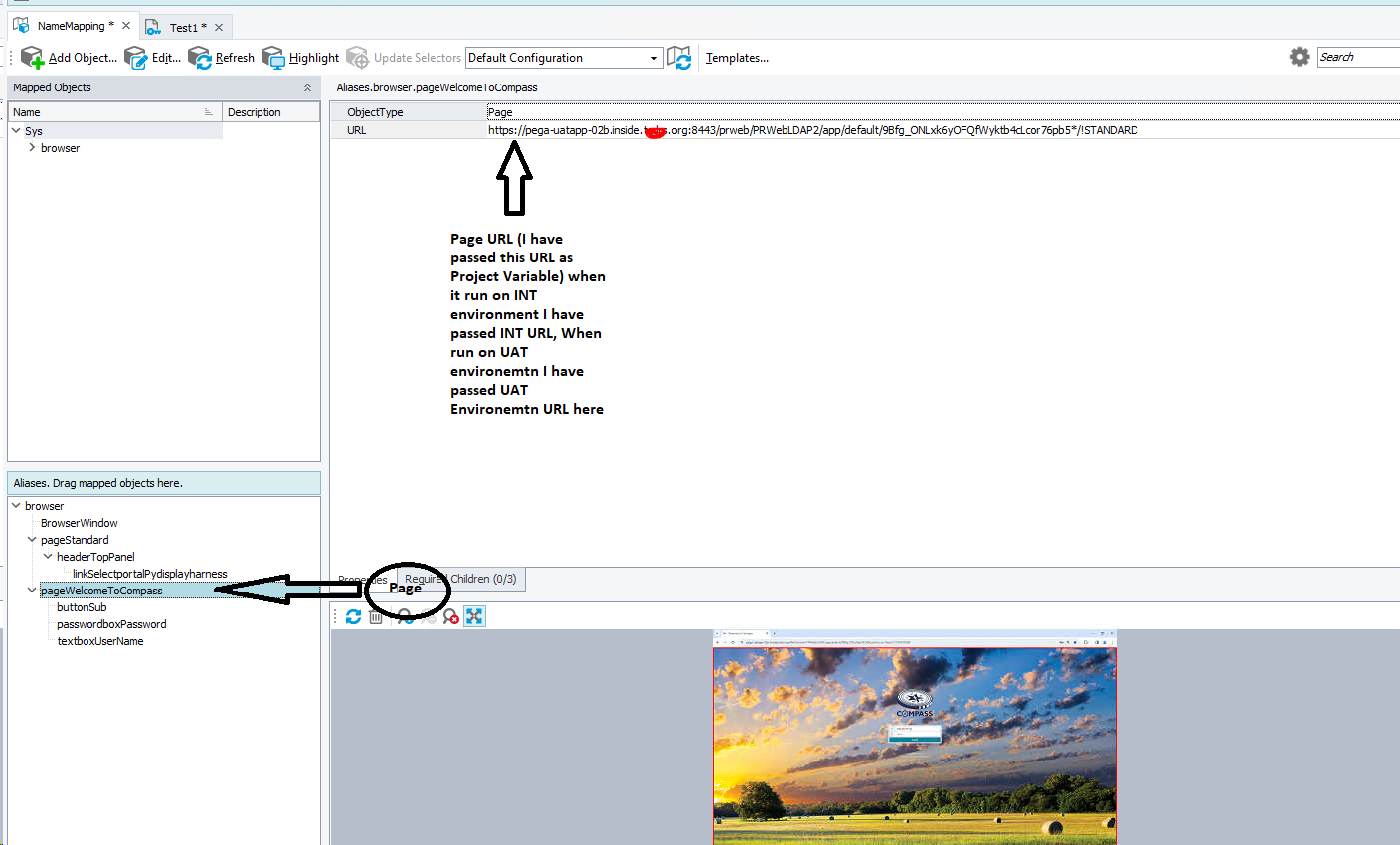
Sorry for the confusion. What I meant was that when I was running on the INT environment, I passed the INT URL as a variable (for the highlighted URL). The screenshot I have attached is not relevant to the sample project; I just wanted to highlight the URL variable that I passed there.
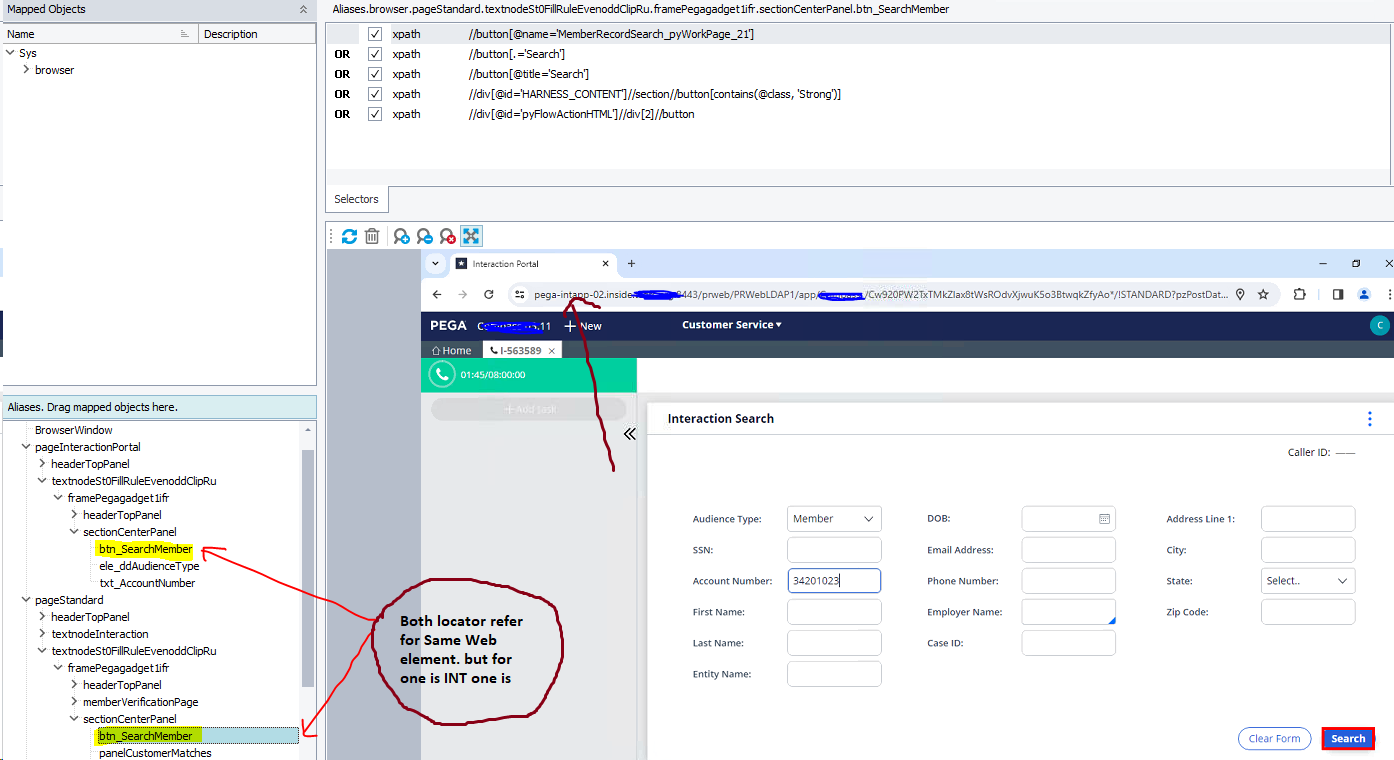
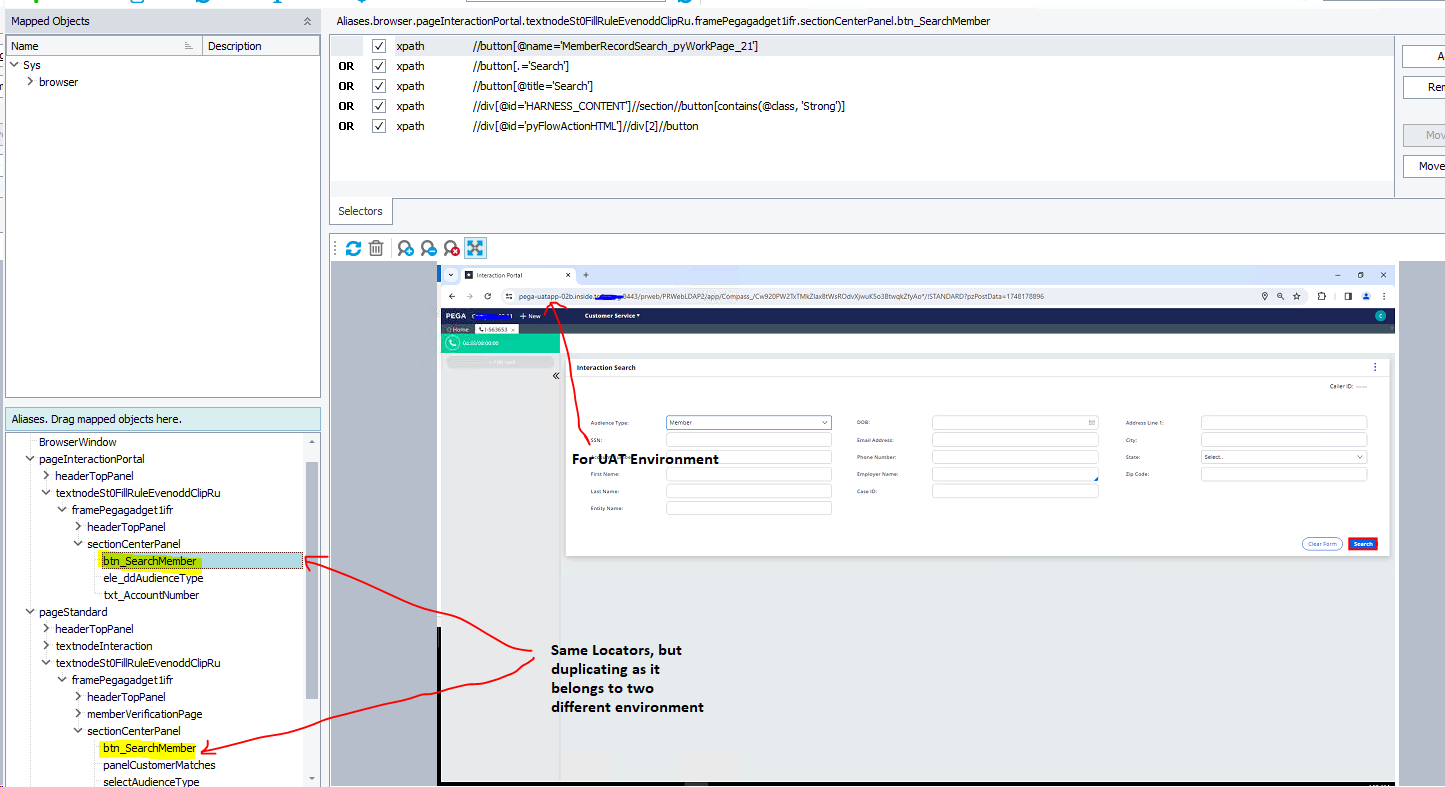
That screen was relevant to the UAT environment and it was working well. but when I tried to execute the same script on INT by passing the INT URL it was not working (unable to locate elements, but the same locators are there).

rraghvani Champion Level 3
2 years agoChampion Level 3"I passed the INT URL as a variable" - what do you mean by this exactly?
- sudam_evonsys2 years agoOccasional Contributor
For each page, the tool itself detects the URL, So I have passed them as variables and based on the required environment I'm passing value (INT url or UAT url). Please refer to the attached screen.
- rraghvani2 years ago
What I see is not a Project Variable, but a property value that you have defined for URL property,
TC will use this criteria to search for the object in the application.
You need to use wild card in your URL. For example,
If I navigate to either HTML, CSS, JAVASCRIPT or SQL via the menu, the URL on the browser changes to either,
https://www.w3schools.com/html/default.asp
https://www.w3schools.com/css/default.asp
https://www.w3schools.com/js/default.asp
https://www.w3schools.com/sql/default.asp
In TC, I've defined the search criteria value for URL as https://www.w3schools.com/*. TC is able to recognise the different pages, because of the wildcard.
Calling either Aliases.pagew3schools.linkCss, or Aliases.pagew3schools.linkJavascript to perform a click, will work.