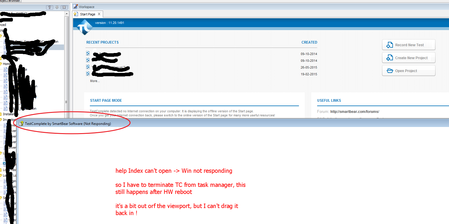
Can't open Help Index page, and then TC 11.20 terminates !


 Staff
StaffNot exactly sure why this would be happening but...
Is the TestComplete installation on a share drive? Have you copied the help file from some remote site?
Look at the properties of the Help file (right-click and select Properties):
C:\Program Files (x86)\SmartBear\TestComplete 11\Help\TestComplete11.chm
If it is marked as blocked, unblock it.

Hi Joseph
TestComplete is installed on my own PC.
Zscaler.com tool was installed recently by Company policy, and this is now preventing TestComplete to both access the help index and the forum page.
So I need (my company need i.e.) to whitelist the URL(s) that TestComplete uses, so I neeed those from you , please.
Exactly same issue here: http://community.smartbear.com/t5/Getting-Started-with/Can-t-load-online-start-page/m-p/114590 (I just thought it was two different issues, but after having our IT support temporary removing the blocking, both issues was resolved), hovever I am not allowed to work without Zscaler, so pls. help asap.
BTW: C:\Program Files (x86)\SmartBear\TestComplete 11\Help\TestComplete11.chm, file are not blocked and can open normally.
my company now whitelisted *.smartbear.com so it should work again

Let us know if it works or not. If it doesn't I suggest opening a ticket with SB Support at https://support.smartbear.com/product-list/
I don't think that all of the SB downloads come from .smartbear.com which was problematic for me and why I had to work directly with SB Support.
yep, that worked for both issues :-)