Forum Discussion

45 Replies
 d00wirreOccasional Contributor
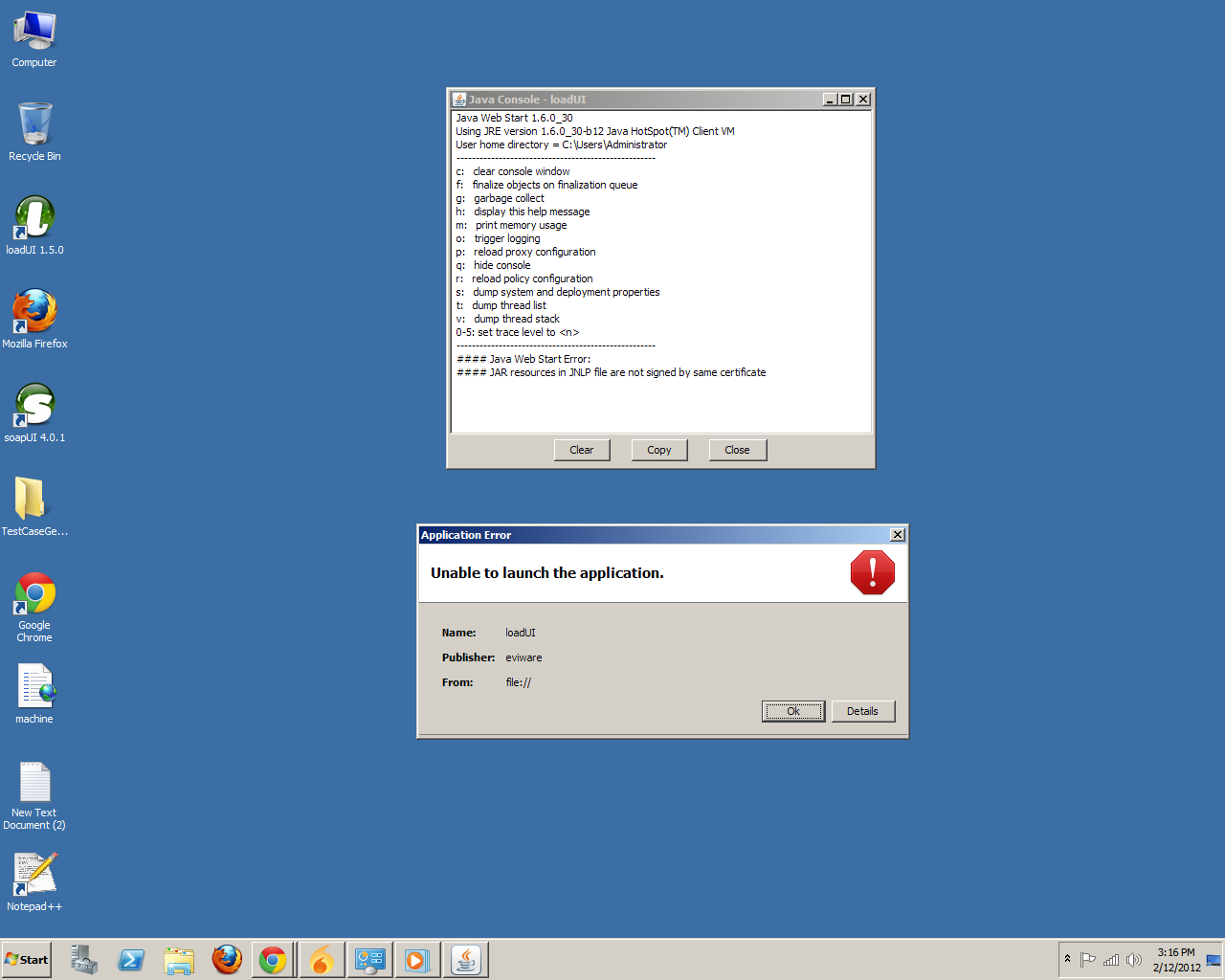
- d00wirreOccasional ContributorI got it to work on another machine that was still on Java 6 update 29. Installed stable build and edited away the "+".
Trying to restore my normal machine, will post result in a while. - d00wirreOccasional ContributorCant seam to get the old machine clean i tried working combos form the extra machine and nothing seams to help.
Tried to clear java cache, remove cert, reinstall, etc but it keeps complaining
- Hello everyone!
I have tested this on a new computer and it worked fine, but I have a theory. Oracle has been lagging behind on updating some certificates for JavaFX (we are pushing them to update this).
What you need to make sure is that when you first start loadUI, you click Run in the dialogs that looks similar to this:
There will be two of these dialogs, and they sometimes lose focus quick so you cannot see them without minimizing loadUI.
Let me know if this makes any difference.
Henrik
SmartBear Software
PS. If it doesn't work, also try to execute "javaws -uninstall" from the cmd prompt. - d00wirreOccasional ContributorHi,
I try those steps and it didn't work.
After uninstalling all java related things followed with manually cleaning java cash and rebooting i got a fresh start and it worked.
I think this machine somehow manage to look some files so that the steps on top didn't solve it in my case, should work normally.
Another method that might help is using the java settings in controlpanel and emptying the tempfiles from there don't forget to click in all 3 boxes.
Br Oskar - Oracle just informed us that the certificate has now been updated. All should work fine now.
/Henrik - ashishraj14New ContributorHi Henrik,
I am trying to loadUI for the first time...in the process of doing a POC for a client.
I am running win7 64 bit machine...downloaded the loadUI 1.5 version from the website...
I am getting the following error message...............
Failed to validate certificate.The application will not be executed
Name:JavaFx Runtime
Publisher:Oracle corp
From:http://dll.javafx.com
and clicking on details open the exception dialog box...please see the attached doco for the screenshots.
Regards,
Ash ashishraj14 wrote: Hi Henrik,
[...]
Regards,
Ash
Hi,
Which of the things mentioned previously in this topic did you try?
Also, did you try to install loadUI recently or several days ago?
Henrik
SmartBear Software- ashishraj14New ContributorHi Henrik,
I ahve tried the follwoing
javaws -uninstall
removing the "+" from the JNLP file
uninstalling loadui and reinstalling it.
Ran the updateJavaFX file as well...
Somehow, it doesn't work
If you can give few tips on how to resolve it..it will be a great help.
Reagards,
Ash - ashishraj14New ContributorHi Henrik,
I have tried the following
Reinstall Java
Cleared Jave cache
removed the eviware cert
uninstalled loadUI
downloaded a fresh copy and reinstalled loadUI
when I start loadUI it provides me a dialog box with cert info and I click accept it
Then it shows a dialog box with error message "Failed to validate the certificate and application will not be executed" and the following details are listed:
sun.security.validator.ValidatorException: PKIX path validation failed: java.security.cert.CertPathValidatorException: Untrusted certificate: CN=JavaFX Runtime, OU=Java Signed Extensions, OU=Corporate Object Signing, O=Sun Microsystems Inc
at sun.security.validator.PKIXValidator.doValidate(Unknown Source)
at sun.security.validator.PKIXValidator.doValidate(Unknown Source)
at sun.security.validator.PKIXValidator.engineValidate(Unknown Source)
at sun.security.validator.Validator.validate(Unknown Source)
at sun.security.validator.Validator.validate(Unknown Source)
at com.sun.deploy.security.TrustDecider.isAllPermissionGranted(Unknown Source)
at com.sun.javaws.security.AppPolicy.grantUnrestrictedAccess(AppPolicy.java:268)
at com.sun.javaws.LaunchDownload.checkSignedResourcesHelper(LaunchDownload.java:1825)
at com.sun.javaws.LaunchDownload.checkSignedResources(LaunchDownload.java:1508)
at com.sun.javaws.Launcher.prepareResources(Launcher.java:1232)
at com.sun.javaws.Launcher.prepareAllResources(Launcher.java:621)
at com.sun.javaws.Launcher.prepareToLaunch(Launcher.java:327)
at com.sun.javaws.Launcher.prepareToLaunch(Launcher.java:199)
at com.sun.javaws.Launcher.launch(Launcher.java:116)
at com.sun.javaws.Main.launchApp(Main.java:416)
at com.sun.javaws.Main.continueInSecureThread(Main.java:248)
at com.sun.javaws.Main$1.run(Main.java:110)
at java.lang.Thread.run(Unknown Source)
Caused by: java.security.cert.CertPathValidatorException: Untrusted certificate: CN=JavaFX Runtime, OU=Java Signed Extensions, OU=Corporate Object Signing, O=Sun Microsystems Inc
at sun.security.provider.certpath.PKIXMasterCertPathValidator.validate(Unknown Source)
at sun.security.provider.certpath.PKIXCertPathValidator.doValidate(Unknown Source)
at sun.security.provider.certpath.PKIXCertPathValidator.engineValidate(Unknown Source)
at java.security.cert.CertPathValidator.validate(Unknown Source)
... 18 more