Forum Discussion


RTrainor Staff
Staff
9 years agoStaffHi,
Firstly you would connect to your data source, (for more information -- http://readyapi.smartbear.com/soapui/data_driven/tutorial/functional/config)
In the request window you can point to the datasource using the right click "Get Data" function to pull the data from your datasource into your tests. http://readyapi.smartbear.com/features/get_data/introduction
Of course you will need to ad a "GET" request to your test case first from the projects tab.
I hope this helps.
Ronan

varma18
9 years agoOccasional Contributor
thank you.
I already have GET request in test case.
I am not aware how to add data to input at url level for GET that we do same for Post.
please let m eknow.
 SmartBearAmber9 years ago
Alumni
Adding data to a Get request is similar, but slightly different from a Post.
Would you be able to provide a screen shot of the Get request you're working with in Ready! API so that we can further assist?- varma189 years agoOccasional Contributor
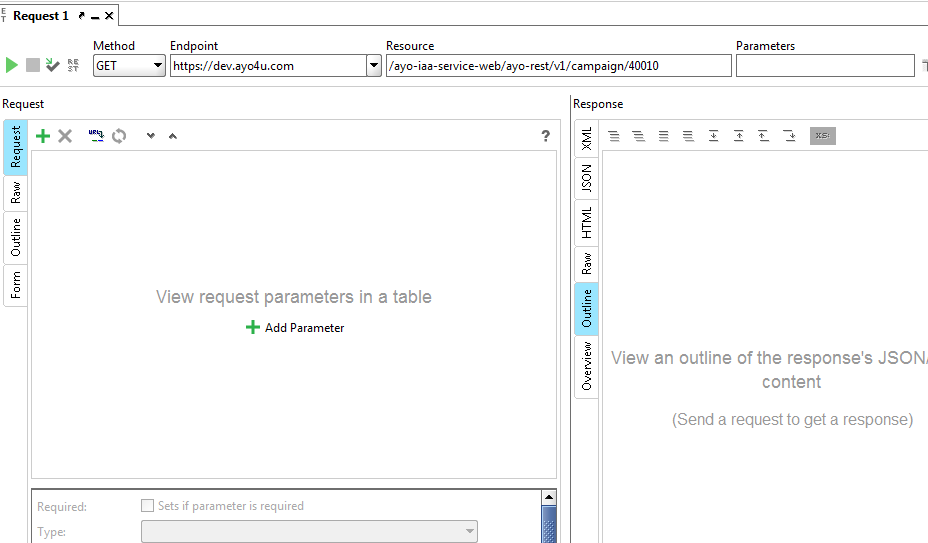
please find screenshot.
- SmartBearAmber9 years ago
It looks like your request doesn't have any parameters associated with it yet. You'll need to add parameters to send in the data. For more information, see this document.