Issues with Running TestExecute in Powershell
I'm trying to run TestExecute using powershell, and it seems to startup, but then it returns to the command input shortly after without running my test suite. I've tried running it on command line, and it seems to work just fine, so I feel like there is something that is not being transferred correctly in the powershell format: Start-Process -FilePath $testExecutePath -ArgumentList $pjsFilePath, "/run", "/project:$projectName", "/test:$TestGroupName", "/ErrorLog:.\ErrorLog.log", "/SilentMode", "/exit", "/AccessKey:$accessKey" -Wait I've tried running different versions from related community support posts with not much success.95Views0likes3Comments
Test Execute exit code -1
HI, I'm running text execute in silent mode from Jenkins and all tests pass but i get a return code of -1 and the Jenkins build is marked as failure. In the silent log i see 17/02/2026 17:37:29:791 Tried to open the Save dialog. The default value: YES." 16:43:41 Started by upstream project "Ace/Platform/Build-3.14" build number 298 16:43:41 originally caused by: 16:43:41 Started by user 16:43:41 Running as SYSTEM 16:43:41 [EnvInject] - Loading node environment variables. 16:43:41 Building remotely on ACE Agent (smoketest) in workspace E:\jenkins\workspace\Ace\Test Complete Smoke Tests\ACE Platform Smoke Test 16:43:41 No emails were triggered. 16:43:41 [ACE Platform Smoke Test] $ cmd /c call C:\Users\TEST_R~1\AppData\Local\Temp\jenkins17618320814231844395.bat 16:43:41 16:43:41 E:\jenkins\workspace\Ace\Test Complete Smoke Tests\ACE Platform Smoke Test>del /Q "E:\jenkins\workspace\Ace\Test Complete Smoke Tests\ACE Platform Smoke Test\TestComplete_Logs\Log_*.mht" 2>nul 16:43:41 16:43:41 E:\jenkins\workspace\Ace\Test Complete Smoke Tests\ACE Platform Smoke Test>exit 0 16:43:41 16:43:41 [TestComplete] The test execution started (ACE 3 Smoke Tests). 16:43:41 [TestComplete] Found TestComplete/TestExecute installations: 16:43:41 Type: TC, Version: 15.79.5.7, Path: "C:\Program Files (x86)\SmartBear\TestComplete 15\x64\bin\TestComplete.exe" 16:43:41 Type: TE, Version: 15.80.1.11, Path: "C:\Program Files (x86)\SmartBear\TestExecute 15\x64\bin\TestExecute.exe" 16:43:41 Type: TELite, Version: 15.80.1.50, Path: "C:\Program Files (x86)\SmartBear\TestExecuteLite 15\x64\bin\TestExecuteLite.exe" 16:43:41 [TestComplete] Selected TestComplete/TestExecute installation: 16:43:41 Type: TE, Version: 15.80.1.11, Path: "C:\Program Files (x86)\SmartBear\TestExecute 15\x64\bin\TestExecute.exe" 16:43:41 [TestComplete] [WARNING] The node is connected via Java Web Start (JNLP). In this mode, the "Run interactive user session" property of the TestComplete Test step is ignored. TestComplete (or TestExecute) will work in the current user session. 16:43:41 [TestComplete] Launching the test runner. 16:43:41 $ '"C:\Program Files (x86)\SmartBear\TestExecute 15\x64\bin\SessionCreator.exe"' ExecuteProcess '/c:""C:\Program Files (x86)\SmartBear\TestExecute 15\x64\bin\TestExecute.exe"" ""E:\jenkins\workspace\Ace\Test Complete Smoke Tests\ACE Platform Smoke Test\ACE 3 Smoke Tests.pjs"" /run /SilentMode /ForceConversion /ns /exit ""/ExportLog:E:\jenkins\workspace\Ace\Test Complete Smoke Tests\ACE Platform Smoke Test\1771346621277.tclogx"" ""/ExportLog:E:\jenkins\workspace\Ace\Test Complete Smoke Tests\ACE Platform Smoke Test\1771346621277.htmlx"" ""/ErrorLog:E:\jenkins\workspace\Ace\Test Complete Smoke Tests\ACE Platform Smoke Test\1771346621277.txt"" /Timeout:3800 /DoNotShowLog ""/ExportLog:E:\jenkins\workspace\Ace\Test Complete Smoke Tests\ACE Platform Smoke Test\TestComplete_Logs\Log_187.mht"" /JenkinsTCPluginVersion:2.9.2' 17:37:36 [TestComplete] Test runner exit code: -1. 17:37:37 [TestComplete] [WARNING] Errors occurred during the test execution. 17:37:37 [TestComplete] Marking the build as UNSTABLE. 17:37:37 [TestComplete] The test execution finished (ACE 3 Smoke Tests). 17:37:37 Build step 'TestComplete Test' changed build result to UNSTABLE 17:37:37 [ACE Platform Smoke Test] $ powershell.exe -NonInteractive -ExecutionPolicy Bypass -File C:\Users\TEST_R~1\AppData\Local\Temp\jenkins7100129622043842865.ps1 17:37:37 Renamed log to: E:\jenkins\workspace\Ace\Test Complete Smoke Tests\ACE Platform Smoke Test\TestComplete_Logs\Log_Build-187_Installer_v3.2.14.6_and_Platform_3.14.23.11.mht 17:37:38 Archiving artifacts 17:37:39 [Office365connector] Matched status 'UNSTABLE' for webhook with name 'ACE Smoke Test'. 17:37:39 Email was triggered for: Unstable (Test Failures) 17:37:39 Sending email for trigger: Unstable (Test Failures) 17:37:39 Sending email to: 17:37:42 Finished: UNSTABLE140Views0likes2CommentsiFrame-based application.
When working with iFrame based application we need to give with specific command line arguments which if not used results in errors. If the command line arguments are used a message is received indicating "You are using an unsupported command-line flage: --disable-site-isolation-trials. Stability and security will suffer". Can this be addressed to allow us to work with TestComplete seamlessly ? B.R Minas76Views0likes1CommentHow to use /tags or /test with Jenkins ?
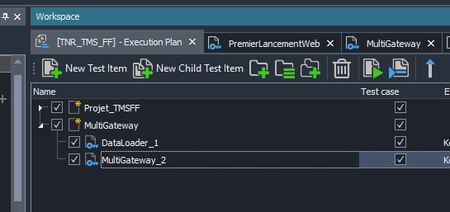
I use Jenkins to launch my test campaign but I have trouble focusing on a part of my test with either Tags or test focusing. First I tried with Tags in my script and in the command line, but I think testExecute v15 doesn't support Tags. So I created a new "Test Item" named 'MultiGateway', and puted my test inside, separeted from the rest of the project : Here is a part of my pipeline, I added the "/test:MultiGateway" in my argumentLine AND in the parameter before but my whole project is launched everytime" : steps { script { testcompletetest credentialsId: 'jenkins-execute', suite: 'E:\\TestComplete\\TMSFF\\TNR_TMS_FF.pjs', accessKeyId:'AccessKeyTestExecute', sessionScreenResolution: '1920x1080', commandLineArguments: '/PSVar:ServeurVM=****** /PrjVar:PRJ_USER_NAME=**** /PrjVar:PRJ_USER_MDP=***** /test:"MultiGateway" /PrjVar:"defaultWebUrl=http://***********" /PrjVar:"LOGIN_DELAY=85000"', useTCService: true } } Anyone has any or help ? I'm not expert in either Jenkins or TestExecute and i'm all out of options to trie Thanks in advanceSolved265Views0likes6Comments
Installing Test Execute using Ansible
I am currently working on automating the Test Execute installation using Ansible cloud platform, want to check with this group to see if any one has done this before. Also want to understand if there is any documentation on installing Test execute in silent mode without manual intervention using ansible.builtin.win_package Appreciate your suggestions and guidance on this.Solved105Views0likes2CommentsTestComplete Installation in Silent Mode
I have a doubt about installing TestComplete software in silent mode. We currently have an SLM ID license with us, and we are able to install TestComplete in silent mode using command-line arguments. However, after installation, TestComplete prompts us to enter a SmartBear ID (email and password) to activate the license. Is it expected behavior for TestComplete to prompt the user for a SmartBear ID after installing in silent mode? Is there any other way to pass the SmartBear ID in command-line arguments?Solved124Views0likes2CommentsTestComplete command line options - specify multiple individual tests
Scenario: At times, when executing our entire test suite, several tests fail and need to be re-executed. The tests may be spread across multiple script files in the project. Request: The ability to run multiple individual tests via the command line, similar to other test runners such as pytest. Example of pytest syntax (line breaks added for clarity "^"): python -m pytest ^ tests/test_unit_name1.py::routine_name1 ^ tests/test_unit_name3.py::routine_name6 ^ tests/test_unit_name2.py::routine_name3 Example of what TestComplete/TestExecute syntax might look like: TestExecute.exe file_name /run ^ /project:project_name1 /unit:unit_name1 /routine:routine_name1 ^ /project:project_name1 /unit:unit_name3 /routine:routine_name6 ^ /project:project_name1 /unit:unit_name2 /routine:routine_name383Views0likes0Comments
Session Creator commandline arguments goes lenghty
In my current setup to execute tests from CICD on dedicated VDi machine, we are using session creator utility. I am able to run it using powershell command. However when it comes to maintenance the command line to trigger session creator utility with all the arguments it becomes very lengthy and i don't have success in concatenating all the arguments into one and use it in command line. & $TC_SessionCreatorPath RunTest /UserName:$TestAccountUser /Password:$TestAccountPassword /UseActiveSession /ScreenResolution:$TC_ScreenResolution /ProjectPath:$TC_ProjectPath /p:$TC_ProjectName /tags:$Tags /arg:/pv:browser=$TC_Browser /arg:/pv:update_zephyr=$Zephyr_flag /arg:/pv:zephyrscale_token=$Zephyr_Token /AccessKey:$AccessKey there are still lot more arguments i need to include in the commadline. My ask is how do i put all the arguments into a variable and pass the variable in the command line after 'RunTest'Solved172Views0likes3Comments
SessionCreator Execution Logs
Hi there, Does SessionCreator.exe output any execution or operational logs? I'm running it on Azure on nodes in a pool. For some reason I can't figure out, one of the tasks times out, because (I think) SessionCreator/TE has crashed. When I connect to the node myself, I can see the last test that was ran from a log I am writing to during project suite execution, but I can't see why it stopped/crashed, as there has been no mht log produced. The Event Viewer also has no information at the time that the last test ran, which is around where I am expecting SessionCreator/TE to have crashed. Thanks! :)166Views0likes3CommentsRequest for Enhanced Command Line Option to Generate Single HTML Log File in TestExecute/TestCmplete
Hi, when we use the following command line: "C:\Program Files (x86)\SmartBear\TestExecute 15\x64\Bin\TestExecute.exe" "C:\Users\USridhar\Documents\TestComplete 15 Projects\ProjectSuite3\ProjectSuite3.pjs" /run /p:TestProject1 /exportLog:"E:\Testing\Test6.html" /e We are receiving multiple .html files, but we need only a single HTML file named Test6.html. We prefer not to use .mht files as they are not compatible with Chrome and Firefox.136Views0likes1Comment