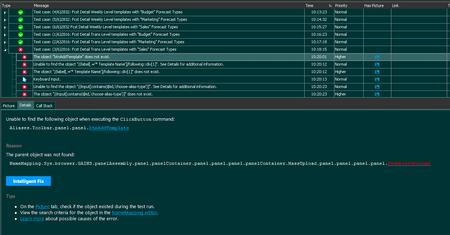
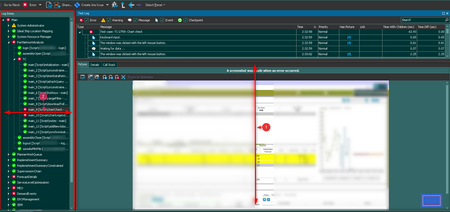
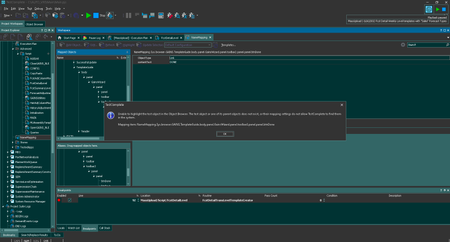
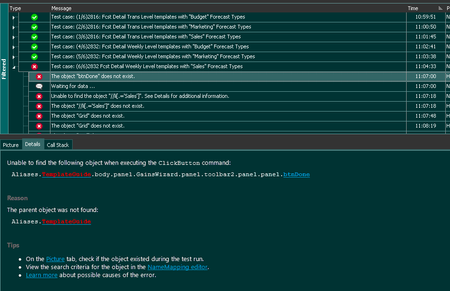
ContributionsMost RecentMost LikesSolutionsRe: Name Mapping for web application testing. Here is a screenshot below. When I run the same test case 6 times, the "Done" button is no longer visible for name mapping. Why so? Nothing changes. I just run the same test case 6 times. Re: Name Mapping for web application testing. Exactly! I can't understand why I run the same test case 5 times and namemapping stops working 6 times. Re: Name Mapping for web application testing. Thank you very much for your help, but unfortunately nothing helped. I run the same test case 6 times and it always falls in the same place, although 5 times before it was successful. What else could be? Re: Name Mapping for web application testing. No, I completely disagree with you. Because these are the same functions. 5 times successfully worked out. Always fail 6 times. Even if all these vehicles are mixed. I think that in the course of work some internal cache of Test Complete overflows because of what Name Mapping ceases to see web elements. Name Mapping for web application testing. Historically, many web application testing projects have been written using name mapping. And during tests, name mapping often stops working. Here is an example of 6 test cases. I run 2 functions three times. It doesn't matter what their order is, but name mapping always stops working on the 6th test case. The problem is solved if after 5 test cases close and open the browser. But this is incorrect and time consuming. Help please. Add "Prettier" as external code formatter When you write code, sometimes you forget about its beauty - somewhere you missed the semicolon, somewhere the indentations are wrong or something else. But I really want the code to be beautiful. And when there are many people in the team with different experiences, their style of writing code is very different. And I really want everyone to be "on the same wave" and everyone wrote beautiful code in one common style! Prettier (https://prettier.io) handles this task best. It would be great if you could connect it to TestComplete. What do you think? Add the ability to automatically save the width and height of blocks in the log viewer. When I check logs, I always have to: enlarge the block with the screenshot to immediately see which elements are in action expand the test case tree on the left to see which test case we are checking at the moment. I suppose that other users also suffer from such inconveniences, and maybe they have other wishes to view the logs. That's why I think it should be possible to adjust the display once and keep it. So that you don't have to change the display of the log window every time you run test cases. Re: The size of the windows when reading logs Okay, thank you. Re: Code prettier Ok. Thanks Re: Code prettier No, that's not what I was asking. What you offer is fine-tuning the look of what is written. And I ask about the mechanism which would independently remove or add brackets, spaces, semicolons, etc., etc. You see, our code will be checked - and everyone should write according to the generally accepted rules of writing JS code. And Prettier copes with this task perfectly. But unfortunately we have to copy blocks of text, check online on another resource, and paste into the code editor already formatted code. This is not convenient. I would like to be able to connect such a skin test mechanism directly to the Test Complete code editor.