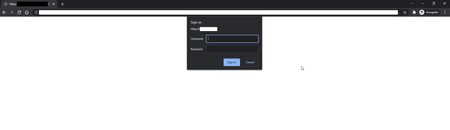
ContributionsMost RecentMost LikesSolutionsRe: Chrome Login popup not detected Hi, it seems this issue was resolved in Version: 15.40.421.7 x64 as after I updated its back working again, without any changes to scripts. Out of curiosity I then ran the same code on the VM which failed for the same issue originally reported so I logged into the VM and updated TestClient, now the runs from DevOps are working again, thank you. Re: Chrome Login popup not detected Hi ebarbera There is no error related to the popup, it just passes over the if statement and doesn't enter it then eventually fails on the next element as the screen hasn't progressed. If I take away the if statement and let it move onto the username it ends up with the below error: Unable to find the object Login. - The object with the specified attributes does not exist. page.Login.UserName = Project.Variables.Username; page.Login.Password = Project.Variables.Password; page.Login.buttonOk.Click() Chrome Login popup not detected TestComplete Version: 15.31.374.7 x64 Browser: Chrome Version 99.0.4844.51 (Official Build) (64-bit) Running: Locally Issue: I've been using the below piece of code for 6+ months and occasionally it fails and will not identify the login fields to populate the username and password, is there a better more reliable way to handle this ? if(page.WaitLogin(3000).Exists) { Aliases.browser.pageSignOut2.Login.UserName = Project.Variables.Username; Aliases.browser.pageSignOut2.Login.Password = Project.Variables.Password; Aliases.browser.pageSignOut2.Login.buttonOk.Click() } Ive also tried the below which has occasionally worked but at the moment its not. if(page.WaitLogin(3000).Exists) { // Aliases.browser.pageSignOut2.Login.textboxUsername.Keys(Project.Variables.Username); // Aliases.browser.pageSignOut2.Login.textboxPassword.Keys(Project.Variables.Password); // Aliases.browser.pageSignOut2.Login.buttonOk.Click() } SolvedRe: Getting the state of a checkbox that is not a clickable point due to CSS I managed to remove the classes from the screen for the CSS, that made the check boxes usable function DisableCSSClass() { let browser = Aliases.browser; let page = browser.pageClientApp4; var elements = page.FindElements('//*[@class="form-control with-font ng-untouched ng-pristine ng-valid"]').toArray(); if (elements.length > 0) { for (var i = 0; i < elements.length; i++) { elements[i].className="form-control ng-untouched ng-pristine ng-valid"; } } else { Log.Message("No element with this class found on the page."); } } Getting the state of a checkbox that is not a clickable point due to CSS Hi Using Chrome and TC JavaScript I am trying to get the state of a checkbox on a screen but this screen has CSS applied to the checkbox so they have become a non clickable point like so: <div _ngcontent-yjq-c790="" class="form-group row"><label _ngcontent-yjq-c790="" for="sampleRefechan" class="col-sm-6 col-form-label"> Show Refechan <app-tooltip _ngcontent-yjq-c790=""><!----></app-tooltip></label><div _ngcontent-yjq-c790="" class="col-sm-6"><input _ngcontent-yjq-c790="" type="checkbox" id="sampleRefechan" name="sampleRefechan" class="form-control with-font ng-untouched ng-pristine ng-valid"><label _ngcontent-yjq-c790="" for="sampleRefechan"></label></div></div> I did notice if I deselect the values for height, width and clip in styles manually it became a clickable point and I could use that, but I'm not sure how to script this ? Or is there a better way to proceed ? Thanks delito SolvedRe: Incognito mode of Chrome not navigating to address The Chrome extension setting seems to have reset when Chrome last updated and allow incognito mode was disabled, I switched it back on and all is good again. Incognito mode of Chrome not navigating to address Navigating to a portal URL with Chrome run options for incognito mode seems to have stopped working ! This is an existing project that has had no changes and it was working previously (about 1-2 months ago). I've just opened it in TestComplete to run and get results against a new portal release but its now failing to navigate to the portal at the start. TestComplete: Version: 14.90.432.7 x64 Chrome Version 91.0.4472.114 (Official Build) (64-bit) Browsers.Item(btChrome).RunOptions = "--incognito" Browsers.Item(btChrome).Navigate(Project.Variables.Test); Sys.Browser().BrowserWindow(0).Maximize(); Is there a known issue with TC or Chrome for this ? SolvedRe: Best way to test if an element doesnt exist Hi and thanks for the replies but how would wait or exist work ? Remember these are two different test cases. It should never be visible in Test case 2 so would it not fail as an element not found ? I will read up on Aliases and explore that route. Best way to test if an element doesnt exist Hi What is the best way to test if an element doesn't exist in Test Complete? I dont have any sample code to share, but here is a business requirement scenario: Testcase 1 - check a button is visible for admin Testcase 2 - check the same button is not visible for user Solved