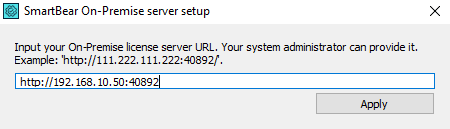
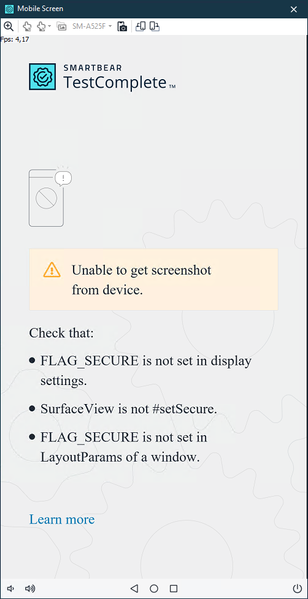
ContributionsMost RecentMost LikesSolutionsRe: TestComplete can't detect elements in Microsoft WebView2 window I can confirm, WebView2 within in a WPF application is supported by TestComplete. Re: TestComplete can't detect elements in Microsoft WebView2 window Edit: I can confirm, WebView2 within in a WPF application is supported by TestComplete. Re: Microsoft Webview2 is not supported by TestComplete. Same for us! We really need WebView / WebView2 support. How to provide TestExecute with URL for SLM offline (on-premise) server Hi there! I would like to use TestExecute with our on-premise SLM. Everybody can connect (as anonymous.user). But when I start TestExecute from the commandline I get this message in the Event Viewer: "The user did not log in using the SmartBear account or did not pass the accesskey in the command-line arguments. TestComplete will be closed." But when I pass the accesskey from the OFFLINE (on-premise) server, it doesn't work, and this error in Event Viewer: "Our records say no TestExecute license is assigned to your SmartBear ID." So I think the /AccessKey parameter is only for the online SLM? So how do I tell TestExecute WHERE to find the SLM? I would like to pass the URL to the on-premise server to TestExecute in the commandline. But this parameter does not exist? Re: Disable screenshot for the given Log.Error statement A bit late to the party, but I just found the solution 🙂 Log.Error('Error message', 'Error details', 300, '', Utils.Picture); - 300 is default priority. - Utils.Picture returns an empty Picture object. Re: Mobile Android 12 testing Thanks for your reply and help! I have set up a local Appium server and it now works as expected! Re: Mobile Android 12 testing Hi Nick! Thanks for you reply. Yes. we are currently using the Legacy method. We have looked into the Cloud/BitBar method but we don't want to use this. If I understand correctly, we are able to run tests on our own physical devices (connected with USB), by using a local Appium server? If that's the case, we will use Appium instead of Legacy 🙂 Mobile Android 12 testing Hi there! We have a new phone (physical device) for Mobile testing, connected with USB. It is running Android 12. When I connect the phone, I am able to install our application and I can see objects in the "Object Browser". And I can also click on these objects, and our application is responding, so this is all working as expected. However, I can not see the Mobile screen in TestComplete: This screen is always shown, also on the Home screen for example. So I don't think the FLAG_SECURE (of our application) is the problem. Because when I delete our application, this message is still shown, always. Does anyone know how to fix this issue? SolvedRe: i wanna control the 'fail' test. Maybe you could look into "Events" > "GeneralEvents" in TestComplete. There is a "OnStopTest" or "OnStopTestCase". These Events will start when a Test/TestCase is Stopped or done executing. Maybe you could check in this Event if you would like to run an alternative test, and if so, you can start this test from this Event? Re: Windows 10 appsHi Sonya! The problem was the following option: (TestComplete shortcut > right-click > Properties > Compatibility > “Run this program as an administrator”). When this option is active, it doesn’t work. Neither when I double-click the shortcut, nor when I right-click the shortcut and “Run as administrator”. However, when I disable this option it always works fine. So when the option is disabled and I double-click the shortcut it works fine, and it also works fine when I right-click the shortcut and “Run as administrator”.