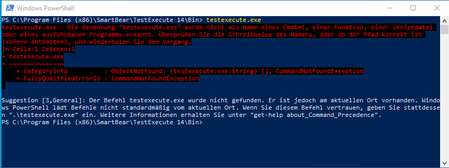
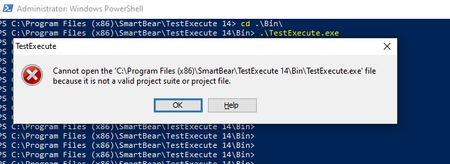
ContributionsMost RecentMost LikesSolutionsRe: Running TestExecute from Powershell - TestExecute.exe is not a valid project. Hi Alex, The workaround is to use: Invoke-Item "TestExecute.exe" But I would like to ask anyway why such strange behaviour. Regards tcuser Re: Running TestExecute from Powershell - TestExecute.exe is not a valid project. Hi, Command line is: C:\Program files (x86)\smartbear\testexecute 14\testexecute\bin\>.\testexecute.exe Thank you Running TestExecute from Powershell - TestExecute.exe is not a valid project. Hi all I'm using TestExecute 14.10.1042.11 x86 with Windows 10 1903 build 18362.295. When opening powershell (32 or 64 bit) and calling testexecute.exe I awlays get: Cannot open "C:\Program files (x86)\smartbear\testexecute14\testexecute\bin\testexecute.exe" file because it is not a valid project suite or project file. Wnen running from goold old cmd, everything is fine. Did anyone knows what can be the cause? Thank you... SolvedRe: Detach event from test complete Thank you. Re: Detach event from test complete Hi and thank you for a quick reply. One more thing - is there a way to do it FROM testitem and not by adding code to the event itself ? Thanks tcuser3 ... Detach event from test complete Hi all, My case: 1. I have several keyword tests in my project 2. I also have OnLogError General Event attached The problem In one of the keyword test I have to turn it off. Is it possible to do it? Thanks tcuser3 ... Solved