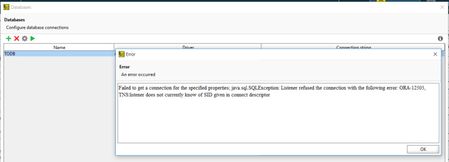
ContributionsMost RecentMost LikesSolutionsLaunch Browser in Incognito/Private Mode Question Thought of sharing the code in the community for launching browsers in their incognito modes. The function is parameterized such a way to run for the browsers Internet Explorer, Edge, Chrome and Firefox. Hope it will be useful for more people. Answer //JScript function runIncognitoMode(browserName){ //var browserName = "firefox" //iexplore,edge,chrome,firefox if (Sys.WaitBrowser(browserName).Exists){ var browser = Sys.Browser(browserName); Log.Enabled = false // To disable the warning that might occur during closing of the browser browser.Close(); Log.Enabled = true // enabling the logs back } if(browserName=="edge"){ Browsers.Item(btEdge).RunOptions = "-inprivate" Delay(3000) Browsers.Item(btEdge).Run(); } else if (browserName=="iexplore"){ Browsers.Item(btIExplorer).RunOptions = "-private" Delay(3000) Browsers.Item(btIExplorer).Run(); } else if (browserName=="chrome"){ Browsers.Item(btChrome).RunOptions = "-incognito" Delay(3000) Browsers.Item(btChrome).Run(); } else if (browserName=="firefox"){ Browsers.Item(btFirefox).RunOptions = "-private" Delay(3000) Browsers.Item(btFirefox).Run(); } Sys.Browser(browserName).BrowserWindow(0).Maximize() } Launch Browser in Incognito/Private Mode Thought of sharing the code in the community for launching browsers in their incognito modes. The function is parameterized such a way to run for the browsers Internet Explorer, Edge, Chrome and Firefox. Hope it will be useful for more people. function runIncognitoMode(browserName){ //var browserName = "firefox" //iexplore,edge,chrome,firefox if (Sys.WaitBrowser(browserName).Exists){ var browser = Sys.Browser(browserName); Log.Enabled = false // To disable the warning that might occur during closing of the browser browser.Close(); Log.Enabled = true // enabling the logs back } if(browserName=="edge"){ Browsers.Item(btEdge).RunOptions = "-inprivate" Delay(3000) Browsers.Item(btEdge).Run(); }else if (browserName=="iexplore"){ Browsers.Item(btIExplorer).RunOptions = "-private" Delay(3000) Browsers.Item(btIExplorer).Run(); }else if (browserName=="chrome"){ Browsers.Item(btChrome).RunOptions = "-incognito" Delay(3000) Browsers.Item(btChrome).Run(); }else if (browserName=="firefox"){ Browsers.Item(btFirefox).RunOptions = "-private" Delay(3000) Browsers.Item(btFirefox).Run(); } Sys.Browser(browserName).BrowserWindow(0).Maximize() } Re: How do i run tests in chrome incognito mode You can check the following post. https://community.smartbear.com/t5/TestComplete-Functional-Web/Launch-Browser-in-Incognito-Private-Mode/m-p/219680 Re: How to connect to an Oracle Thin DB which is identified by 'Service Name' instead of SID nmrao We are able to connect to this DB using Oracle SQL developer. Issue faced from SOAPUI though. Re: How to connect to an Oracle Thin DB which is identified by 'Service Name' instead of SID TanyaYatskovska / Terkon After placing the ojdbc6.jar in the specified location, i am getting the attached error. How to connect to an Oracle Thin DB which is identified by 'Service Name' instead of SID There is a requirement for me to connect to an Oracle thin DB which is identified by 'Service Name' instead of SID. Our DBA advised that SID is a thing of the past and they’re using Service Name now as best practice and for operational reasons. But from SOAP UI Pro i dont see an option to enter Service Name in DB configurations, whereas SID is shown instead. Please advice the steps to achieve this. Solved