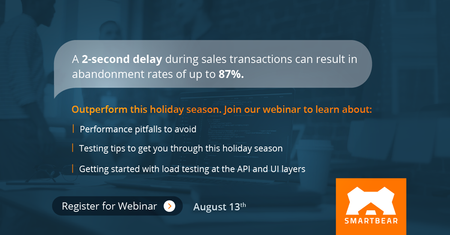
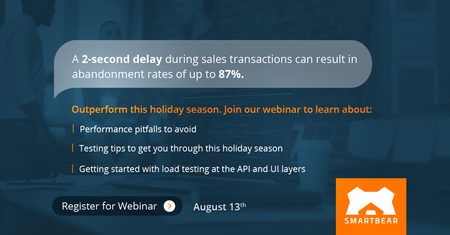
ContributionsMost RecentMost LikesSolutionsAnnouncing LoadNinja Updates: Enhanced Distribution of Load & User Management Happy 2020 to everyone! Although it has been awhile since we’ve posted updates, we continue to make improvements to LoadNinja every day. Here are some of the highlights over the past couple of months. Record Tests and Generate Load from India and Canada You now have the ability to create tests and distribute load from India and Canada. This means if your end users are present in these regions, you should be able to create more accurate performance tests that are representative of your real-world scenarios. The following locations are available: US East (North Virginia) EU North (Stockholm) EU West (London) EU Central (Frankfurt) AP Southeast (Sydney) Central (Canada) Asia Pacific (Mumbai) Learn more here. Create Tests for Applications with Chrome Security Block Chrome may block pop-ups when it believes that may be a security threat. You may notice this when surfing websites. You now have the ability to disable this security block in the real browsers used to record and load test your web application so you can create performance tests to such pop-ups with ease. Learn more. Compare between recorded page and page seen during playback You can now see the page captured during recording at different points in the playback log, and compare that with the page seen during playback. Learn more. Better User Management The user management system has been greatly streamlined! Account owners can now invite team members easily. LoadNinja will automatically send an email asking the invited user to join the shared account. Learn more. Download CSV report of a manually stopped test You can now download the raw test results in CSV format for both complete and incomplete lead tests that were manually stopped. Learn more. Ready to start trying out LoadNinja? Sign up for your free, 14-day trial here. Announcing LoadNinja Updates: Maximized VU Inspector! If you haven't heard, we are the official and exclusive sponsor of Joe Colantonio's TestGuild Performance and SRE Podcast! Check out the first few episodes now. We're also excited to highlight some new enhancements and features that have been added to LoadNinja over the past several weeks! Maximize VU Inspector You can maximize the VU inspector so as to better see their active VU transactions in real time during your load test. Read more about the VU inspector. Hide Mouse Moves in Script You can choose to hide mouse moves in your script so your tests are easy to read and manage. Improved UI We've made constant improvements to the user experience and interface of the platform so you can seamlessly navigate from capturing end user transactions to running a load test with real browsers. Calling all LoadNinja champions! As the performance testing community becomes more interested in LoadNinja, they're relying on peers like you to share your experience. Leave a review of LoadNinja on G2 Crowd after you login (or create an account), and we'll send you a $10 Amazon gift card! Announcing LoadNinja updates: Enhancements to Object Recognition & Recorder Log We're excited to highlight some new enhancements and features that have been added to LoadNinja over the past several weeks! Object Recognition using DOM Link Path For elements with dynamic CSS IDs and xPaths, the LoadNinja recorder can now identify elements based on their DOM path. This includes identifying elements based on element type and associated text labels. This enhancement is especially beneficial in cases where your xPath is not unique or when the object classes are dynamic. Recorder Log With the log, you'll be able to see how long the different actions in the script took to playback as well as any errors that may have led to a playback failure. These insights will help you understand which SLAs to set during a load test, and identify script playback issues faster. Learn more here Ability to Filter Items in VU Debugger Find errors of relevance faster through an easy-to-use filtering mechanism in the VU Debugger tab of your load test results. Copy & Paste Items into Script Paste text items as part of your script recording. This means you no longer have to type long text items manually when recording your script. Calling all LoadNinja champions! As the performance testing community becomes more interested in LoadNinja, they're relying on peers like you to share your experience. Leave a review of LoadNinja on G2 Crowd after you login (or create an account), and we'll send you a $10 Amazon gift card! Are your APIs going to function under heavy load? [Webinar] Performance directly impacts brand perception and can impact your bottom line. Over 40 percent of people abandon a website that takes more than 3 seconds to load. 33% would consider switching providers permanently upon encountering quality of performance issues with 3rd party APIs. Even Amazon experienced issues with the load this year on their Prime Day when customers were unable to add deals to their carts. Experts estimated that Amazon lost millions of dollars in sales as a result. Join our webinar Outperform this Holiday Season: Testing for Peak Success on Tuesday, August 13th to learn about: Performance pitfalls to avoid Testing tips to get you through this holiday season Getting started with load testing at the API and UI layers Is your web app ready for this upcoming holiday season? [Webinar] Performance directly impacts brand perception and can impact your bottom line. Over 40 percent of people abandon a website that takes more than 3 seconds to load. 33% would consider switching providers permanently upon encountering quality of performance issues with 3rd party APIs. Even Amazon experienced issues with the load this year on their Prime Day when customers were unable to add deals to their carts. Experts estimated that Amazon lost millions of dollars in sales as a result. Join our webinar Outperform this Holiday Season: Testing for Peak Success on Tuesday, August 13th to learn about: Performance pitfalls to avoid Testing tips to get you through this holiday season Getting started with load testing at the API and UI layers Third Annual State of Testing Survey - Share your thoughts for a chance to win $500! Hey SmartBear Community of Testers, we want to hear from you! What do you think are the top challenges of testing? Which trends you think will take the testing industry by storm next year? Take our 3rd annual State of Testing Survey and you'll be entered to win a $500 Amazon Gift Card! Take the Survey! Third Annual State of Testing Survey - Share your thoughts! Hey SmartBear Community of Testers, we want to hear from you! What do you think are the top challenges of testing? Which trends you think will take the testing industry by storm next year? Take our 3rd annual State of Testing Survey and you'll be entered to win a $500 Amazon Gift Card! Take the Survey! Third Annual State of Testing - Share your thoughts in our survey Hey SmartBear Community of Testers, we want to hear from you! What do you think are the top challenges of testing? Which trends you think will take the testing industry by storm next year? Take our 3rd annual State of Testing Survey and you'll be entered to win a $500 Amazon Gift Card! Take the Survey! Announcing LoadNinja Updates: Geographic Distribution of Load Announcing new LoadNinja updates! With the latest LoadNinja updates, you’ll be able to see exactly how your web application performs in different areas of the world, run longer load tests, and have an easier time accessing important information you need from your tests. Analyze application performance across different. You’ll want peace of mind that your application renders, meets SLAs and behaves as expected no matter where it’s being accessed. With our latest update, you’ll be able to record scripts and distribute loads across different regions of the world Download CVS data of test reports.You can now download granular data across different KPIs, such as transaction duration and navigation timings for every single virtual user run in the load test. This can let you flexibly visualize the test run data and present them to your stakeholders. Support for native JS dialogs. Many web applications rely on native JS dialogs like alerts, prompts and confirmations to notify users and guide them forward in the application. LoadNinja now supports recording and load testing transactions with native JS dialogs. Improved ability to record new steps/ actions in steps. LoadNinja is making it even easier for you to record new steps. With our latest update, you’ll now be able to insert new steps and actions in existing scripts without seeing the immediate, existing steps getting overwritten. If you’re not already using LoadNinja, sign up for our free trial today! Load testing too? Announcing new LoadNinja updates! With the latest LoadNinja updates, you’ll have a better time creating validations in your performance test scripts, increased chance of a successful playback, and improved experience in analyzing your load test results. Enhanced InstaPlay Recorder with AI. The LoadNinja recorder is now enhanced with artificial intelligence that insulates you from having to define what selector to use to identify objects for playback. The AI will decide the best selector for a successful playback ensuring you can better focus on modeling scripts Group actions into steps. Easily group actions of interest to you into steps for an existing script, without having to re-record it. Flexibly move validations. You can define exactly before which action you would want to trigger a validation, giving you full control of your script based on your end user’s behavior. Dedicated section for integrations. Discover the various integrations like Jenkins and Zephyr available to seamless incorporate load testing across your software lifecycle in a dedicated section of your LoadNinja settings. If you’re not already using LoadNinja, download our free trial today!

 AlumniAlumni