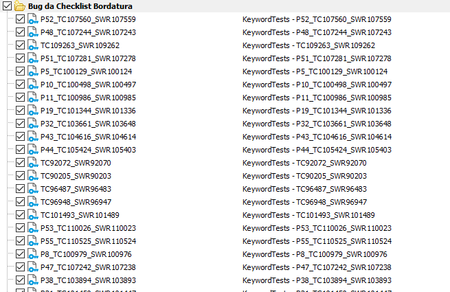
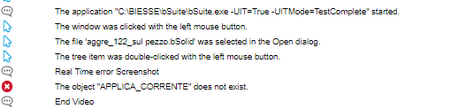
ContributionsMost RecentMost LikesSolutionsRe: Lauch Group of Keyword Tests from CMD To launch a partial part of the project i changed within a script the .MDS file, I set true only the folder of test that i want to launch . What do you think about this solution ? Emanuele Re: Lauch Group of Keyword Tests from CMD no, I resolved this problem with another solution . Best Regards Emanuele Re: Lauch Group of Keyword Tests from CMD I want to avoid a loop Re: Lauch Group of Keyword Tests from CMD I want to execute all the tests contained in a folder , to do this i want to use only one cmd call : example : C.\TestComplete.exe ...... FolderName I Don't want to use a solution like this : Foreach(test in folder) { C:\TestComplete.exe .... KeywordTest|FolderName |test1 } It is possible? Emanuele Lauch Group of Keyword Tests from CMD Hi, I want to launch a group of keyword Test like this : I want to run all the test in a single call , without a cycle that iterates all the tests contained in a group . Do you know any solution to solve this problem? Best Regards Emanuele SolvedRe: Desktop application testing on virtual machine I have already implemented in my project WaitChild call . I set auto-wait timeout to 10000 ms . At the moment i haven't other ideas to the last errors but I'll continue to do other tests hoping to find the solution . Emanuele Re: Desktop application testing on virtual machine Hi TanyaYatskovska , I solve partially the issue, the vm has an hardware less powerful in front a physical pc, after some tests i try to increment the delay between events to 3000 ms and this change solves more or less 80% of errors . For the other errors at the moment I haven't a solution , an example is this : P.S. the VM has 4 CPU and 8 GB of ram . Thanks for the support Emanuele Re: Desktop application testing on virtual machine I have the same operating system (win10) and the same resolution(fullHD). Can videoboard settings complicate the object recognition ? like antialias,overposition .. Desktop application testing on virtual machine Hi, I have a project on TestComplete that tests a Desktop Application . If I run the project on virtual machine i have some problem about object recognition instead if i run the project on a physical pc I haven't any problem . The virtual machine has the same resolution of th physical pc . which could be the causes? Emanuele SolvedRe: Launch multiple tests from cmd Yes i have "StopOnError" option set TRUE , there is a way to disable the option only for this script ? I'm forced to set this option TRUE, do you know any workaround to this problem? My target is skip to the next iteration in the cycle if a test successed also if a test failed