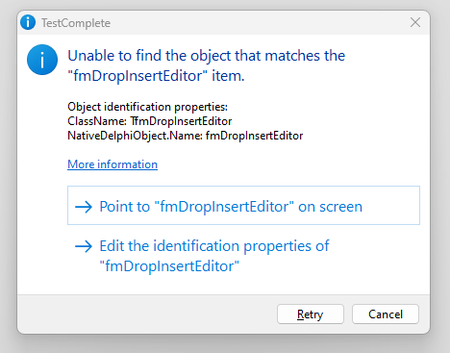
ContributionsMost RecentMost LikesSolutionsRe: How to disable Unable to find the object that matches the OBJECT_NAME popup messaging This is an example of the message that I am trying to restrict from displaying. The verbiage would change depending on which object is not found. The cause could be because either an object is not mapped or because the object is missing. I am trying to prevent this message from showing at all and the project keeps running. How to disable Unable to find the object that matches the OBJECT_NAME popup messaging I want to be able to run several scripts from the Execute Plan in Test Complete without having the Unable to find the object that matches the OBJECT_NAME popup messaging appearing. Under Current Project Properties I have the "On Error" set to Continue Running and the Unable to find the object that matches the OBJECT_NAME popup still displays. Is there another setting that I need to adjust. Thanks