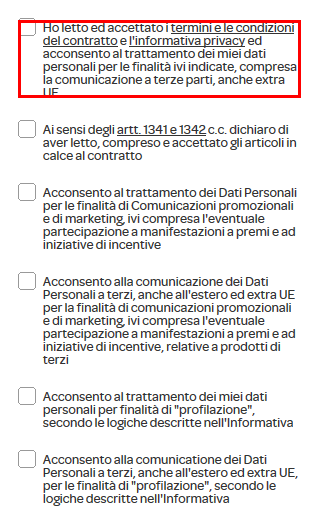
ContributionsMost RecentMost LikesSolutionsRe: Invisible Checkbox, can't select Solved, i use browser native metod: NativeFirefoxObject. If an element was hidden, use this metod, click on object->work with Object Through Property-> select your browser. it works fine Re: Invisible Checkbox, can't selectDuess, i can record and inspect all the object in the page, but i can’t only recognize the checkbox, i use xpath, but didn’t work. When I run my test, it fails because he can’t found the element in the page. I try with chrome and ie but nothing. all version are supported beacause I have the last version of testcomplete... can I try with a different method from xpath? Use JavaScript? CSS selector? I have no ideaRe: Invisible Checkbox, can't selectI use Firefox last version supported from testcomplete! The checkbox is not visibile on screen! testcomplete can’t record only the checkbox, but can record all the webpage. How i can change the value to visibile? With Javascript ?Invisible Checkbox, can't select I need select one of this checkbox,but as you can see from the picture when I try to select the checbox, the whole text box is selected. I tried with xpath, but keep telling me that the object is not visible on the page. Does anyone have any idea how to solve? I use version 12 with Vbscript 'Set obj = page.EvaluateXPath("//div[@id='register-step-2']/fieldset[6]/div/label") not work 'Set obj= page.FindChildByXPath("//*[@id='news']/self::input[@type='checkbox']")not work Help Solved