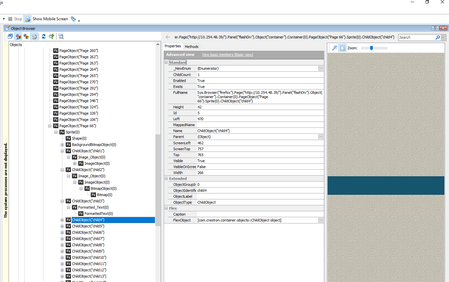
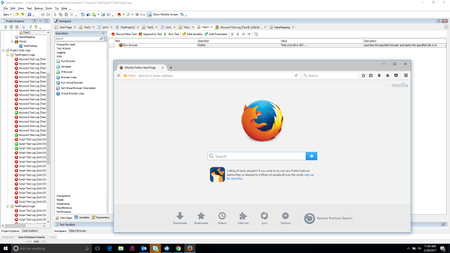
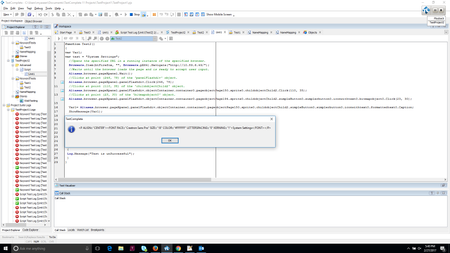
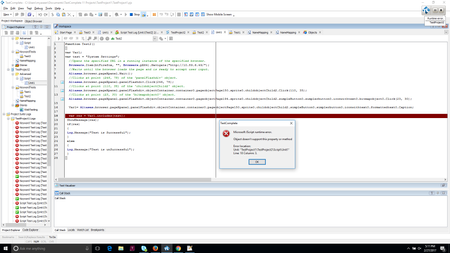
ContributionsMost RecentMost LikesSolutionsRe: Unable to Focus the control i tried same action by recording and convert the recording action to script. why there is Browser.Navigate() method called before typing the text into the object Aliases.browser.pageXpanel3.objectContainer.container0.pageobjectPage66.sprite0.childobjectChild4.Click(184, 28); //Opens the specified URL in a running instance of the specified browser. Browsers.Item(btFirefox, "", Browsers.pX64).Navigate("http://10.254.48.39/"); //Enters 'test' in the 'objectContainer' object. Aliases.browser.pageXpanel3.objectContainer.Keys("test"); Unable to Focus the control I am Testing Flex/Flash Based Web application. Using flash player debugger approach. There is text box in the application. I want to send the keys to that object. But i am getting an error as "unable to focus the control". Additional Info: An attempt to focus the control failed. The control may be invisible, disabled, non-focusable, or it may pass focus to another control. below is code to send keys to the object: Aliases.browser.Page("http://10.254.48.39/").Panel("flashDiv").Object("container").Container(0).PageObject("Page 66").Sprite(0).ChildObject("child4").Keys("Test"); Attached is the screenshot of the object. Testcomplete launches some application by default When Testcomplete is running in my system. after some time, calculator, setting and other few application are opened. This is happening only if the testcomplete is running. I am using Windows 10 64 bit Re: Run Browser is launching the browser but not navigating to specified URL Hi, I was using FF46 and now deleted FF completely form my system and installed FF47. Now it is working Re: Run Browser is launching the browser but not navigating to specified URL Hi Shankar, I am not getting any idea. My question is, i am testing Flash Based web application. So as per document hierarchy, i am following below path and configuring browser. Application Testing-> Web and RIA->Flash and Flex->Approaches->Flash Player->Preparing->Preparing Browser. You are asking me to follow below path and configure the browser. Application Testing->Web and RIA-> Web Testing-> Preparing-> Firefox. This make me confusing. Re: Run Browser is launching the browser but not navigating to specified URL Hi Shankar, I am testing Flash based web application. i have followed below document page to prepare the browser. http://support.smartbear.com/testcomplete/docs/app-testing/web/flash-flex/approaches/debug-player-version/preparing/browser.html Do i still need to configure all item mentioned in the below url https://support.smartbear.com/testcomplete/docs/app-testing/web/general/preparing-browsers/firefox.html#_ga=1.69178833.13140592.1487593798 Run Browser is launching the browser but not navigating to specified URL Hi, I am trying launch a web browser and navigate to specified URL. but it is not navigating to specified url. SolvedRe: why i am getting Microsoft Jscript runtime error Now, i am not getting error. But i am expecting boolean value, if the substring is present in the string,. It should return true otherwise it should return false. Based on the Boolean value i will make script pass or fail var res = aqString.Contains(Var1, test); above line returns 105 Re: why i am getting Microsoft Jscript runtime error Hi Robert, I have added showmessage() method. it display the Var1 string. why i am getting Microsoft Jscript runtime error Hi, while running my script, i am getting error pop up from Test complete about" Microsoft JScript Runtime error" Solved