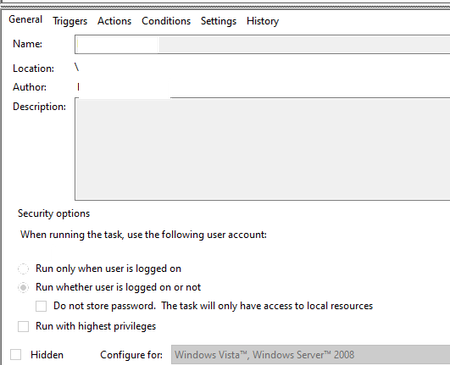
ContributionsMost RecentMost LikesSolutionsHow is test complete using our data while using the inbuilt AI feature ? Can someone redirect me to the AI privacy policy document /writeup to know how test complete is using our data when it comes to enabiling the AI feature. SolvedWhile runing scripts using Test Execute the results logs are .mht , and how do i read this ? While runing scripts using Test Execute the results logs are .mht , and how do i read this ? my results gets stored in below shared location , how do i open this file?c:/users/<>/AppData/Local/Temp/tcResults1.mht SolvedRe: Test Execute - Running scripts using task scheduler The below script is launching TE and runing the test when runing alone as a batch file , but when trying to point the same via sheduler and run it doesnt initiate TE and no error logs ,any suggestions ? start "Morning Check Automation" /wait "C:\Program Files (x86)\SmartBear\TestExecute 15\Bin\TestExecute.exe" "C:\Health_Check\Health_Check.pjs" /r /p:Health_Check /t:"KeywordTests|Health_Check_Suite" /ErrorLog:Health_Check_TextExecute_Results /exit /SilentMode /ns Re: Test Execute - Running scripts using task scheduler am running the below and i see the Test Execute on the righ botom corener tray , but its doesnt run the project and no error files C:\Program Files (x86)\SmartBear\TestExecute 15\x64\Bin\TestExecute.exe" C:\Health_Check\Health_Check.pjs /run /exit /DoNotShowLog /t:"KeywordTests|Health_Check|Citrix_Health_Check_Suite" /ErrorLog:"C:\Health_Check\index.html Re: Test Execute - Running scripts using task scheduler this is howi am trying to run start "C:\Program Files (x86)\SmartBear\TestExecute 15\x64\Bin\TestExecute.exe" C:\Automation\Health_Check\Health_Check.pjs" /run /exit /t:"KeywordTests|Health_Check_Suite" /ErrorLog:"C:\Automation\index.html" please correct if me, if it's incorrect Re: Test Execute - Running scripts using task scheduler Not clear what parameter to be chaged for /t:"KeywordTests|Health_Check_Suite". Re: Test Execute - Running scripts using task scheduler start "health Check Automation" /wait "C:\Program Files (x86)\SmartBear\TestExecute 15\x64\Bin\TestExecute.exe" "C:\Automation\Health_Check\Health_Check.pjs" /r /p:Health_Check /t:"KeywordTests|Health_Check_Suite" /ErrorLog:Health_Check_TextExecute_Results /exit /SilentMode /ns Re: Test Execute - Running scripts using task scheduler C:\Health_Check\Health_Check\config\Mg_Ch_TestExecute.bat Version: 15.58.9.11 x64 Its a web application Do you have an active connection, when running the task? I.e. the computer must not be locked and the user must be logged into the machine. Do you mean i have to completely exit from all other apps runing and lock the computer at the time the task is runing. Test Execute - Running scripts using task scheduler I set up the task scheduler to run the scripts, using the test execute on my local machine. I see the history tab from my task name the task started, action started, action completed &task completed as per the time setup. Once I go into my folder to see results I don’t see any, I don’t get results via emails neither any logs for failures. Where I try to run the project via test execute manually it runs and I see the results captured Any help will be useful about what I am doing incorrect here. Re: How to connect to remote desktop using testcompleted ? ok not sure how much i will be able to achieve using Test complete, Meantime thanks for you promt reply.