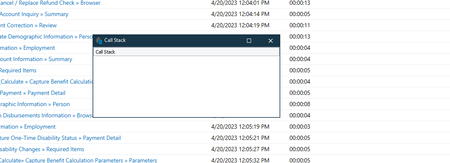
ContributionsMost RecentMost LikesSolutionsRe: Repeat Exists (Avoid Writing Log Errors) Python Thank for the reminder on the code editor. Didn't know anything about that. I have a large script that loops through many user types. And for certain user's objects are not there, So I am using exists to find the objects, and then for other users it writes an error. (Which I would prefer not to happen) It is actually discussed in the forum here. .Exist method or alternative to determine whether ... - SmartBear Community Repeat Exists (Avoid Writing Log Errors) Python This is a script I have pared down in the utter hope I can make my slf clear. I an using different users in loops and some elements do not exist for certain users. I am using exists to see if an item exists, If it doesn't exist, it writes errors to the log.--I dont want this. Documentations says to use this methodology. if (Sys.Process("notepad").WaitWindow("#32770", "About Notepad", 1, 5000).Exists): # Notepad is running else: # Notepad is not running My code snippet def a1(): try: # # finds the link and verifies it exists on page # myLinkXPath = "//a[text()='Purchase Inquiry']" # myTestLink = JCCommon.verify_link(myLinkXPath) # myTestLink.Click() # browser = Aliases.browser CurrPage = browser.Page("*") CurrPage.Wait() myPT = CurrPage.FindElement("//font[.='Purchase Types']") if myPT.Exists: -This works or throws an error if it doesn't exist. Log.Message("I am the Rain Queen") if myPT.WaitWindow("#32770","Wait Window",-1,10000).Exists: Per Documentation however this doesn't work. Log.Message("Found Purchase Type Header") else: Log.Message('Not Found Purchase Type') except Exception as e: myErrMessage = JCCommon.capture_error(e) Log.Error(myErrMessage) Re: Elegant Error Handling -Not Generating an Error IThe process "Chrome1" was not found. 13:39:58 Normal 0.00 Elegant Error Handling -Not Generating an Error All the documentation says this should not generate an error. PYTHON try: p = CurrPage.FindElement("//font[.='Purchase Types']") w = p.WaitWindow("*", "Open*", -1, 10000); if w.exists: w.Activate Log.Warning("Found Purchase Date' Header") else: Log.Warning("No purchases are posted for this member") except Exception as e: myErrMessage = JCCommon.capture_error(e) Log.Error(myErrMessage) It does Then I went to an "easy" example from the website. And wrote this on off script. and still throws an error message into the log. p = Sys.Process("Notepad") # Waits for the window for 10 seconds w = p.WaitWindow("*", "Open*", -1, 10000) if w.Exists: w.Activate Log.Picture(w, "Open dialog picture") else: Log.Warning("Incorrect window") Is there a configuration I am missing. or are my fingers too fat for the keyboard. This sounds like a small issue, but people testing don't want to see errors in the logs. (That is an indicator of a successful test.) Re: Call Stack When I navigate there, I am not able to make any changes. I hopefully have attached a screen print Re: Call Stack Thank you very much. I never knew that. It is not letting me edit this option but that may be a SA function? Call Stack When, I run a python program, there are times (almost always) when I want to see the Call Stack Tab in test compete. There seems very little rhyme nor reason as to when it does appear. Any thoughts on how to have it in the output at all times. SolvedWriting To an Excel File -Python I have a script I call Write to File It is called from a loop. I write to the file two to three times per loop. Every once in a while, I get an error message that the file is being processed and I get an error. I have run it again and it blows through the error. The file is not Open. How do assure not getting the error. def WriteToLog(Message): curTime = aqDateTime.Now() cpu = Sys.CPUUsage + 100 curUser = Sys.UserName excelFile = Excel.Open(Project.Variables.LogFile) excelSheet = excelFile.SheetByTitle["2023"] # Write the obtained data into a new row of the file RowIndex = excelSheet.RowCount RowIndex = RowIndex+1 excelSheet.Cell["A",RowIndex].Value = (RowIndex) excelSheet.Cell["B", RowIndex].Value = "Passed" excelSheet.Cell["C", RowIndex].Value = curUser excelSheet.Cell["D", RowIndex].Value = curTime excelSheet.Cell["E", RowIndex].Value = DDT.CurrentDriver.Value[3] excelSheet.Cell["F", RowIndex].Value = DDT.CurrentDriver.Value[8] ......(rows omitted for clarity excelSheet.Cell["W",RowIndex].Value = (str(DDT.CurrentDriver.Value[40]) + ' Status') excelSheet.Cell["X",RowIndex].Value = (str(aqString.trim(DDT.CurrentDriver.Value[41])) + ' Status Change Dt') excelSheet.Cell["Y",RowIndex].Value = (Message + ' Message') excelFile.Save()