AbilAjayOccasional ContributorJoined 3 years ago9 Posts2 LikesLikes received1 SolutionView All Badges
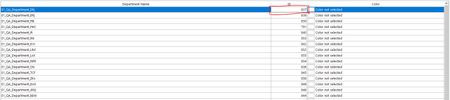
ContributionsMost RecentMost LikesSolutionsRe: Any easiest way to get the parameters for TestObj.Picture(ClientX, ClientY, Width, Height, Mouse)I found a solution First we will find the coordinate of x and y using view object option this window will help to find the coordinates relative to the object and then you need to specify the hight and width of rectangle In script (python) picObj = Object.Picture(1012, 24, 1144, 24) NeededText = OCR.regonize(picObj).fullTextRe: Any easiest way to get the parameters for TestObj.Picture(ClientX, ClientY, Width, Height, Mouse)I'm using OCR in lot of places in my testcase but the problem is OCR is always took all text inside of the object area but i want to specify the area of recognition how to specify the area?Re: Any easiest way to get the parameters for TestObj.Picture(ClientX, ClientY, Width, Height, Mouse)We can recognize by picture object but i don't know how to get the x ,y, height and width of the particular area of an objectRe: Any easiest way to get the parameters for TestObj.Picture(ClientX, ClientY, Width, Height, Mouse)I can't, It's build with DelphiRe: Any easiest way to get the parameters for TestObj.Picture(ClientX, ClientY, Width, Height, Mouse)Object Spy took full grind of the image it doesn't took that specific highlighted text areaAny easiest way to get the parameters for TestObj.Picture(ClientX, ClientY, Width, Height, Mouse) I want to capture pic for a particular area of the object while the test run, it is used to recognize the text in that particular area of the object please tell me how to get these params ClientX, ClientY, Width, Height, Mouse The Main goal is I want to recognize the particular number in the highlighted area, in that picture https://support.smartbear.com/testcomplete/docs/reference/test-objects/members/onscreen/picture-method-onscreen-object.html#example SolvedRe: Runner.stop method didn't stop current routine Thanks, rraghavani now understood, the difference between a test engine (Python Error) error and testcomplete error, Try catch did not handle testcomplete errors like object not found and method not suitable Re: Runner.stop method didn't stop current routine If we use try catch on test1(): it won't stop, please try that one Hello message is printing Runner.stop method didn't stop current routineI have two routine test1() and test2(), i called test1() inside the test2(), like this def test1(): Log.error("kaboom") def test2(): test1(): Log.message("hello") Play back on error property set to "stop current item" If I run the test2 it's only stop test1 routine alone it's won't stop test2 it will print hello on the console how i stop the execution of routine test2 completely when there is error occurred? Please someone help me, i try onlog error event aslo it's won't work it's only stop one routine aloneSolved