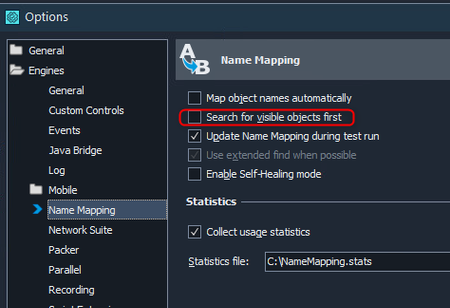
ContributionsMost RecentMost LikesSolutionsRe: Is there any way to get code completion to function when using classes? Hi, there, It looks like the IDE doesn't look more than 2 levels deep in user scripts... Be careful with the use of javascripts classes/objects because, even if it works, I've personally encountered many problems when debugging (class fields reset when using a breakpoint) which makes development difficult to maintain. I've now backed off except when I couldn't do otherwise. Re: Shared user form between projects and event management Your idea seems a good one, however, impossible to use the Runner.CallMethod(). It only works for project's scripts and extension scripts, not for exchanges between projects. I've just done a test: I've created a ProjectSuite containing ProjectA and ProjectB. I'm trying to call the ProjectB.MethodB() from ProjectA.MethodA() but no solution seems to work. Unless the Runner.CallMethod() function has a hidden syntax that allows you to call a script from another project? Thanks in advance for any help Shared user form between projects and event management Hi all, I'm using a form that is shared between several projects. This form has 2 event handlers and I'm encountering a problem when executing it on the different projects. Assigning the event handler in the form works on the first project, but fails on the next. It's logical and due to the GUID attached between the form control and the event handler, which, as its name suggests, is unique to the project. To “get around” this technical constraint, I'd like to assign this handler dynamically from an initialization method, but I can't find any property that allows me to do so. Is there a solution to my problem other than duplicating my form file for each project? Thank you in advance for your help. Re: Search a text in an Execution Plan If your search is intended to be within a test itself (dynamic) and only concerns the name or description of the tests in the execution plan, you can still dynamically retrieve their values via script from the following object and its properties : Project.TestItems.ItemCount Project.TestItems.TestItem[Id].Name Project.TestItems.TestItem[Id].Description Re: Runner.Stop(true) stops complete execution, not just the current test case Hi, That's interesting, but where did you find the SkipCurrentTest() function? Re: "waiting for object" You also have this option, which is fundamental to your needs: If the option is checked (default state), TestComplete waits for the timeout set in your project, as presented by rraghvani, to ensure that no component becomes visible. If you don't want TestComplete to wait, simply uncheck this option, but beware of side effects Re: Runner.Stop(true) stops complete execution, not just the current test case I checked with latest version, its also working for me. Good news ! Can you please confirm once again is it working since 15.59? Yes, I opened a ticket for this problem on May 10, 2023 on version 15.05. It was resolved on December 15, 2023 on version 15.59. It took a long time to fix, but it's been working ever since. Having said that, I don't think many people use this function in an event method. Re: Runner.Stop(true) stops complete execution, not just the current test case The thing you're doing is exactly what I do in my projects: I load a configuration file to skip testcases with the Runner.Stop(true) function in the onStartTest() event and it works correctly since I asked for a fix that's been ok since version 15.59. The only difference seems to be that my project is configured to stop the current item on an error, and all tests in the execution plan inherit the project settings. Re: Ignore Log error on .exe process crashed Hello everyone, I know it's been 2 years since the question was asked, but I have another problem that seems to be the explanation of yours (if you don't have your answer yet). I log all errors to send them to another tool by capturing the OnLogError() event, but when I get a "process ... crashed", it doesn't trigger the event even though it logs it as an error message in the logs! So that should explain your problem... My current problem is that I need to get this error event to log, so, how can I catch it? Thanks for your help. Re: Exporting results to both Junit and html Hi, Although I don't understand the real need either, if you really need it, you can always script it with the Log.SaveResultsAs() command that you can call as much as you want! Regards,