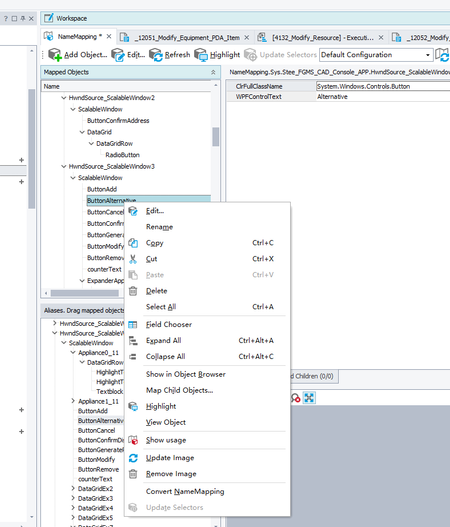
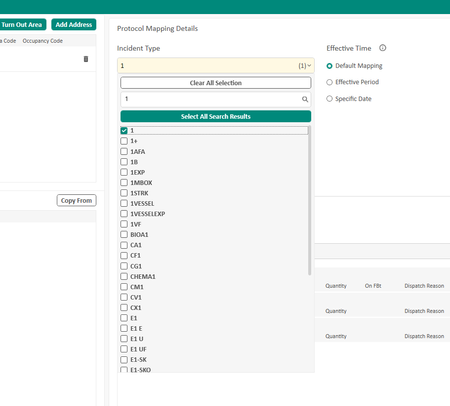
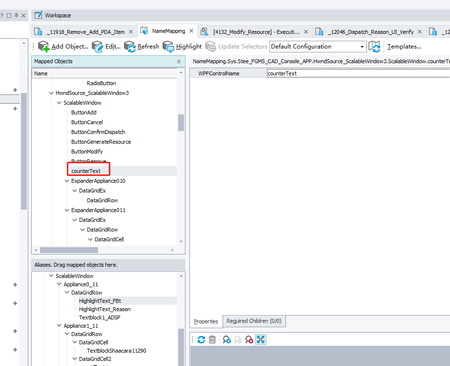
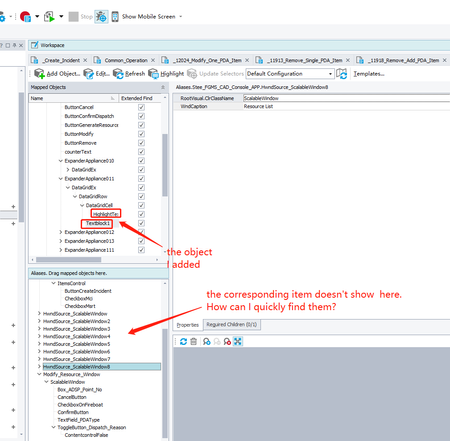
ContributionsMost RecentMost LikesSolutionsRe: How can I update selector In my Desktop Testing if it's not able to find the control with the properties given,I can Edit the name mapping.But there is another case, if the object's hierarchical path changed, how should I do to update the selector? As is shown in the picture, the Update Selectors button is disabled How can I update selector In my Desktop Testing As is shown in the picture,the object has changed,I just only delete it and record it again.How can I quickly update it? I tried to click the "Update Selectors",but it is disabled. Any other way? SolvedHow can I quickly find the objects whick I add in the Mapped Objects in the Aliases.Drag window? As is shown in the picture, I Add two Objects in the Mapped Objects window, but I can't quickly find them in the Aliases.Drag window.How can I quickly find them? SolvedRe: There was an attempt to perform an action at point (190, 9) which is transparent or out of the windo thank you,when I use "popupRoot.ItemsControl.WPFObject("ContentPresenter", "", 2).WPFObject("CheckBox", "", 1).ClickButton(cbChecked)",and not use the recorded code "popupRoot.ItemsControl.CheckboxAllAmbulance.ClickButton(cbChecked)",it can be selected all the time There was an attempt to perform an action at point (190, 9) which is transparent or out of the windo I want to select the Incident Type.First step, I send "1" in the input box, then auto search by "1", Second step, I click the checkbox before the Item "1", It can be checked few times,most time,It shows the error message:"There was an attempt to perform an action at point (190, 9) which is transparent or out of the window".How can I resolve it?