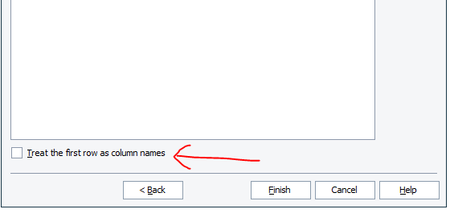
ContributionsMost RecentMost LikesSolutionsRe: Unable to open the application through test complete. I am running the application as simple mode only. The application from my local desktop, I have tried by running as administartor, normal mode and also disabled all the ristrictions and permissions. But the Application is running good withput Testcomplete. Unable to open the application through test complete. Hallo everyone, I am trying to open one of my tested application. when I am opening the application normally, it's running properly. But when I am opening the same application through testcomplte, it's throwing some error and not able to open. Error message A problem with file version Occured, The application will be closed for safety reasons. Does anyone faced the similar or same issue. is there any special settings do we need to insert. Thank you all in advance. Br, Ramesh TestComplete working with excel data Hi Everyone, While working with excel data can we treat particular row data as coloumn Names. Instead of treat first row as coloumn names as shown figure. My coloumn names are starting after few rows. Thank you so much. Test complete while working with Colors Hi everyone, Here I am working with colors using delphi script. during the object identification I have found the color as number as shown in figure. how can we know, which color it is. and is this number belongs to font color or background color. Thank you so much Re: Facing issue while launching browser using testcomplete - Firefox and Edge Hi Nandini, First you need to setup the tested apps in your project. then give the loacation of ".exe" file for tested application later you should run the tested application and then navigate to the required browser. Code as Follows: function Edge_Browser() { TestedApps.msedge.Run(); Browsers.Item(btEdge).Navigate("https://smartbear.com/"); } Re: Decimal seperation of the numbers according to German format Hi Everyone, Here I would like to do some math operation with obtained value from the UI . But Unfortunately, My Application is in German format and the the decimal seperation is different. english version := 3.147 represented as number German Version := 3,147 represented as a number (3.147) Is there any settings or solution we have, to solve this issue. Thank you so much. Re: Excel loop not stopping after finishing the Data Thank you so much Shane, The above solution got worked. But whenever we added new rows of data, it should adapt to the end of data. if we use the above steps, we should update the " To Record " every time. Then this wouldn't be an automation. If we observe the lectures from smartbear, they haven't used the section "To Record". They always used the function " To the End". Thank you so much for your response. Regards, Ramesh. Excel loop not stopping after finishing the Data Hi Everyone, Here I am using Data loop and there I have imported my excel file from my local. here I Have 30 rows data excluding Header, my script entered the 30 rows of data and it's trying to enter the data from 31st row(which contains no value or data) Could someone help me to figure this out. I also gone throught the videos on testcomplete website. there no body used stop function or any other. Just imported the excel file and assign the coloumn data. I also did the same, but it's lopping even after completed with all data. Thank yo SolvedRe: find the property of text (i.e. Font styles, font size etc..) Hi Thank you for your reply. It's Desktop Application. find the property of text (i.e. Font styles, font size etc..) Hi Everyone, Here I am trying to find the properties of text (i.e. font styles font size etc..). Does Testcomplete have any such function ? Thank you all.