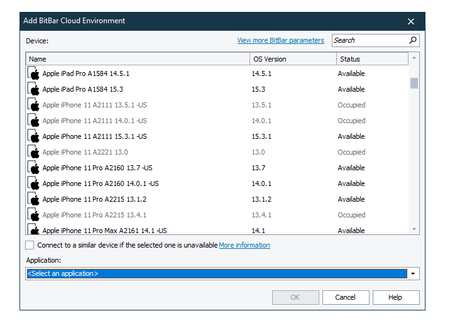
ContributionsMost RecentMost LikesSolutionsHow can I obtain current browser in scripts? I use TestComplete with BitBar to test web applications. My tests are scripted in javascript and I start remote browser like this: var capabilities = { "platform": "Windows", "osVersion": "11", "browserName": "Chrome", "version": "109", "resolution": "1920x1080" }; var server = "https://eu-desktop-hub.bitbar.com/wd/hub"; function StartInBitBar() { Browsers.RemoteItem(server, capabilities).Run(""); } function DoSomeTests() { //Here I need to obtain the Remote browser item created in StartInBitBar(), but how? //This fails: Log.Message(Browsers.CurrentBrowser.Description); } Re: Adding Safari as mobile application Thanks for replying, Kitt! Should have mentioned that I use BitBar. I have a keywordtest that's running (in parallel) in BitBar on different browsers. I want to run similar tests in BitBar Mobile Cloud, but when I select device to run on (i. e Apple iPhone 11 Pro) TestComplete needs to know the application to test: Here I'm not able to tell TC that I'm not testing an MobileApp, I want to use Safari. Forgive me if my question is stupid 😞 Thnx, Jacob Adding Safari as mobile application I just want to test in Safari on mobile devices, how do I add Safari to tested application? Running testcomplete tests in BitBar fails I try to run my TC tests in BitBar but it fails due to not finding onscreen objects. The tests work fine when I run them locally. I'm testing a webapp in chrome. Anyone have a tip on what this issue is and how to solve this? Re: Passing value from ReadyAPI to TestComplete Ok, so I solved it by transferring the value to TestCase property and then writing this value to a file with groovy. But if anybody knows a simpler way, I'd be glad to hear about it Passing value from ReadyAPI to TestComplete Is there anyway I can pass a value from a Rest response and pass it to TestComplete? I have a Rest endpoint which returns a URL. I want to pass this URL to TC to perform tests