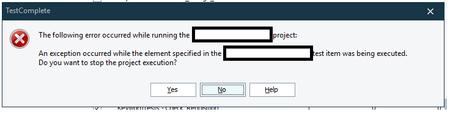
ContributionsMost RecentMost LikesSolutionsKeyword Tests Removed When running some automation tests an error was displayed saying unable to find element and everything crashed so needed to restart testcomplete. Once restarted the project now has no keyword tests section and all the tests in the execution plan have a little red x icon against them and can't be run. When looking in the keyword tests folder in the saved location a load of them seem to have gone. Any idea what may have caused this and how to recover them? Pass variables into Database Checkpoints It would be good to be able to pass a variable into a database checkpoint custom query so that when you're querying the database you're able to pass in things that may be unique for each test you have created like a case reference. Re: Project error stopping execution Yes most of the tests pull data from a spreadsheet but these errors don't seem to occur at those points specifically. May not be related but what I do notice is it seems to happen when I leave the tests to run on a VM and not keeping an eye on it so the machine may lock the screen due to time set to sleep but I have set up all the settings advised to make sure tests can still run fine in these situations as they do continue without issue for a while then all of a sudden one of them will get this error Re: Project error stopping execution Currently using the latest version 15.63.22 but this has done it with previous versions too and no it doesn't always happen at the same point. Where it happens if I run it again just by itself as a test it will run through fine without any changes Project error stopping execution When running multiple tests in one run I quite often get project errors that occur which stops the execution of the tests until I have selected an option from the pop up. This is a problem as I often will run tests when not keeping an eye on them so are hopefully completed by the following day so if this stops it wastes time. I have tests to continue on failures so that the following tests aren't impacted but this error seems to keep popping up. If I run the test that has the issue by itself after theres no issue with it so does anyone know why this would keep happening on different tests and how to stop it? How can I extract files from a zip file to compare I need to compare various files that we get when results are returned however when I click to view the results they are returned in a zip file so am unable to compare the pdfs. How do I extract the files from the zip to then be able to compare them. Ideally if I can extract the files and then move them to a specific folder I can then compare them to the baseline pdfs. Is there a way of doing this in keyword tests or will it need to be scripted? If scripted is anyone able to advise what that would look like in python? Thanks Re: How to keep date from excel in the same format So not something that can be done just using the get excel value then it has to be then coded? How to keep date from excel in the same format I am currently setting a date in excel and extracting that date to be used as a variable. I need the variable to be displayed in the format DD/MM/YY so in excel I have formatted the cell so it displays that way e.g. 06/02/24. However when testcomplete gets the data from the excel cell it sets the variable in the format DD/MM/YYYY e.g. 06/02/2024 How can I get it to keep the data exactly how it's being displayed in excel? Thanks Re: Click item issues again with version 15.55.53 15.57.2 released and still no fix for this issue. Nearly 2 months since raised how can it take this long to resolve major issues Re: Click item issues again with version 15.55.53 Have they actually responded to your ticket or when you say reviewing the case do you mean you had the automated response to say they have got it? I raised a ticket 2 weeks ago and had nothing come back