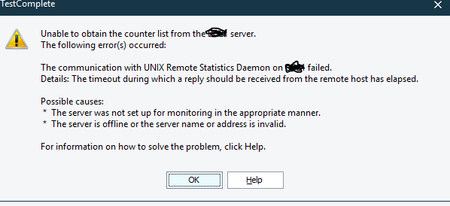
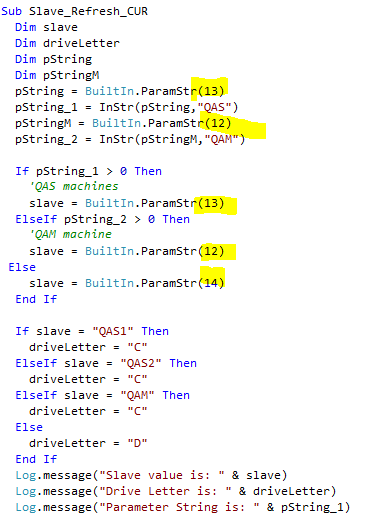
ContributionsMost RecentMost LikesSolutionsRe: Enabling Performance Monitoring>Adding Performance Counters>Can't find Tested Host https://support.smartbear.com/testcomplete/docs/testing-with/advanced/monitoring-performance/configuring.html Re: Enabling Performance Monitoring>Adding Performance Counters>Can't find Tested Host Nothing that helped. Had already revisited these items multiple times. [cid:image001.png@01D8D716.734ABD80] Enabling Performance Monitoring>Adding Performance Counters>Can't find Tested Host Have gone through the enabling performance steps multiple times and once under supervision of network admin. When advancing to specifically add the performance counter under a TC project, the value I add for the Tested Host is not listed nor is found when I type it in. It eventually fails with the message: Windows Server 2022 Testcomplete 15.43.1.7 Admin user group BuiltIn.ParamStr Method Where do I find the argument list that the index specified below in yellow correlates to?