Forum Discussion


TanyaYatskovska Alumni
12 years agoAlumniHi Kjetil,
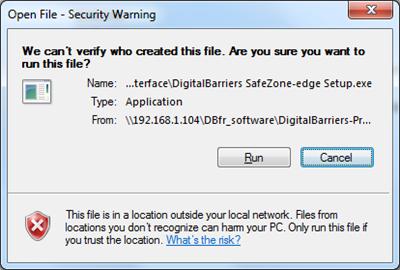
You need to start TestComplete as an Administrator and launch the tested application via the TestedApp collection. This should help you avoid getting this warning.

Nformation
11 years agoContributor
I would like to revive this topic, as I am getting the same issue. I am trying to run a .bat file from a network location and I get this message. I have not been able to figure out a way to skip the message or to have TestComplete click "Run" in order to continue. I appreciate any advice. Thanks.
- ZXQA9 years agoOccasional Contributor
This is a workaround. I have also been unable to address the security dialogue and just removed it from the equation by setting up the network location as follows. This is for windows 7 but works on 10 as well.
http://woshub.com/how-to-disable-open-file-security-warnings-in-windows-7/
Hope this helps.