Forum Discussion

sandhu97's avatar
sandhu97
Occasional Contributor
15 years ago

URJENT !! How to capture values from a table in an excel file?

Hi Eveerybody,

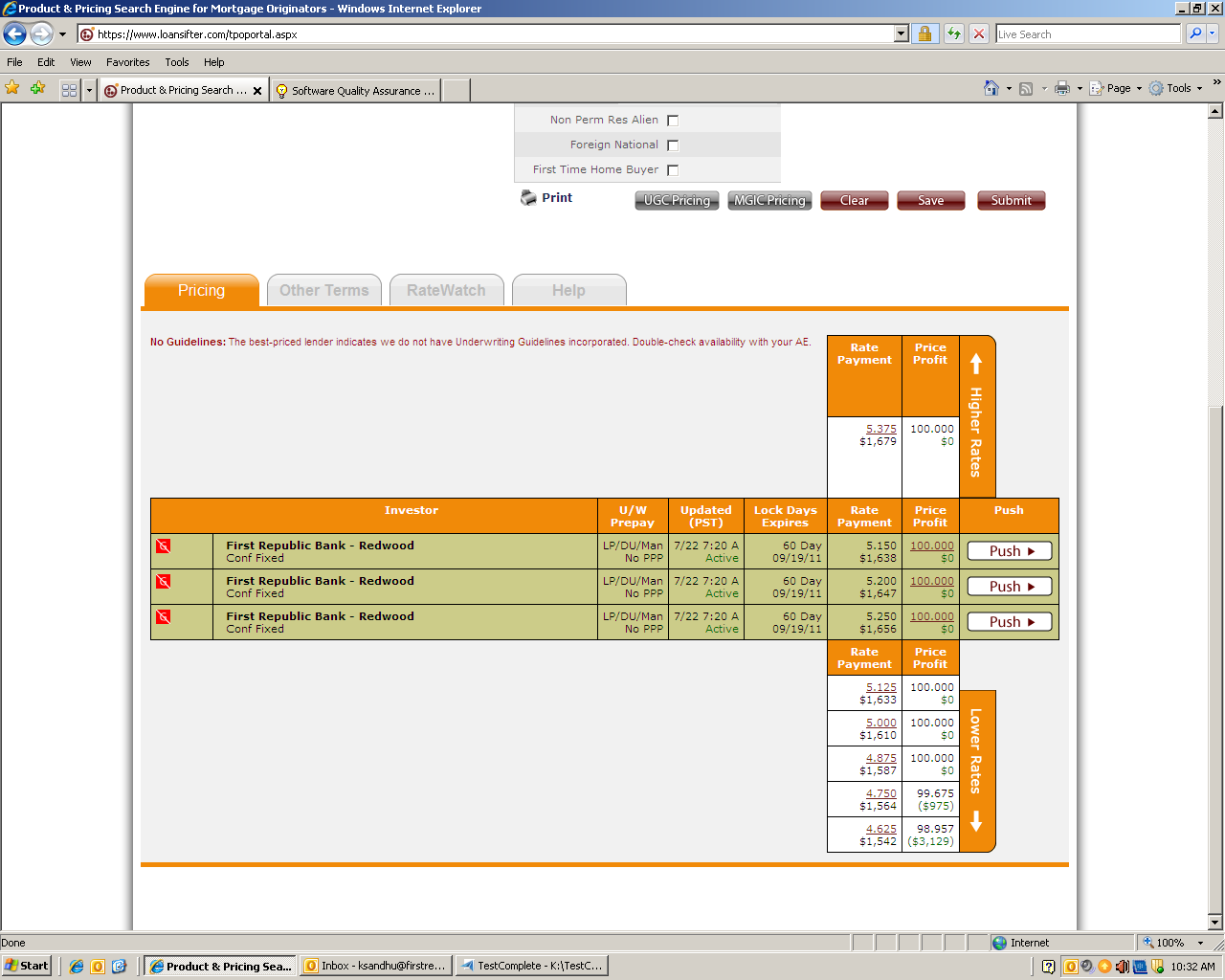
I just started using test complete in my new company. I need to captutre values from a web table with diff data feilds. The data from these data fields has to be saved to an excel file with same column names as the data feilds on the table. I am also attaching the snapshot of the tablke i want to capture values from.

Please help me how to do this ?


Thanks,

Would appreciate any kind of help.

9 Replies

  • sandhu97's avatar
    sandhu97
    Occasional Contributor

    I am trying to create a output value checkpoint to capture data field value from a web app and populate the values of those data fields in an excel(.xlsx) file.


    I attached the screenshot of the web app and you can see the various data fileds in it. All those feilds will ahve some values, we have to capture those values and store them to an excel file for baseline data adn data comparison.


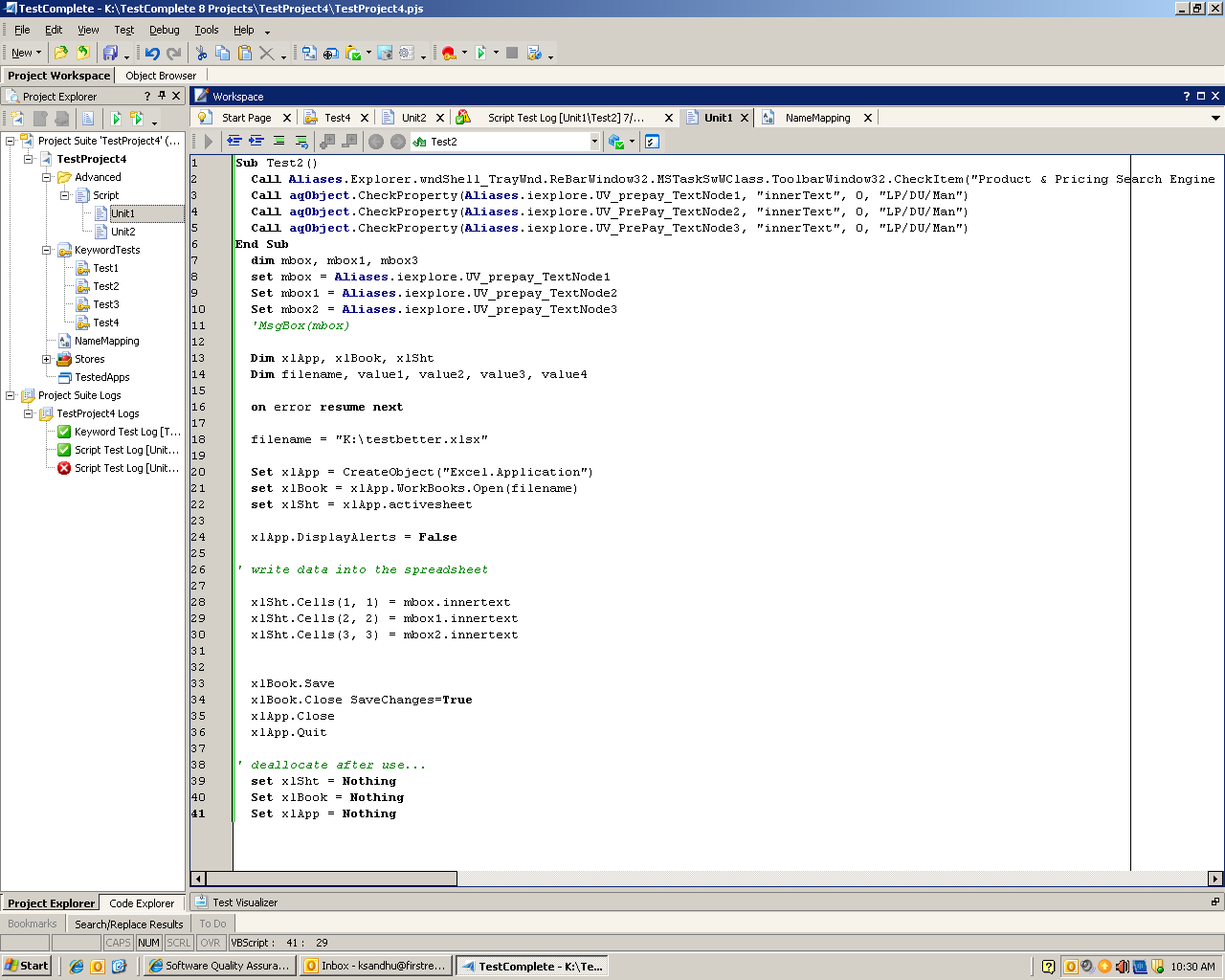
    I tried to use the property ckeckpoint and use the etxt property to get the data feild and save it to the excel sheet but its not working. I am attachin the snapshot of the code. i would really appreciate if somebody could send me the code to do it.

    Thanks

    Thanks.

  • tristaanogre's avatar
    tristaanogre
    Esteemed Contributor
    Let's continue this over on sqaforums between you, me, and Jared.  It's easier to keep the conversation all on one place rather than splitting it up between multiple forums.
  • sandhu97's avatar
    sandhu97
    Occasional Contributor
    Hey Martin,

    I tried updating to sqa forums but the site is not allowing to to do so and this is kinda urjent so if you can help me, next time I will try there again.

    The correction worked and its storing the value from the feild to the script now.

    I am facing more problems now. When the search is done, depending upon the data entered in the data fields the serach results can vary from one to many. I need to capture all the results in the excel file. I am attaching the screenshot of both the results one on when i recorded with one set of data the scripts works, but wen the data changes the result reduces to 1 and the script fails, testcomplete propertycheckpoint could not identify the result and it fails. I am also attaching the script. PLease let me know if you want more details. I would appreciate if you can provide me with code to capture all the search options, wheather there is on or more then one.

    Thanks,
  • Hi,


    If the number of objects you need to check is dynamic, use the FindAll method to obtain them all, iterate through the array FindAll returns and check each object in a loop.
  • sandhu97's avatar
    sandhu97
    Occasional Contributor
    Hey Jared,

    If you see the attached pictures, i need that a same script should store the values for the search result no matter if there is one or many. And these search results should populate inside a excel file. For example in the attached pic with multuiple search i need to capture Rate payment values 5,150, 5200, and 5250 only and stote them. And if there is only one search like in other attachment i should capture rate payment 000.0. Can there be a same script to capture them.


    Thanks
  • Hi,


    See my previous post. You can do this by first using FindAll to obtain all objects which meet the specified criteria, and then iterating from the array FindAll returns to access each object and get its contents. As for an example, the FindAll Method help topic contains sample scripts.


    Have you tried implementing this?
  • sandhu97's avatar
    sandhu97
    Occasional Contributor
    Hi Jared,


    I tried to implement it but i cudn't figure out the correct format and how to implement it into the script. I attached the copy of my code previously can you please write the piece of code to enter that into my script. The format in the example of FINDALL is very confusing to me.


    Thanks,
  • Hi,


    You can use code like this:


    ' Initialize Excel object here

    objArray = Aliases.iexplore.FindAll("property name", "property value", 100)

    For i = 0 To UBound(objArray) - 1

    xlSht.Cells(i + 1, 1) = objArray(i).innerText

    Next

    ' Save here