Solved
Forum Discussion


tristaanogre
6 years agoEsteemed Contributor
You may need to check through your project settings and TestComplete options/settings. Upgrading sometimes resets some of these settings.

dcfecker
6 years agoContributor
I don't see anything out of the ordinary, but I also don't remember what/if i made changes from default.
- tristaanogre6 years agoEsteemed Contributor
Just as a guess, I'm suspecting it will be in Object Mapping either in the project or in the main Tools | Options. You may need to check what settings you may need to add back into UI Automation and other such settings. Nothing major has change in those respects with TC 14.10 so there probably is some setting somewhere that was altered from the defaults or added to. Without knowing more details, I cannot help further.
- TanyaYatskovska6 years ago
Alumni
Hi dcfecker,
Robert's right - we need a bit more information. Could you please post here screenshots, the text of the errors?
- dcfecker6 years agoContributor
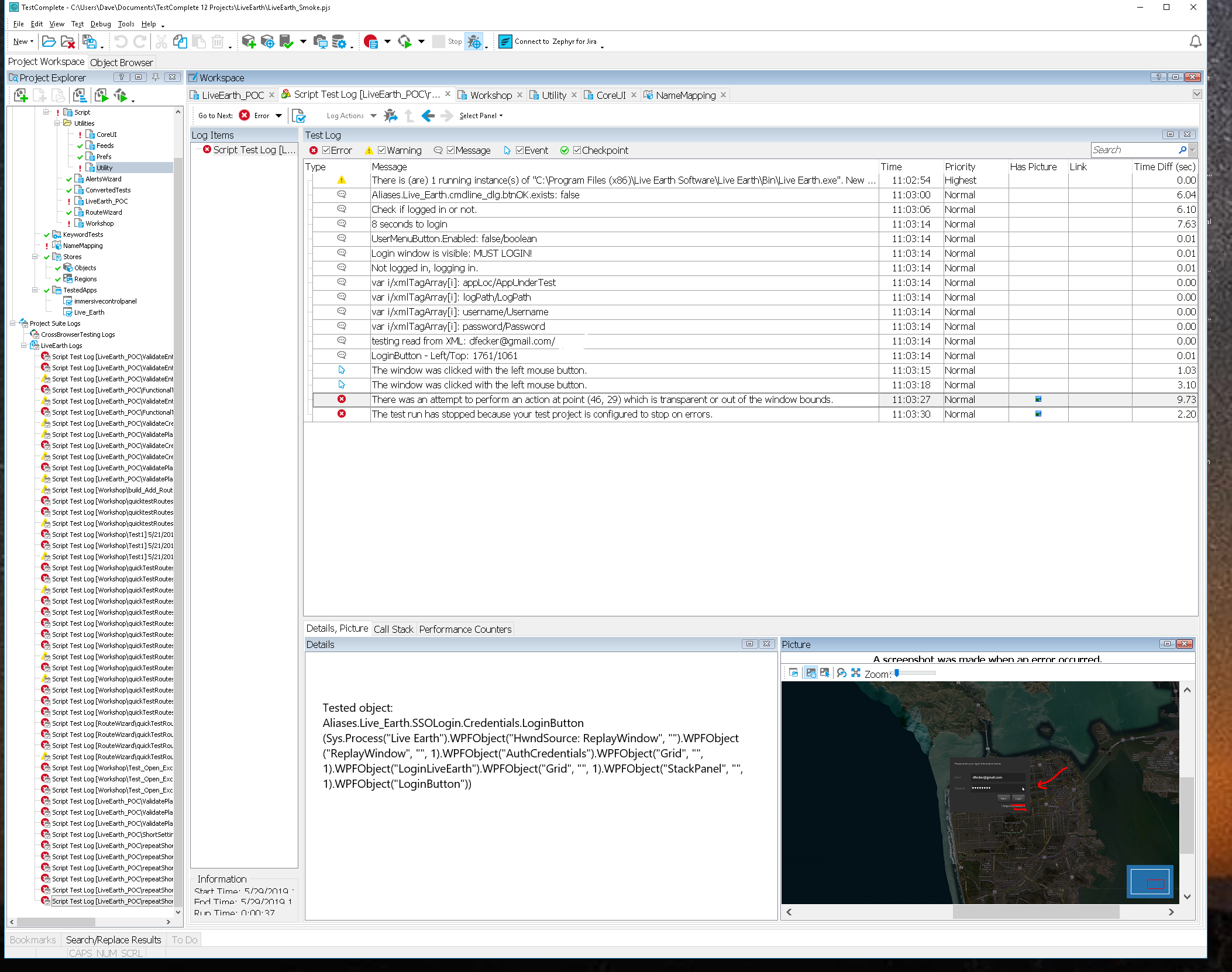
I've attached the test log.
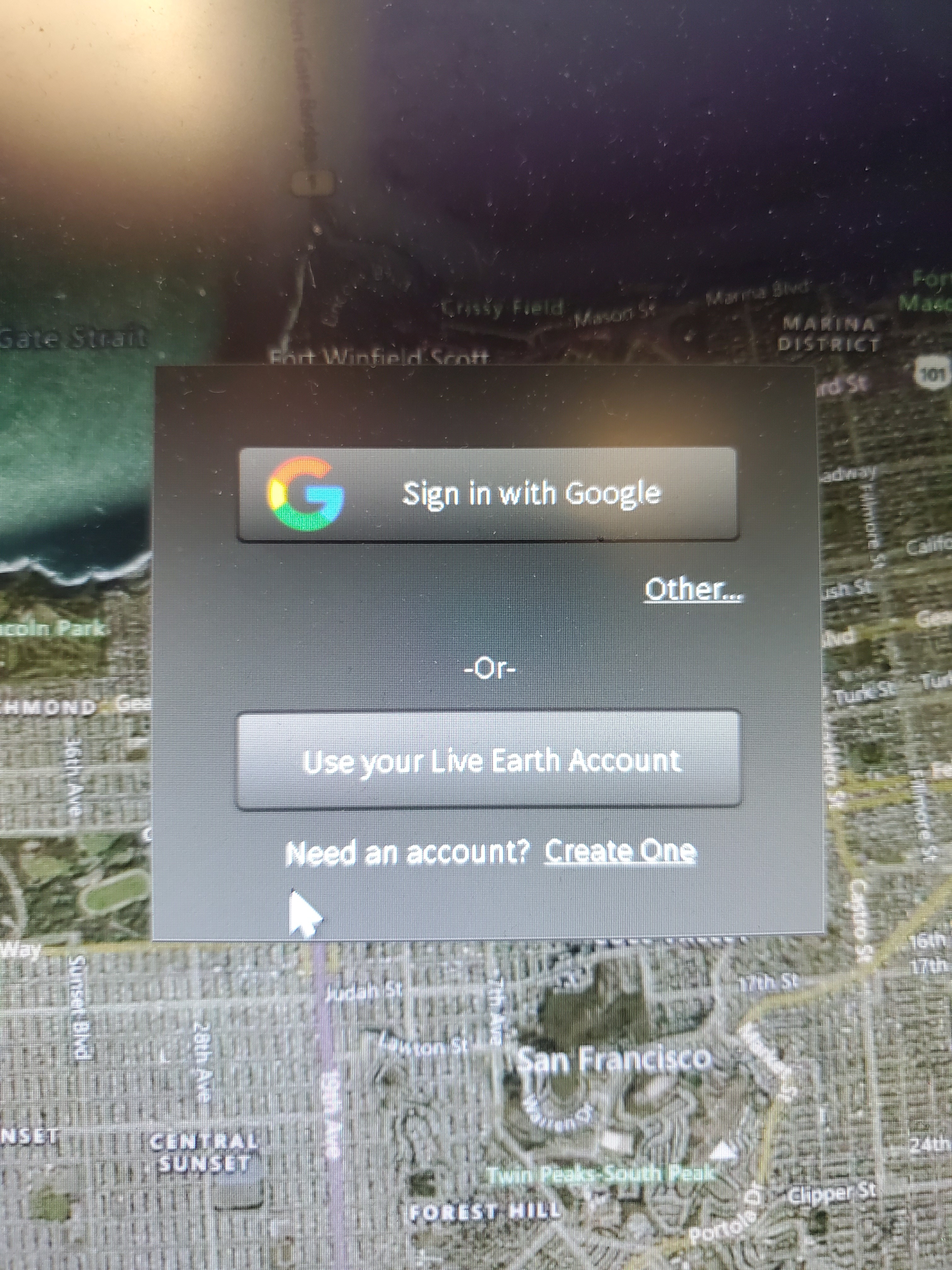
At 11:03:15 the "Log in to Live Earth button" is pressed, except I had to manually click it because the mouse position for the click was off by 100 pixels or so. See the attached JPG
At 11:03:18 the Login window is clicked to activate the email entry field, but as you can see the mouse pointer is over the "Password" text box and way to the right of it (red arrow)
At 11:03:27 it's supposed to click the "logon" button but for some reason it thinks the button is hidden.
Both the coordinates and dimensions for all the buttons are accurate. As well as the center points for these butons