We are building a new experience for our SmartBear Community.
This site is now read-only. You can still browse and search as usual. Learn More
This site is now read-only. You can still browse and search as usual. Learn More


It's generally not a good idea to map using the "Name" field. In this case, I'd actually change the mapping to use the Caption property with a value of "Backup & Restore". This is a more accurate and reliable mapping.
That hint usually occurs if there is some difficulty in identifying the object. It's possible that something may not be identified with some of the same options as under the previous version... some NameMapping changes are in 12.50. So, before we can help too much (you're the first to report this specific problem), it would be good to see
1) Screenshot of the Object Spy/Object Browser of the object in question displaying properties and hierarchy.
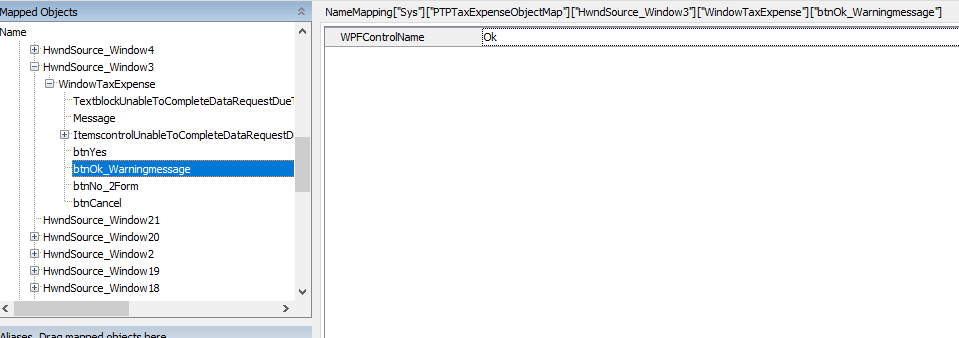
2) Screenshot showing the NameMapping configuration for the object you're attempting to work with.
3) Screenshot showing Keyword testing steps to be executed OR copy/paste of script code.

Hi Robert,
Thank you for your reply, I have attached the screenshots and pasted the code.
//Click on Backup and Restore button
Aliases["PTPTaxExpenseObjectMap"]["wndTaxExpenses"]["wndTaxExpenseEmployers"]["btnBackUpRestore"]["BackpImage"]["Click"]()
var backupbtn=Aliases["PTPTaxExpenseObjectMap"]["HwndSource_Window5"]["WndBackupRestoreDatabase"]["TabControl"]
//Click on Backup radio button
backupbtn["rdoBackupTo"]["Click"]()
Delays["ExtraSmallDelay"]()
//Click on Run option
backupbtn["btnRunOption"]["Click"]()
Delays["ExtraSmallDelay"]()
//Click on OK button on backupsuccessful message
Aliases["PTPTaxExpenseObjectMap"]["HwndSource_Window6"]["WindowBackupRestore"]["btnOk"]["Click"]()
Thanks.
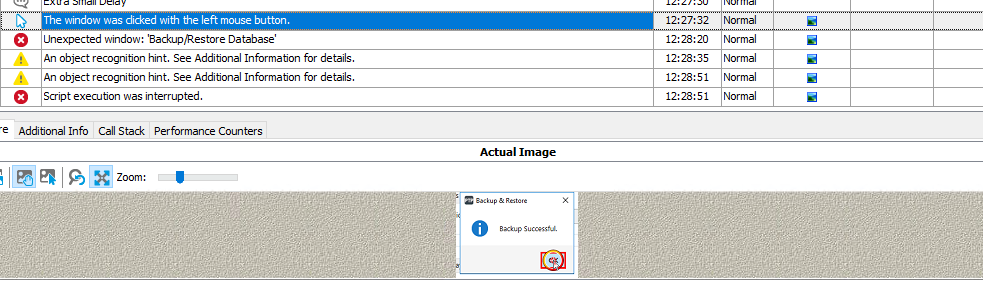
OK... so, it clicks on the OK button... what's next in the code? Is the error actually with the OK button or is it associated with something else? Perhaps a screenshot showing the error in the log with the "Additional Info" panel information.
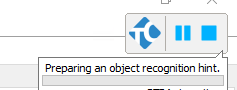
It clicks OK button successfully, after this again looking for this button with a message "preparing an object recognition hint" as per attachment. I have attached the logs as well, whenever I double click the log message it takes me to this code.
//Click on OK button on backupsuccessful message
Aliases["PTPTaxExpenseObjectMap"]["HwndSource_Window6"]["WindowBackupRestore"]["btnOk"]["Click"]()
Whenever Testcomplete performing "preparing an object recognition hint" it becomes unresponsive.